What’s in this guide? Getting started Making calls Using the phone book In-call features Video conferencing
23
D1403405 USER GUIDE VIDEO ENDPOINTS MXP ENGLISH—SEPTEMBER 2009
Making calls
Using Do Not Disturb
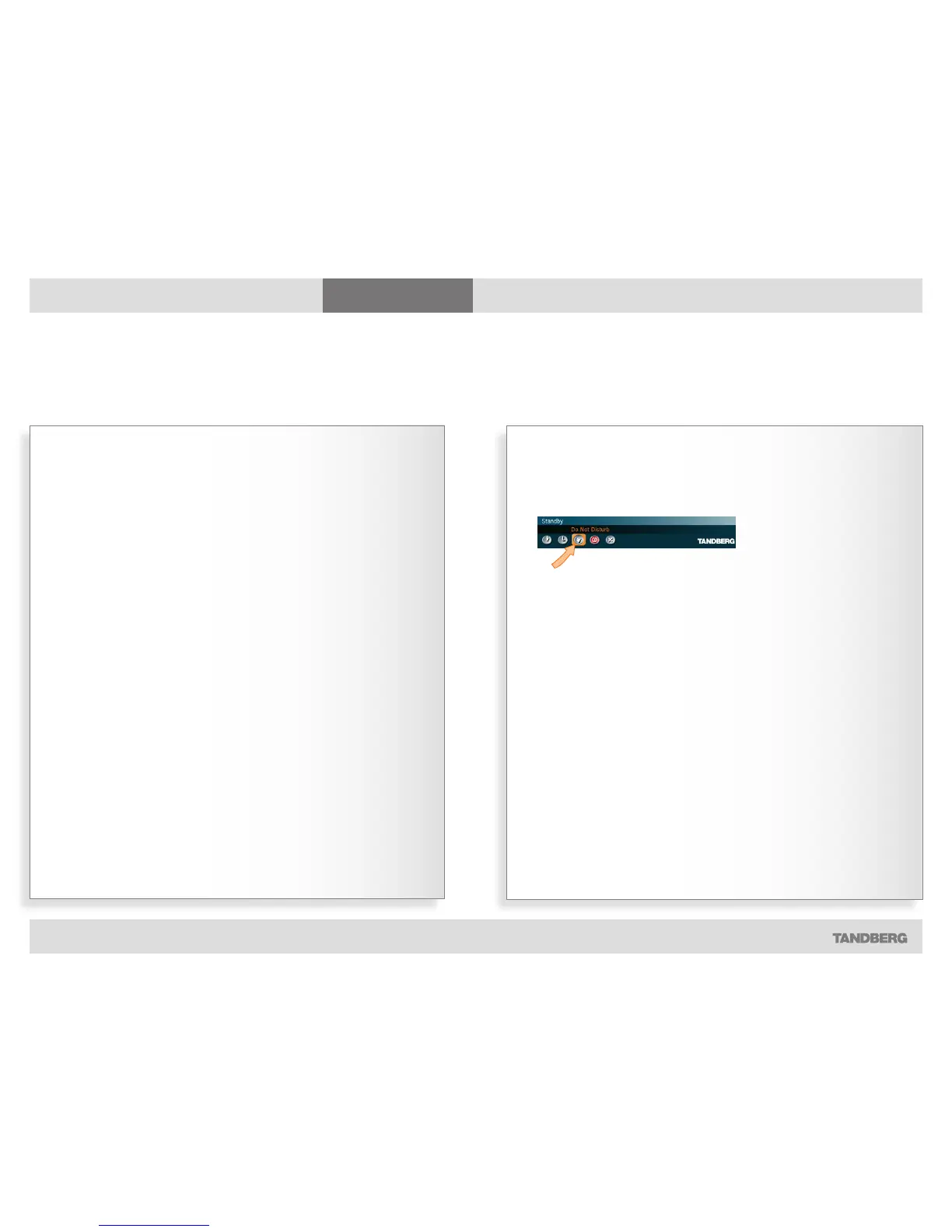
Use the feature as follows:
1. Outside a call, press the red End Call
key. In the menu then appearing,
navigate to the Do Not Disturb icon:
2. Press the OK key to activate this
feature. The screen will turn black
and the text Press any key to clear
Do Not Disturb will be shown.
3. To reset the function, do just that
(press any key).
There is a do not disturb function
available on your system. When set to
On, all incoming calls are blocked from
your system.
Let us assume that the do not disturb
function has not been activated.
Choosing Do Not Disturb (as shown
to the left) when receiving an incoming
call will then do two things: It rejects
the incoming call (in the same way as
choosing Reject), and sets the do not
disturb functionality to On.
If you activate Do Not Disturb whilst in
a call, this will block incoming calls for
as long as your call is going on.
Whenever the do not disturb function
has been activated, the far end will be
informed that the called is busy.
Using the Do Not Disturb feature
Blocking incoming calls



 To Next Page