What’s in this guide? Getting started Making calls Using the phone book In-call features Video conferencing
38
D1403405 USER GUIDE VIDEO ENDPOINTS MXP ENGLISH—SEPTEMBER 2009
Using the phone book
To edit the participants of a group …
E
ntries can be viewed to inspect
whom the participants of the
group are, in addition any number of
the participants may be replaced or
removed and finally any MultiSite entry
may be deleted at all times.
Edit a MultiSite entry
To view who is part of a certain
MultiSite entry, move to that specific
entry in My Contacts and press the OK
key.
Deleting a MultiSite entry
To delete an entire MultiSite entry,
navigate down to that entry in My
Contacts and do as described in
“Discarding an entry” on page 35.
Editing and deleting MultiSite entries
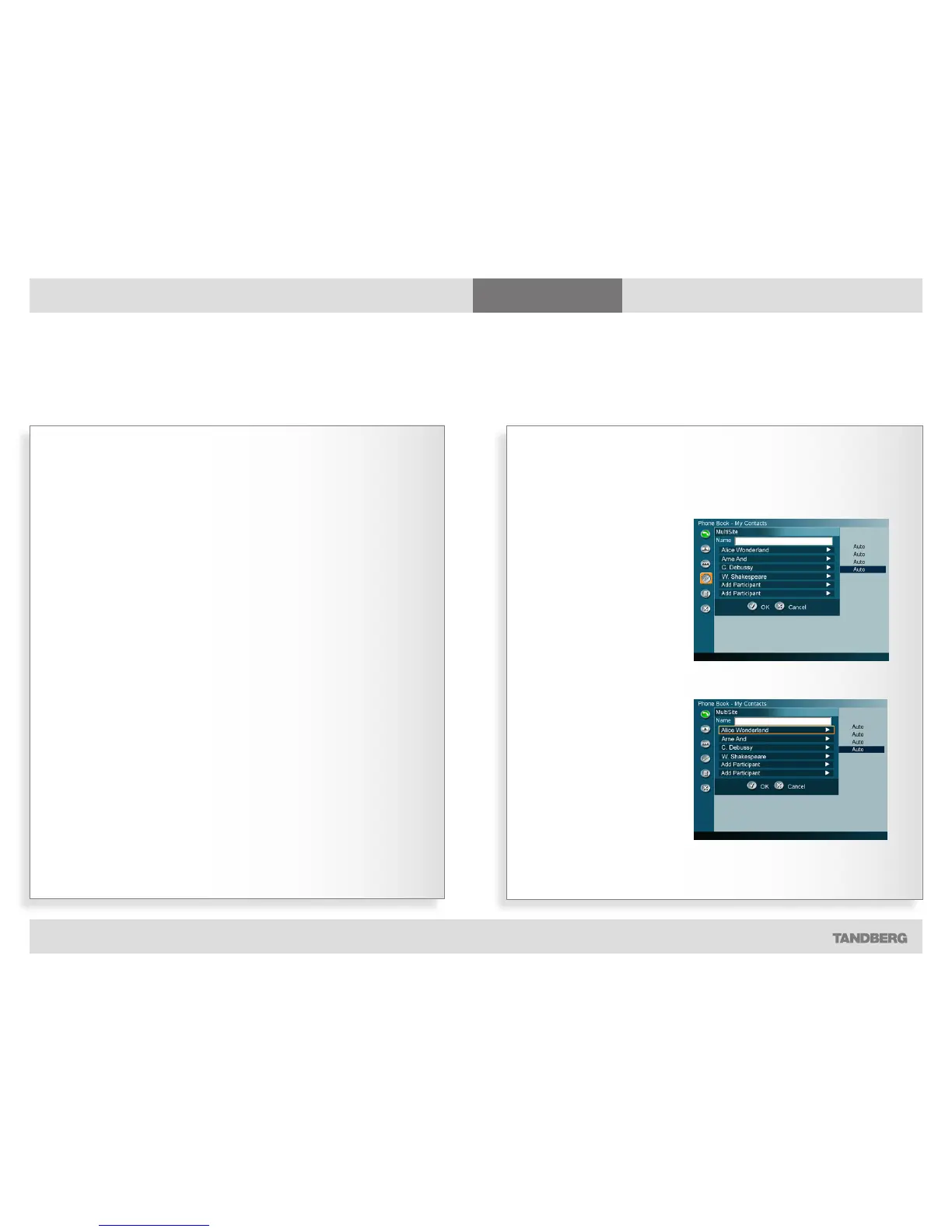
Adding and removing members
GRAPHICS GROUP
Within My Contacts, select the
MultiSite entry to be edited and
use the Arrow keys to move to
the left and then down to the
Edit icon, as shown here.
Press the OK key.
GRAPHICS GROUP
Move to the member of the
group to be edited using the
vertical Arrow keys. Use
Cancel to delete a member
leaving the position empty
and OK to change to another
member.



 To Next Page