What’s in this guide? Getting started Making calls Using the phone book In-call features Video conferencing
8
D1403405 USER GUIDE VIDEO ENDPOINTS MXP ENGLISH—SEPTEMBER 2009
Getting started
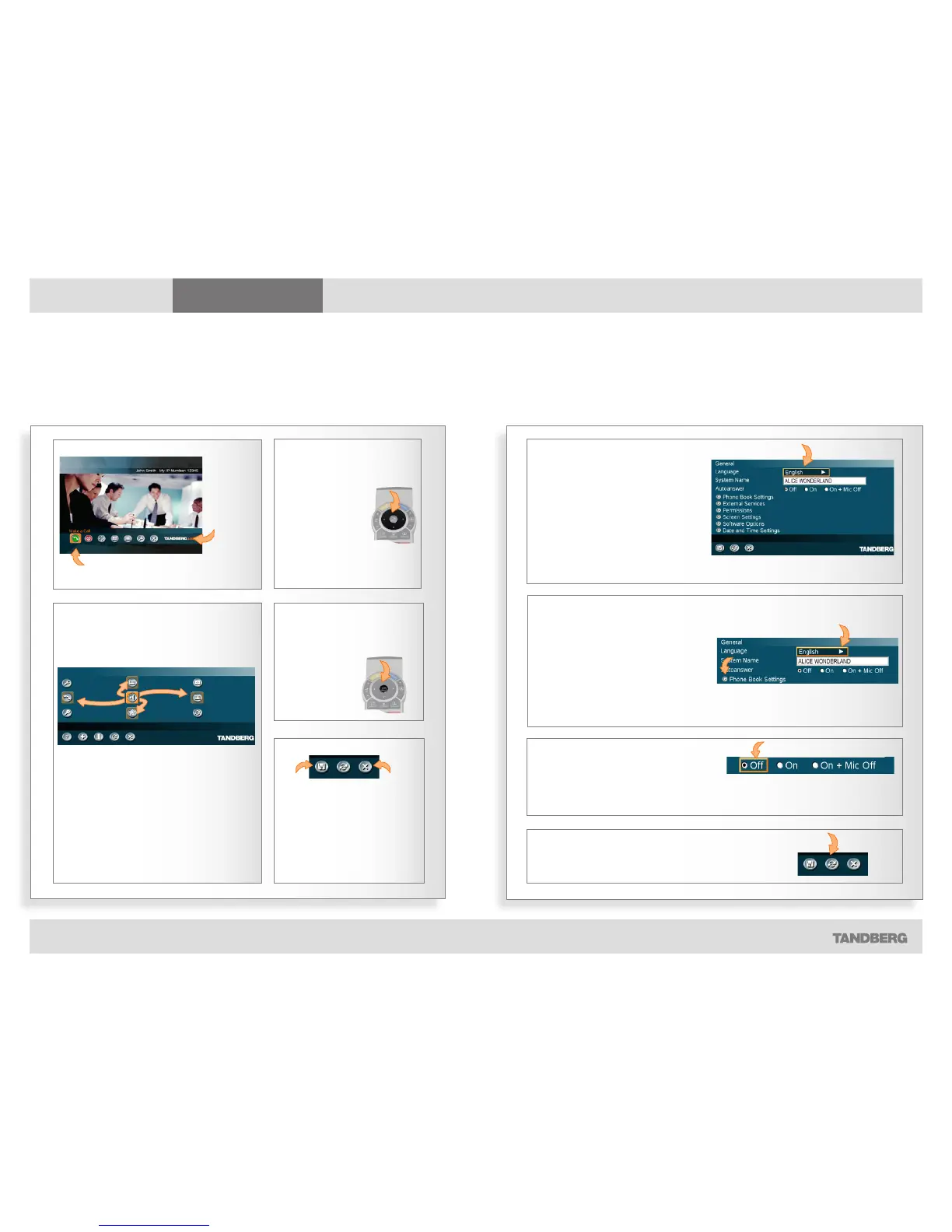
SUBMENUS
GOING FURTHER DOWN IN THE HIERARCHY
RADIO BUTTONS
RESTORE DEFAULTS
Navigating in the menus
Your TANDBERG system is operated by means of the remote control and a few basic navigation principles
All menu items having an arrow
appended allow you to go further
down the hierarchy and enter
another submenu.
Press the OK key to go further down
in the hierarchy.
Once you have navigated to a topic
of interest, press OK to select
that topic. You will then enter the
corresponding submenu.
The cursor position (the menu item
selected) is again indicated by an
orange frame.
Some choices consist of radio
buttons. Use the
keys to
navigate and press OK to select a
setting.
Restore default. Select this icon and click OK
to restore default settings.
NAVIGATE IN THE MENU
ENTERING SUBMENU
The OK key is used to enter
the submenu of an icon.
Moving about the menu using the Arrow
keys.
THE ARROW KEYS
Use the four
Arrow keys
to navigate
between icons
in a menu.
LEAVING A MENU



 To Next Page