What’s in this guide? Getting started Making calls Using the phone book In-call features Video conferencing
25
D1403405 USER GUIDE VIDEO ENDPOINTS MXP ENGLISH—SEPTEMBER 2009
Making calls
Streaming a video meeting…
S
treaming lets you broadcast your
meeting to participants on the
web. The web participants can view
the meeting, listen to the meeting,
see snapshots, but not participate
themselves. Snapshots of current stream,
selfview, far end and dual video streams
are accessible via http.
Viewing the streamed content
After streaming is started, an easy
way to view the streamed audio/
video on your PC, is to start your web
browser and enter the IP-address of the
streaming system.
Once the web page of the system
is shown, click on Streaming.
Alternatively, enter http://<codec/ip-
address>/showstream.ssi.
If in doubt, consult your system
administrator.
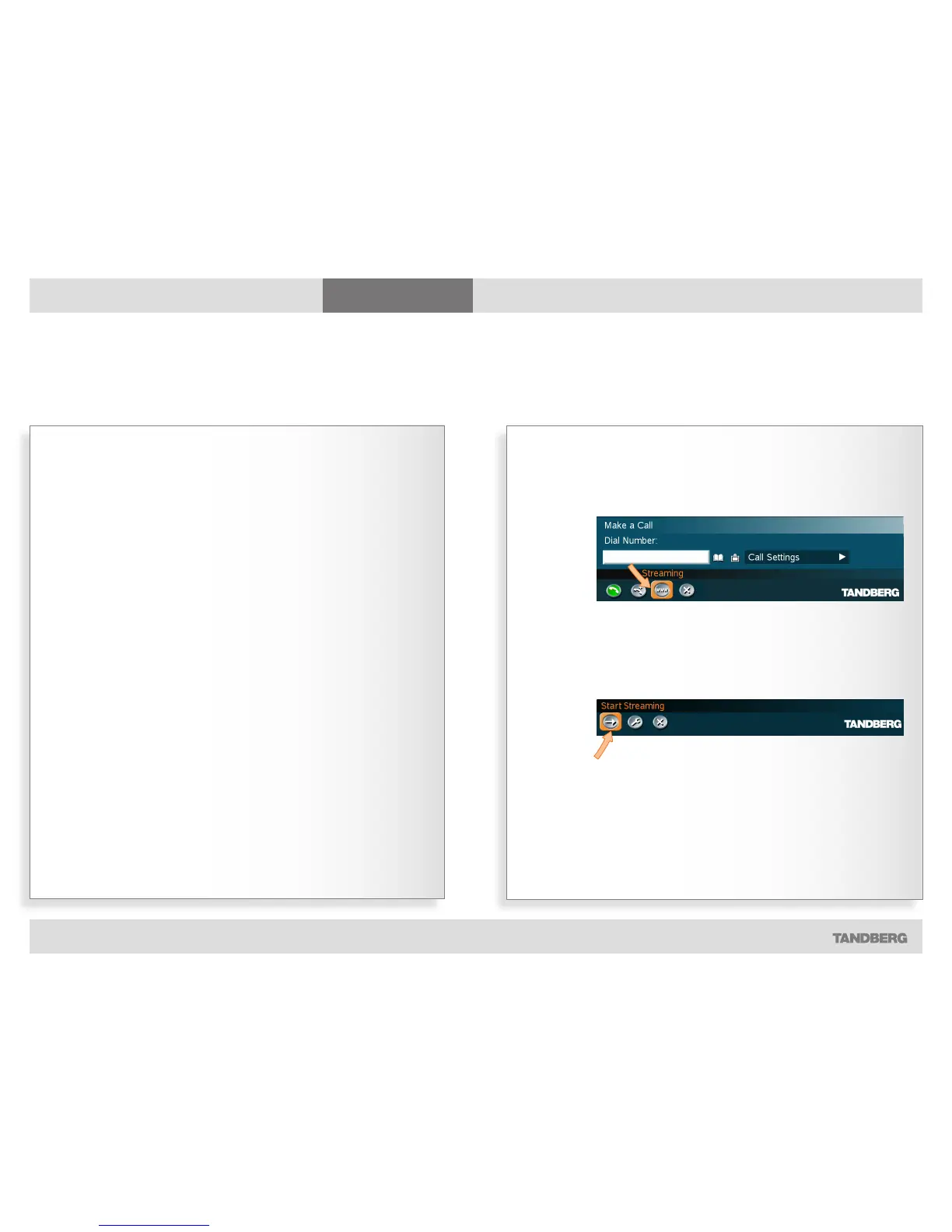
Streaming
Part 2: Broadcasting your meeting to participants on the web
Whilst in a call, press the green Call key on the
remote control and navigate to Streaming…
Press the OK key to produce the Streaming
submenu. Navigate to Start Streaming and press
the OK key…
During streaming the Start Streaming icon will change to Stop
Streaming. Select this icon and press the OK key to stop streaming.
Ending your call will also halt the streaming.



 To Next Page