What’s in this guide? Getting started Making calls Using the phone book In-call features Video conferencing
37
D1403405 USER GUIDE VIDEO ENDPOINTS MXP ENGLISH—SEPTEMBER 2009
Using the phone book
GRAPHICS GROUP
GRAPHICS GROUP
GRAPHICS GROUP
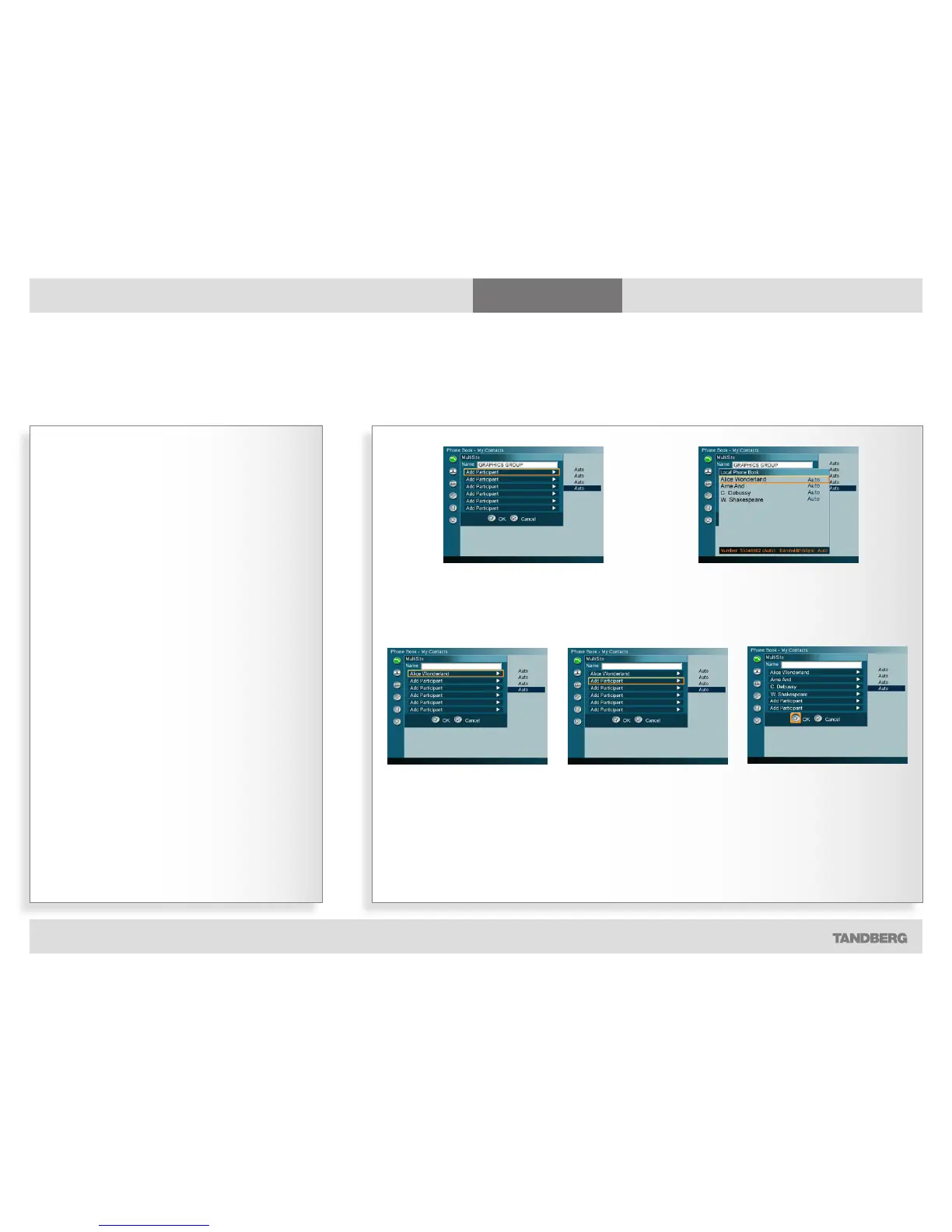
Creating MultiSite entries
Part 2: Adding members to the MultiSite Contacts group
Observe the following:
• My Contacts can hold up to 50 MultiSites Contacts.
• Entries in My Contacts can be members of as many groups
as you like.
• MultiSite contacts can only be recruited from My Contacts.
• MultiSite Contacts is an optional feature, which may or
may not be installed on your system. Contact your system
administrator or your TANDBERG representative for details.
• The exact number of simultaneous video and telephone
participants your TANDBERG video system actually supports
is configuration dependent, i.e. whether you depend on
your system’s built-in MultiSite capabilities, and whether
additional infrastructure products like external MCUs are
available. If in doubt, contact your system administrator.
1. Navigate down to the first line below the Name
field…
2. Press the OK key to show the contents of the My
Contacts, allowing you to choose participants…
3. Press the OK key to have
your selection inserted in the
MultiSite Contact list…
4. Move down to the next Add
Participant and repeat the
procedure until you have added
the participants you want to
add…
5. Once all the participants have
been added, move down to OK
and press the OK key to leave the
menu putting changes into effect.



 To Next Page