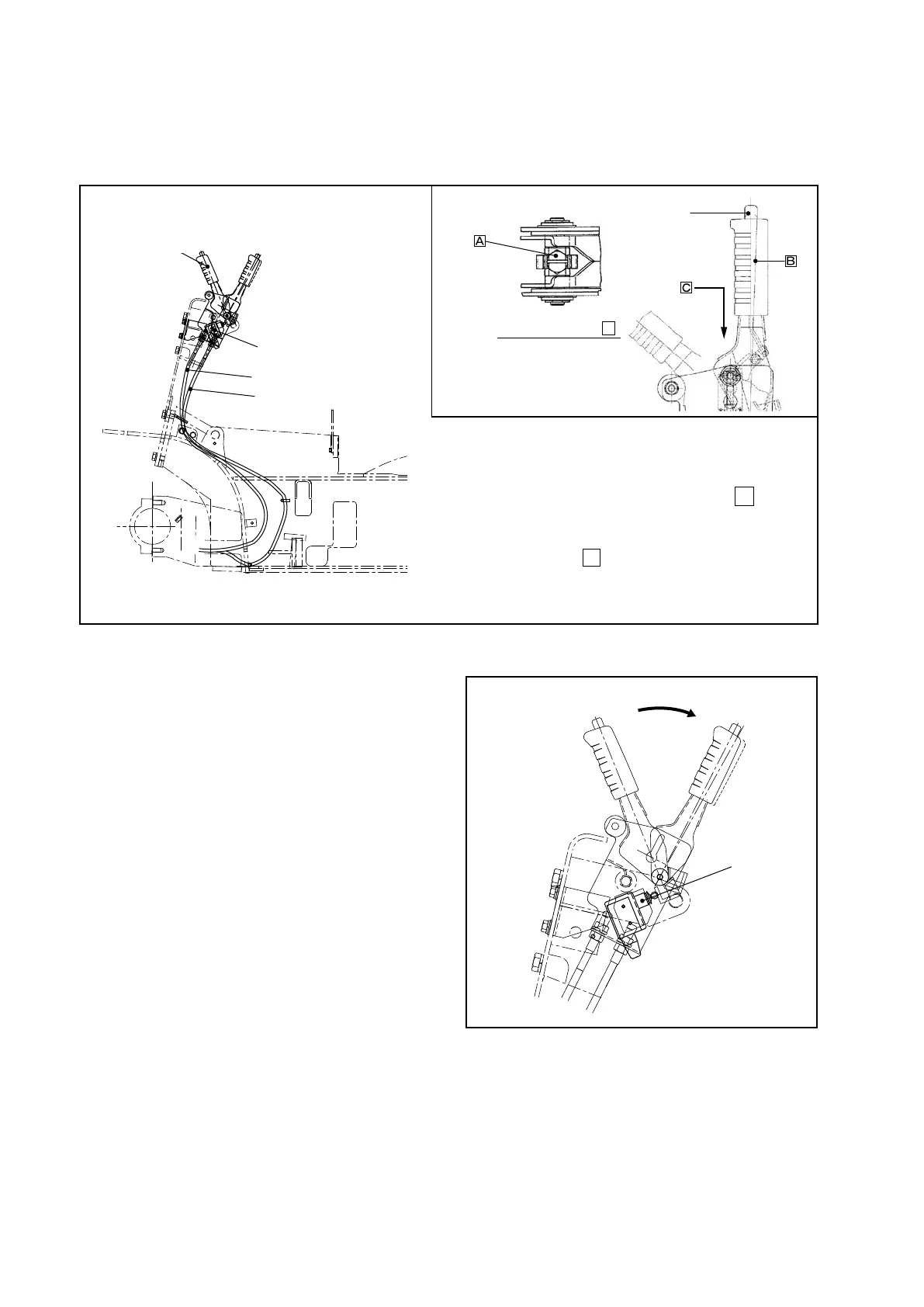
5.1.4 PARKING BRAKE LEVER
The parking brake lever is a toggle type and it is installed as shown in Figure 5.9. An adjuster
adjusting the braking force is located on the top of the lever.
Parking brake alarm system
1. If the parking brake is released while the key switch
is in the OFF position:
Alarm
The alarm buzzer keeps sounding regardless of
•
whether the operator is in the seat or not.
How to release the alarm
Pull on the parking brake lever to set the brakes.
•
2. If the parking brake is released while the key switch
in the ON position:
Alarm
The alarm buzzer will sound for one half second
•
if the parking brake is released and the operator
leaves the seat when the key switch is in the ON
position. If more than 3 seconds has passed after
the parking brake is released and the operator
leaves the seat, the alarm buzzer will keep
sounding.
How to release the alarm
Sit down or pull on the parking brake lever to set
•
the brakes.
Adjusting brake switch
① Loosen the two nuts securing the switch.
② Pull the brake lever.
③ Press the switch roller against the arm. After it clicks, press another 1 mm [0.0394 in.] and lock.
④ Release the brake and pull the brake lever again to see if the switch is turned ON.
■ Adjusting lever pulling force
(1) Put the lever in the release position.
(2) Adjust the lever so that it is positioned as
shown in the gure when the point
B
of the
lever is pulled by a force of 147 to 167 N {15
to 17 kgf} [33 to 37.5 lbs].
Turn the point
A
clockwise when you want
a harder pulling force and counterclockwise
when you want a lighter pulling force.
Fig. 5.9 Parking Brake Lever
View looking from
C
RELEASE
BUTTON
PARKING
BRAKE LEVER
PARKING BRAKE SWITCH
RIGHT-SIDE CABLE
LEFT-SIDE CABLE
Fig. 5.10
SWITCH



 To Next Page