143
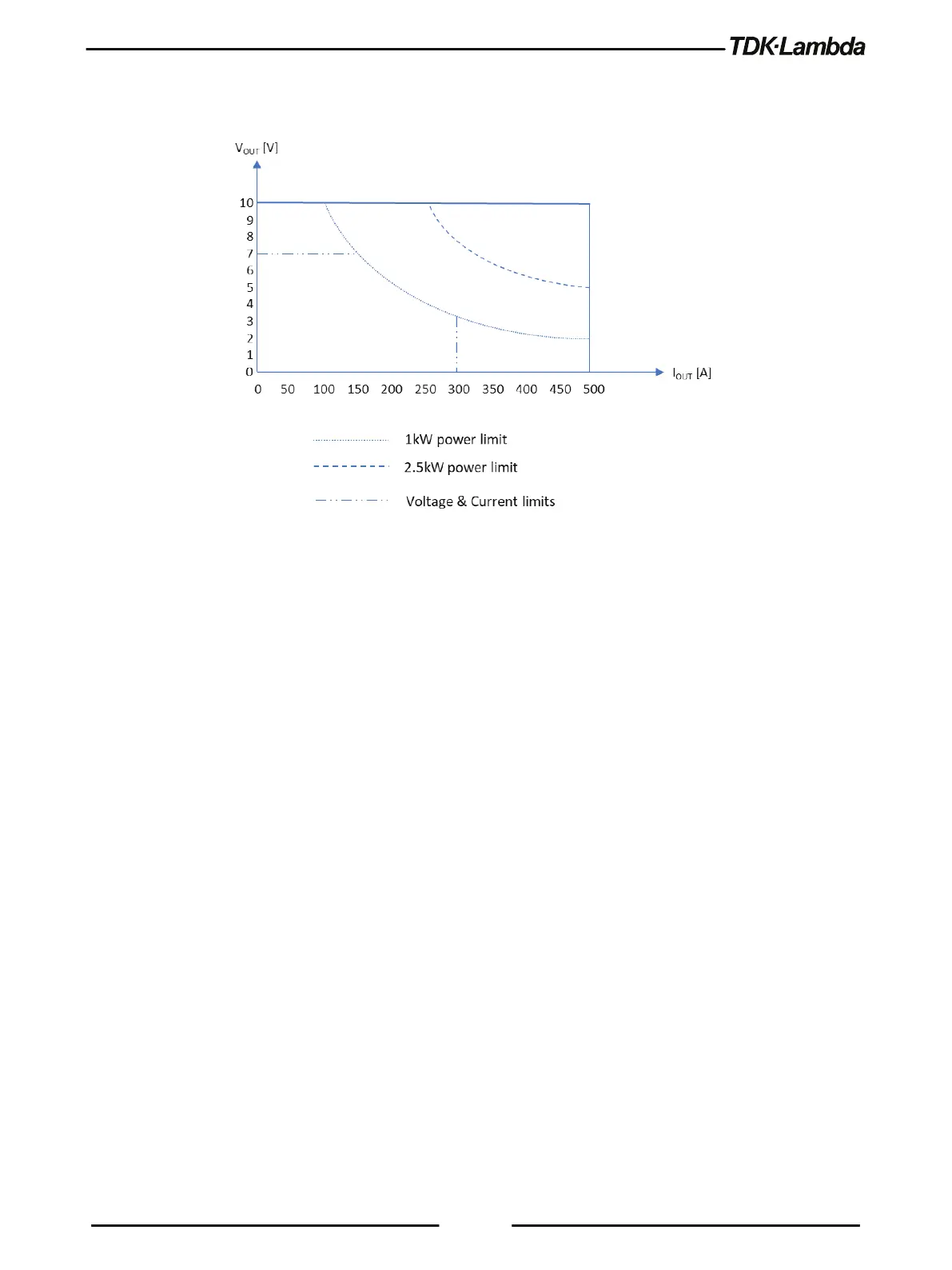
To limit voltage and current values (in addition to constant power limit), set voltage limit and current
limit, as shown in Figure 6–9.
Figure 6–9: Constant Power - Example 2
6.6
Preload Control
Preload Control function provides the ability to enable/disable internal preload circuitry. This
function is mainly used to prevent discharge of batteries connected to the power supply output
terminals.
Setting preload to ON state (default configuration) keeps the preload active, as long as power
supply power switch is ON. Setting preload to OFF state deactivates internal preload 5 seconds
after a transition to the output OFF state.
Preload control function is available via the Front Panel menu (refer to section 2.7) or the
communication command SYSTem:PRELoad:STATe <Bool>.













 To Next Page