6. LSServer, Scanner Shell and Download
2004-11 Operating Manual for the LS Series Scanner No. 30001798 Rev. No. 1.5 6-107
The
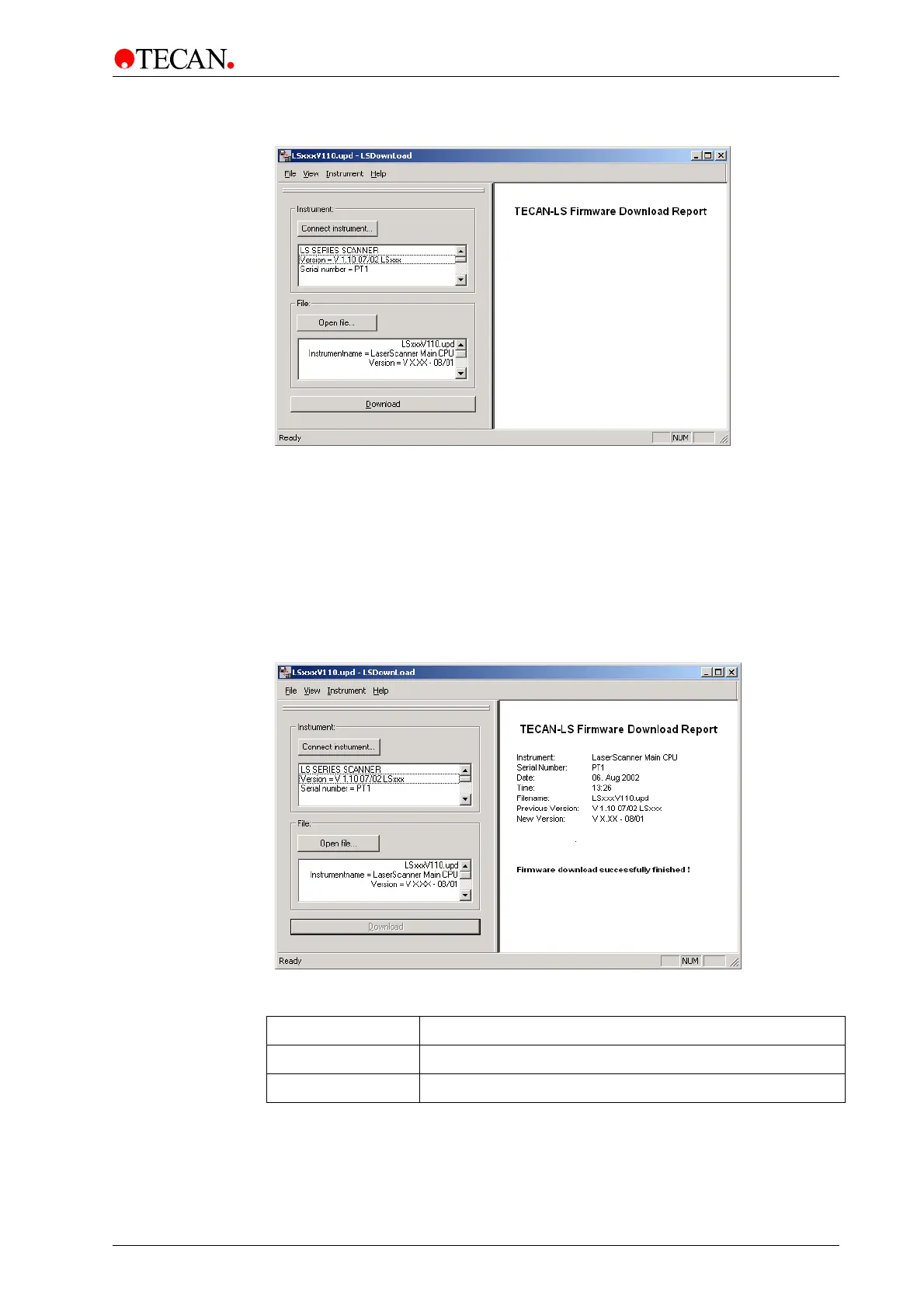
Open File text box displays the selected Download file (*.upd file), as well as
the instrument name and the version number.
Download
This option allows firmware to be downloaded to an instrument.
In the
Instrument menu, select Download and a dialog box appears which
recommends to stop all programs that are currently running.
The desired data will be sent to the connected instrument. After the download has
successfully finished a dialog box appears instructing the user to switch the
instrument off. The result is shown in the report area of
LSDownload software:
A message in the
window area of the LSDownload software shows that the
download was successful or unsuccessful:
Download Message in report area of LSDownload
Unsuccessful
Firmware download failed!
Successful
Firmware download successfully finished!



 To Next Page