6. LSServer, Scanner Shell and Download
6-74 Operating Manual for the LS Series Scanner No. 30001798 Rev. No. 1.5 2004-11
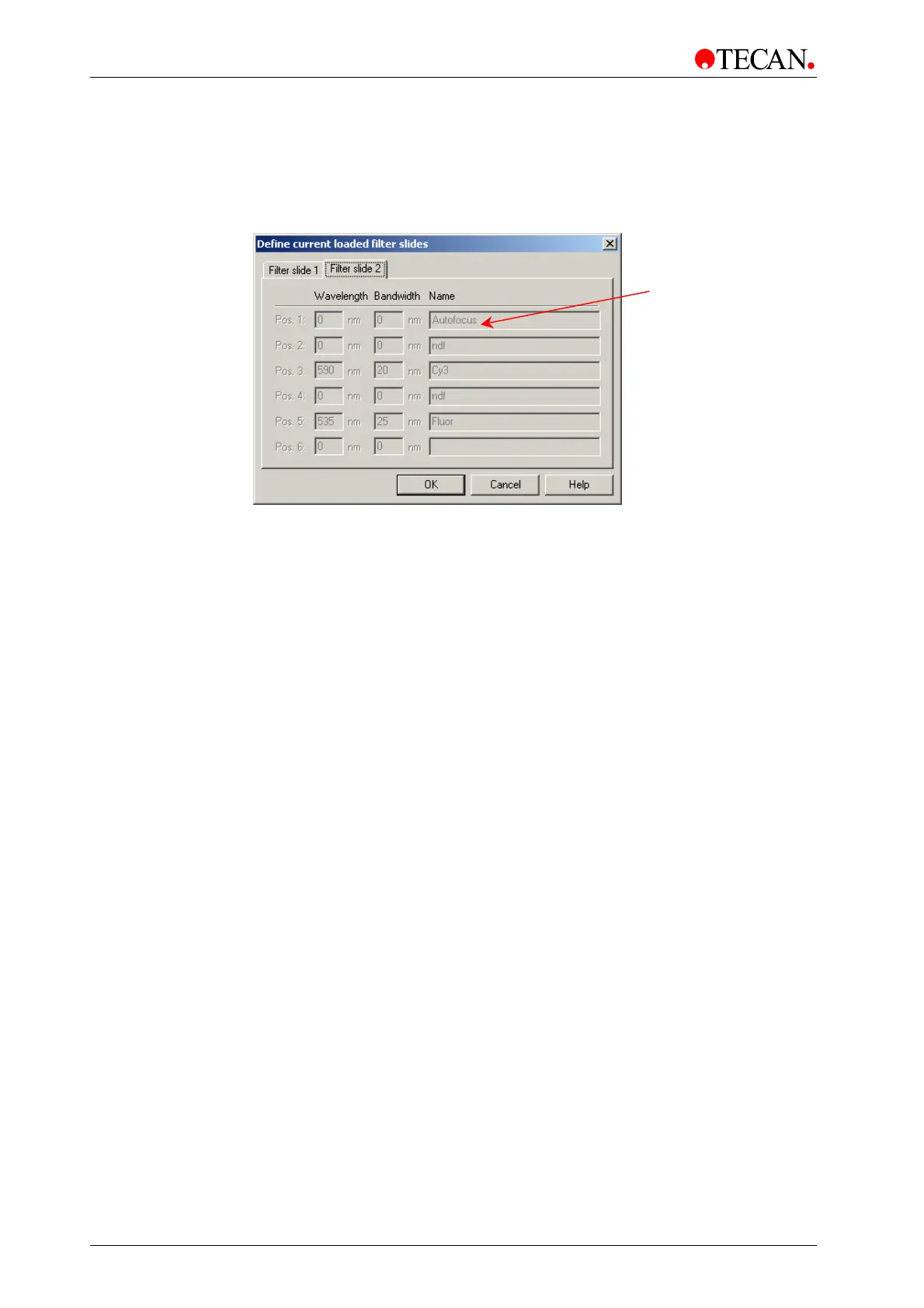
Filter Slide 2 tab
The Filter Slide 2 tab contains all data definitions for the filter slide in channel 2.
The tab is disabled in this version of the Scanner Shell software.
The
Filter Slide 2 tab window:
The
Filter Slide 2 tab window consists of the following elements:
Pos. 1 - Pos. 6
static text
This static text corresponds to the filter positions on the filter
slide loaded in filter slot 2:
•
Pos. 1 is reserved for focus measurement
•
Pos. 2 - 5 are free for filter definition
•
Pos. 6 is reserved
Instrument Options
The Instrument Options option is not available in this version of the Scanner
Shell software.
Language
In Setup menu, select Language…
The Language option shows the available languages of the LS Scanner Shell
software.
When the
Language is selected (√) the LS Scanner Shell software (menus,
windows, comments) will be displayed in this
language.
Pos. 1 must be
defined as
utofocus otherwise
this operation will



 To Next Page