6. LSServer, Scanner Shell and Download
6-38 Operating Manual for the LS Series Scanner No. 30001798 Rev. No. 1.5 2004-11
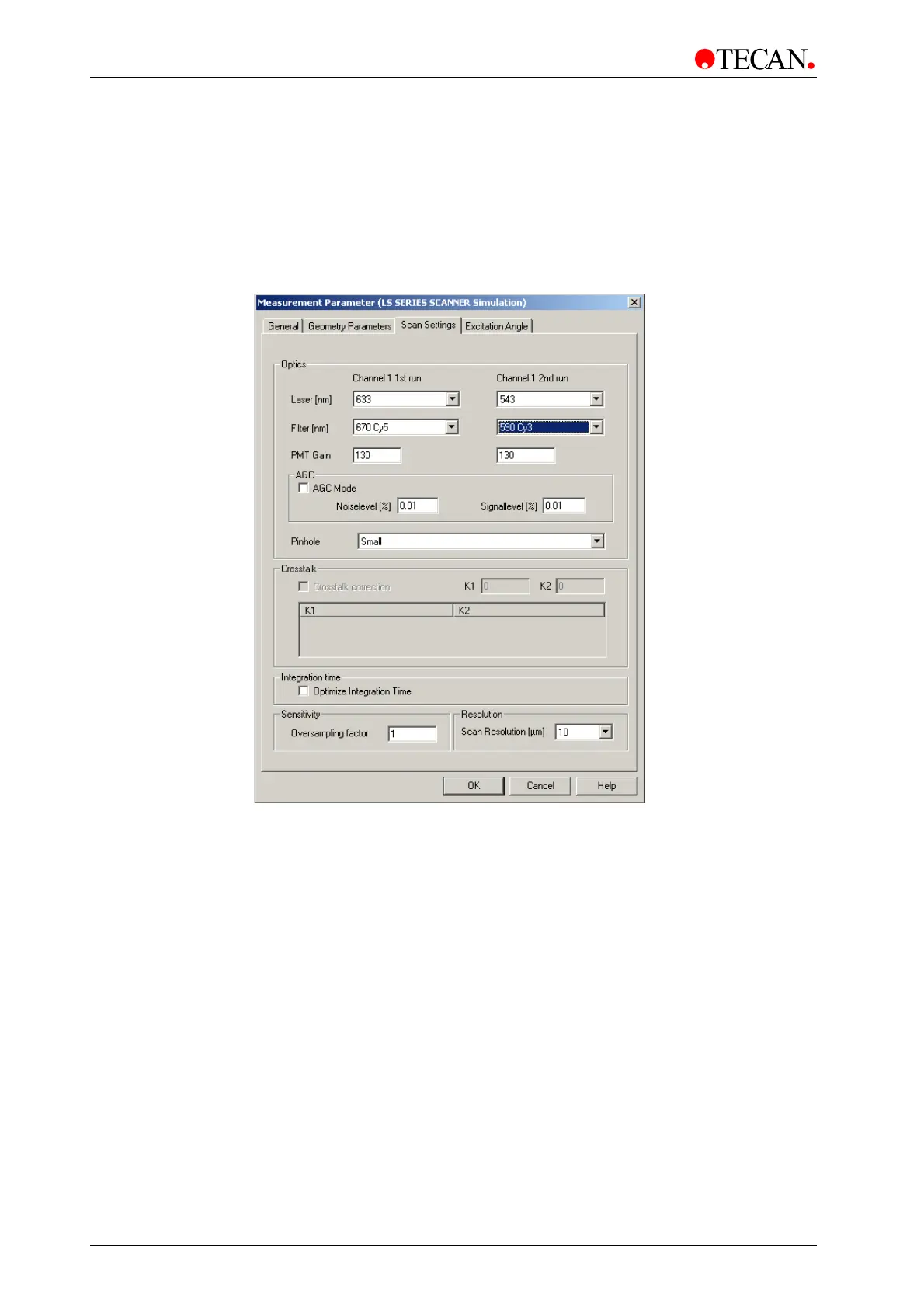
Scan Settings Tab
In the Scan Settings tab the excitation and emission wavelengths can be
selected. The gain for the PMT is set respectively in one or two channels.
Pinhole, Crosstalk correction, Integration time, Sensitivity and Scan Resolution
can be defined.
Click OK to save the changes and close the dialog box.
The Scan Settings tab window:
The Scan Settings tab window contains the following group boxes:
• Optics group box
• AGC group box
• Crosstalk group box
• Integration time group box
• Sensitivity group box
• Resolution group box



 To Next Page