6. LSServer, Scanner Shell and Download
2004-11 Operating Manual for the LS Series Scanner No. 30001798 Rev. No. 1.5 6-37
AGC (Automatic Gain Control)
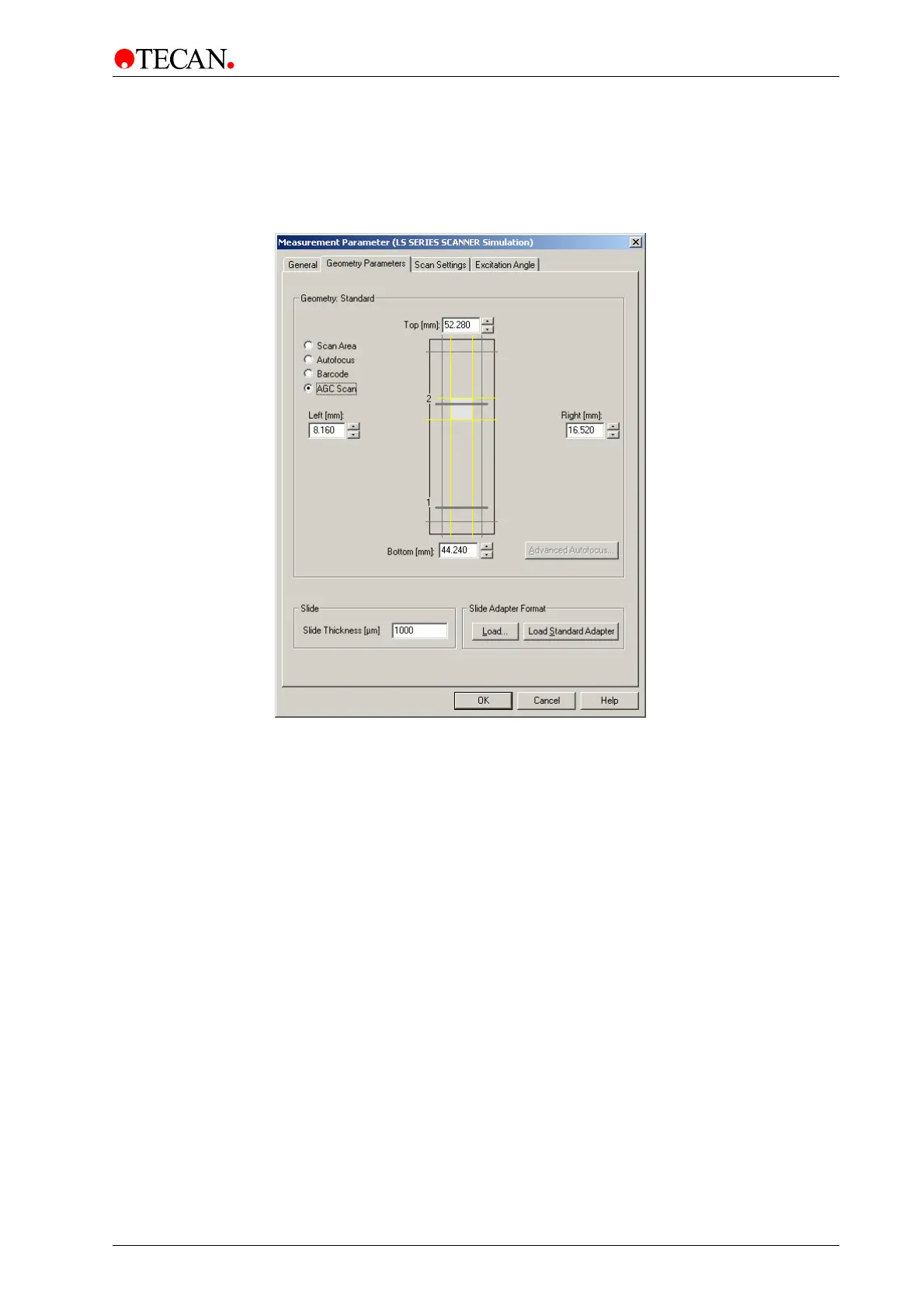
Select the AGC Scan Area option button to start automatic gain control scan
area selection.
The Geometry Parameters tab appears as follows:
The AGC window contains the following elements:
Top
spin control
Use the Top spin control or type in a value to set the upper
border of the scan area. The value is measured in mm from the
lower left corner (0/0).
Left
spin control
Use the Left spin control or type in a value to set the left border
of the scan area. The value is measured in mm from the lower
left corner (0/0).
Right
spin control
Use the Right spin control or type in a value to set the right
border of the scan area. The value is measured in mm from the
lower left corner (0/0).
Bottom spin
control
Use the Bottom spin control or type in a value to set the bottom
border of the scan area. The value is measured in mm from the
lower left corner (0/0).
AGC is only available in:
• Single Scan Mode
• Dual Sequential Scan Mode
It is not possible in Dual Parallel Scan Mode because the Cross Talk
phenomenon with special dye combinations (e.g. Cy3 and Cy5), where signal
from one channel will be detected in the other channel and can therefore lead to
incorrectly calculated gain values.
See AGC Scan Area option button on page 6-16, for more information.



 To Next Page