8. Cleaning & Maintenance
8-2 Operating Manual for the LS Series Scanner No. 30001798 Rev. No. 1.5 2004-11
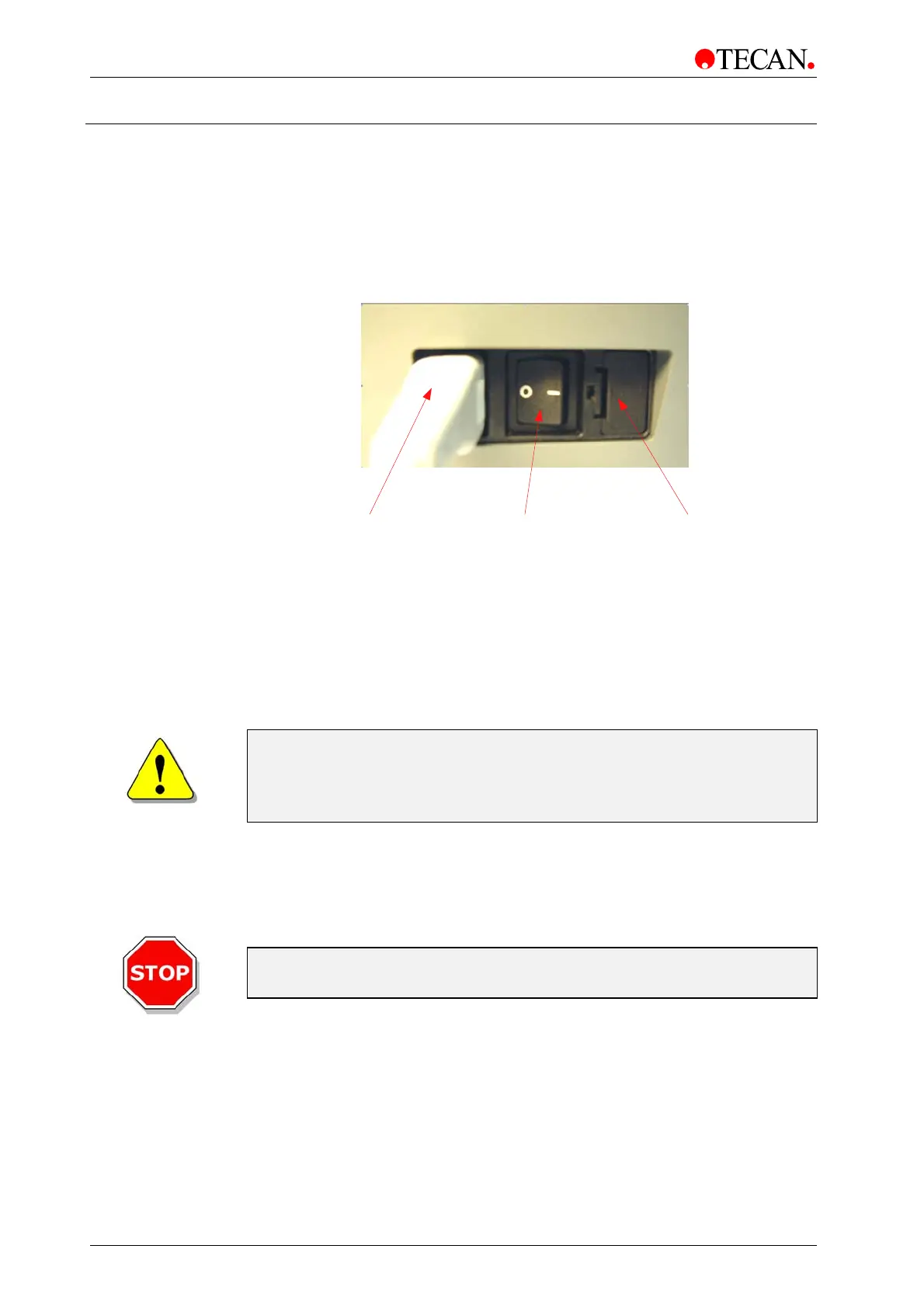
8.3 Replacing the Fuse
• Turn the instrument OFF and unplug the main power cable from the
instrument. The fuse is located to the right of the main power cable
connection in the rear of the instrument.
• Open the fuse compartment by inserting a screwdriver into the slot in the top
of the cover and push the fuse holder out.
On/Off Switch
1 = ON
0 = OFF
Fuse compartment Main power socket
• Pull the fuse out and replace the defective fuse(s) with the spare fuse(s).
• Ensure that the fuse(s) has/have the correct rating:
T 2.0 A / 250 V (slow
blow)
WARNING
RISK OF FIRE!
REPLACE ONLY WITH FUSES
OF THE SAME TYPE AND RATING.
• Replace the fuse holder.
• Reconnect the mains cable.
• Turn the instrument on.
Caution
If the fuse continues to blow, call for service.



 To Next Page