6. LSServer, Scanner Shell and Download
6-54 Operating Manual for the LS Series Scanner No. 30001798 Rev. No. 1.5 2004-11
6.3.8 Settings
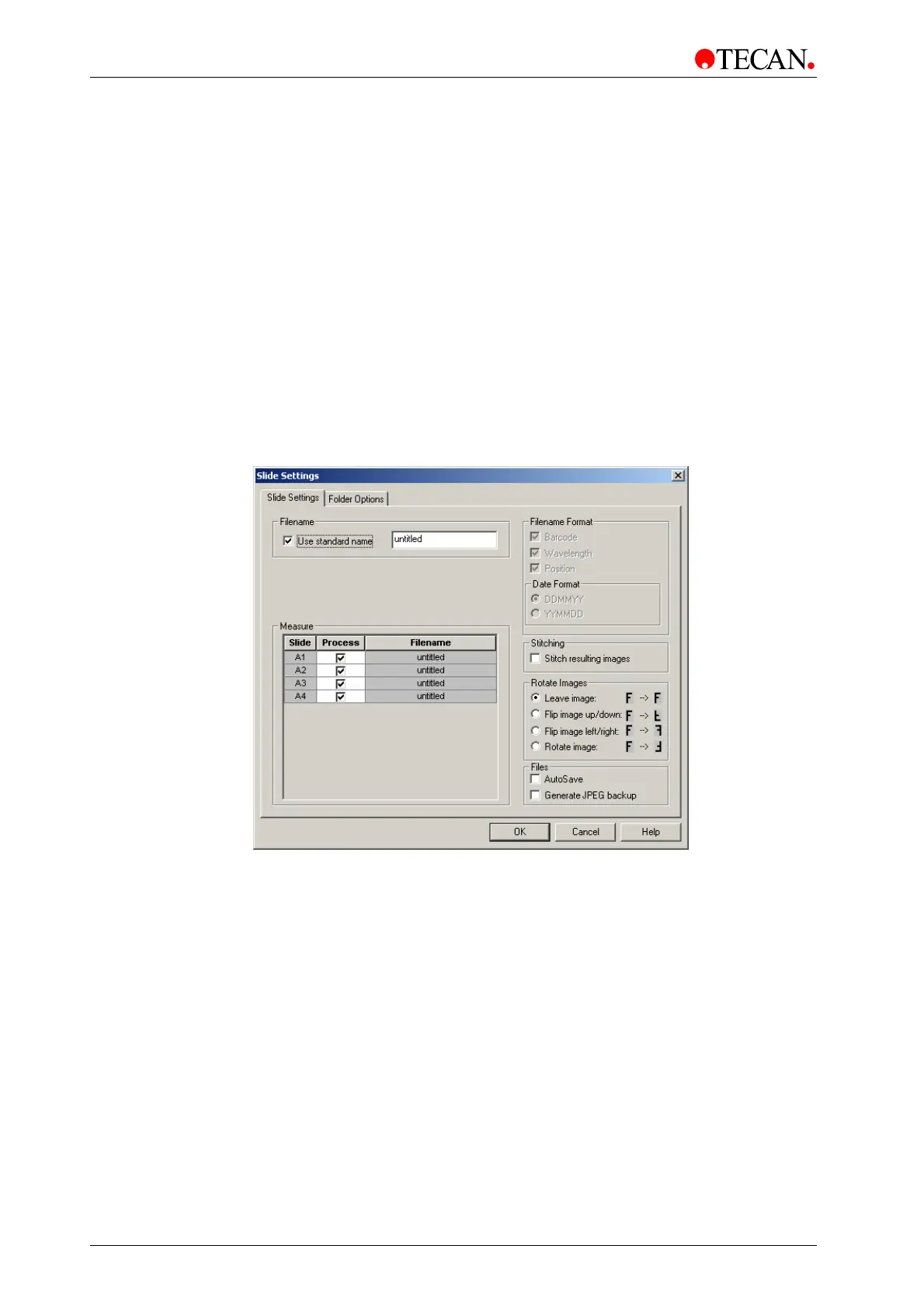
Slide Settings
In the Measurement Control dialog box, click Settings … to display the slide
setting options:
• The filename(s) of the scanned image(s)
• The slides to be processed
• If the scanned image(s) should be saved automatically or not
• If the images should be stitched or not
• If the stitched image should be flipped or not
The
Filename can be either a standard name or an individual Filename Format.
AutoSave, Stitching of resulting images or Flipping can be selected, if desired.
Under
Measure, select the slides to process.
The
Slide Settings dialog box:
The
Slide Settings tab contains the following elements:
• Filename group box
• Measure
grid box
• Filename Format
group box
•
Date Format group box
•
Stitch resulting images check box
• Rotate image group box
• Files group box



 To Next Page