6. LSServer, Scanner Shell and Download
6-64 Operating Manual for the LS Series Scanner No. 30001798 Rev. No. 1.5 2004-11
6.4 LS Scanner Shell
6.4.1 General
The following chapters contain the description of the special LSServer options,
which can be viewed and utilized in the
Scanner Shell program. The Scanner
Shell software is required for the following:
• Defining filter slides
• Locking and unlocking the instrument for transportation purposes
• Calibrating the gain of PMTs
• Defining crosstalk
• Setting up and calibrating the stacker
6.4.2 Starting Scanner Shell
Close all programs using Tecan LSServer.
Click the
Scanner Shell icon in the Tecan program group.
The
Scanner Shell window is displayed.
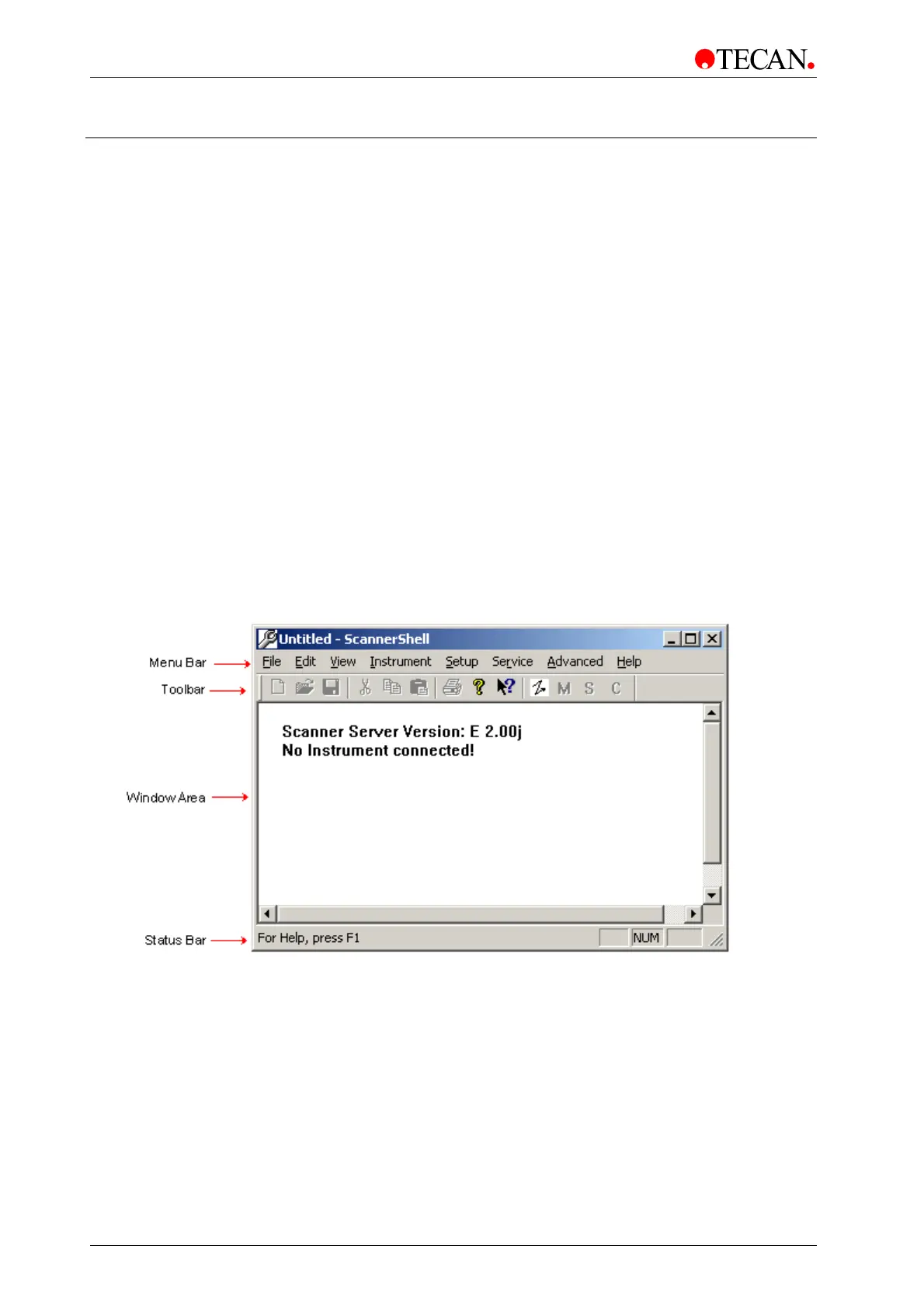
6.4.3 Window Elements
The
Scanner Shell main window contains a menu bar, a toolbar, the window
area
and the status bar.
The
window area displays the type of the connected LSServer. For example: LS
SERIES SCANNER
Simulation.



 To Next Page