6. LSServer, Scanner Shell and Download
6-26 Operating Manual for the LS Series Scanner No. 30001798 Rev. No. 1.5 2004-11
6.3.5 Instrument
Plate/ Filter
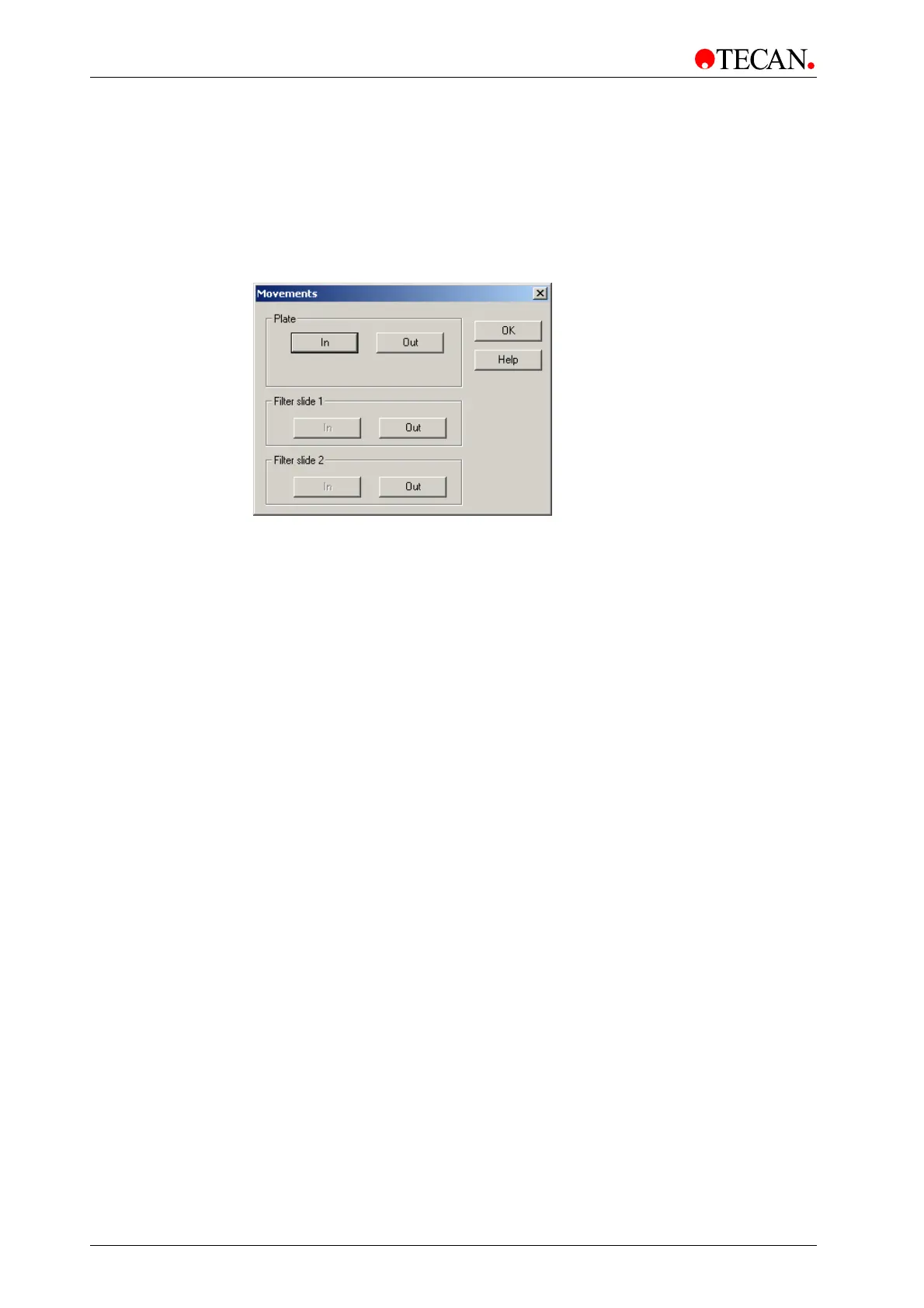
In the Measurement Control dialog box, click Plate/ Filter…to move the plate
carrier and the filter slides of certain instrument. The Movements dialog box will
appear.
In the Movements dialog box, the respective In and Out buttons can be used to
move the plate carrier into or out of the LS Series Scanner. The respective Out
buttons for the filter slides can be used to move the filter slides out of the LS
Series Scanner.
Click OK to close the dialog box.
The Movements dialog box contains the following elements:
Plate
group box
The Plate group box consists of the following elements:
• Plate In button:
Click the Plate In button to close the door and to move in the plate
transport.
• Plate Out button
Click the Plate Out button to open the door and to move out the
plate transport.
Filter Slide 1
group box
The Filter Slide 1 group box consists of the following elements:
• In button
The In button is disabled. Insert the filter slide (making sure that it
is properly oriented), until a slight resistance is felt, the LS Scanner
will automatically move the filter slide in from this point.
• Out button:
Click the Out button to move out Filter Slide 1.
Filter Slide 2
group box
The Filter Slide 2 group box consists of the following elements:
• In button
The In button is disabled. See the description for Filter slide 1.
• Out button
Click the Out button to move out Filter Slide 2.
OK button Click OK to close the dialog box.
Help button Click the Help button to display the online help for the dialog box.



 To Next Page