6. LSServer, Scanner Shell and Download
6-34 Operating Manual for the LS Series Scanner No. 30001798 Rev. No. 1.5 2004-11
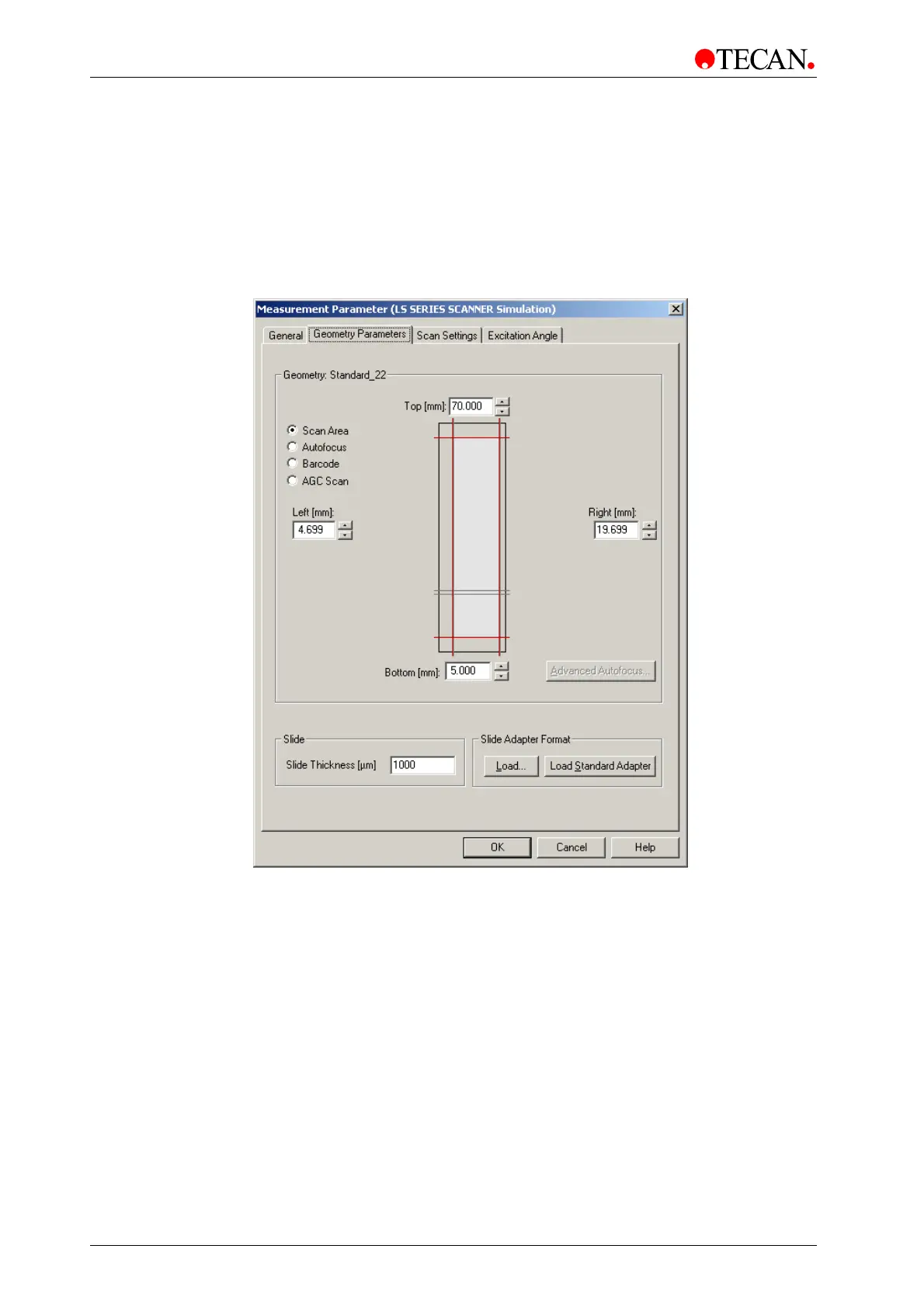
Scan Area
The Geometry Parameter tab appears differently depending on which option
button has been selected :
Select the Scan Area option button to define the scan area that is displayed as a
light gray area within the red borderlines.
Minimum Scan area: 1mm x 1mm anywhere on the slide.
The Geometry Parameters tab appears as follows:
The Scan Area contains the following elements:
Top
spin control
Use the Top spin control or type in a value to set the upper
border of the scan area. The value is measured in mm from the
lower left corner (0/0).
Left
spin control
Use the Left spin control or type in a value to set the left border
of the scan area. The value is measured in mm from the lower
left corner (0/0).
Right
spin control
Use the Right spin control or type in a value to set the right
border of the scan area. The value is measured in mm from the
lower left corner (0/0).
Bottom spin
control
Use the Bottom spin control or type in a value to set the bottom
border of the scan area. The value is measured in mm from the
lower left corner (0/0).



 To Next Page