6. LSServer, Scanner Shell and Download
6-44 Operating Manual for the LS Series Scanner No. 30001798 Rev. No. 1.5 2004-11
Cancel button Click the Cancel button to close the dialog box. The selected
options are not saved.
Help
button
Click the Help button to display the online help for the dialog
box.
Advanced Autofocus
To edit the Autofocus parameters, select the Geometry Parameter tab in the
Measurement Control dialog box, and select Autofocus option button to make
Advanced Autofocus… available.
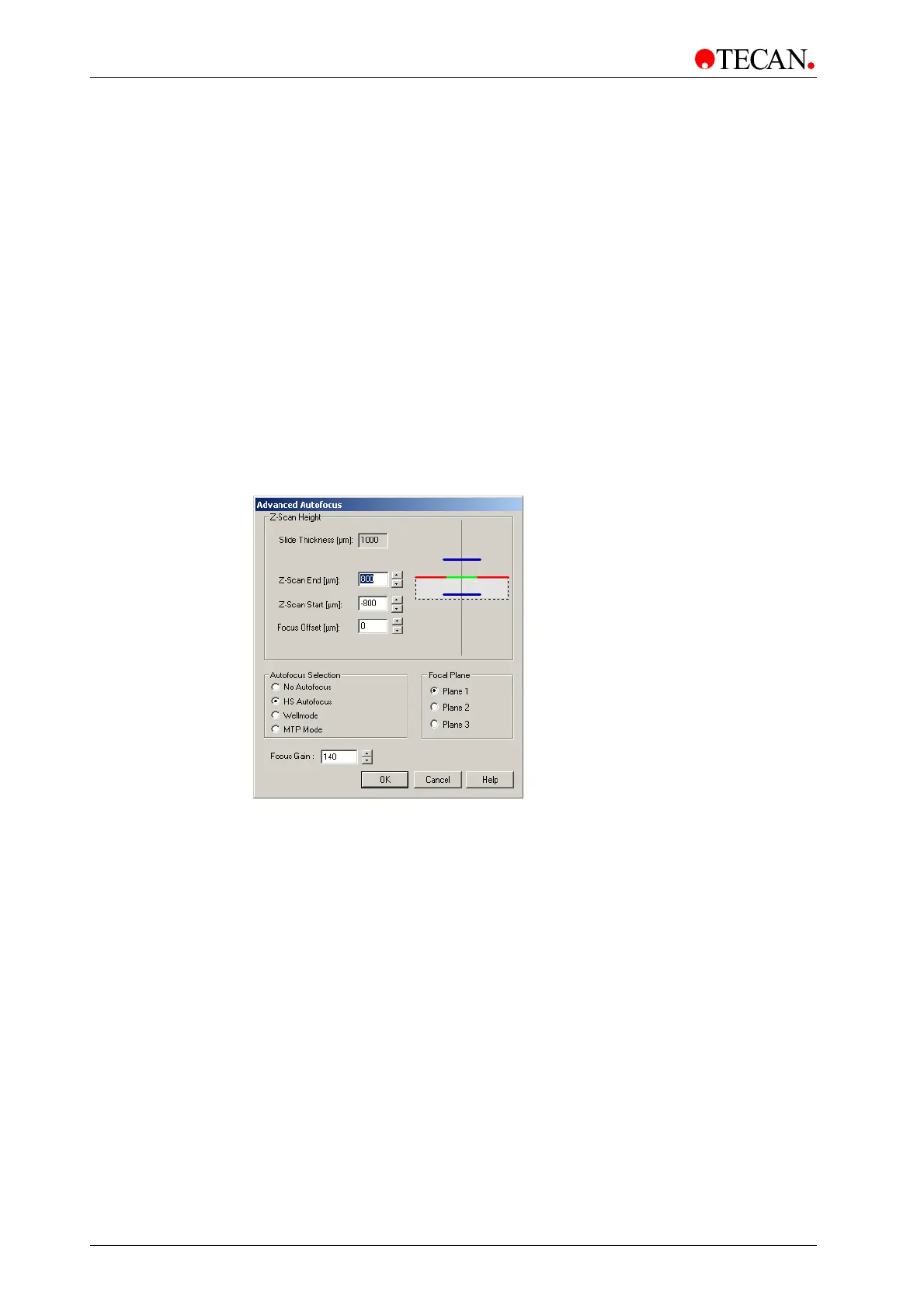
Click the Advanced Autofocus button and the Advanced Autofocus dialog box
appears.
Window Elements
The Advanced Autofocus dialog box:
The Advanced Autofocus dialog box contains following elements:
• Z-Scan Height group box
• Focus Offset controls
• Focus Gain controls
• Focal Plane group box
• Autofocus Selection group box
The Advanced Autofocus dialog box contains following buttons:
OK
button
Click the OK button to save the selected options and to close the
dialog box.
Cancel
button
Click the Cancel button to close the dialog box. The selected
options are not saved.
Help
button
Click the Help button to display the online help for the dialog box.



 To Next Page