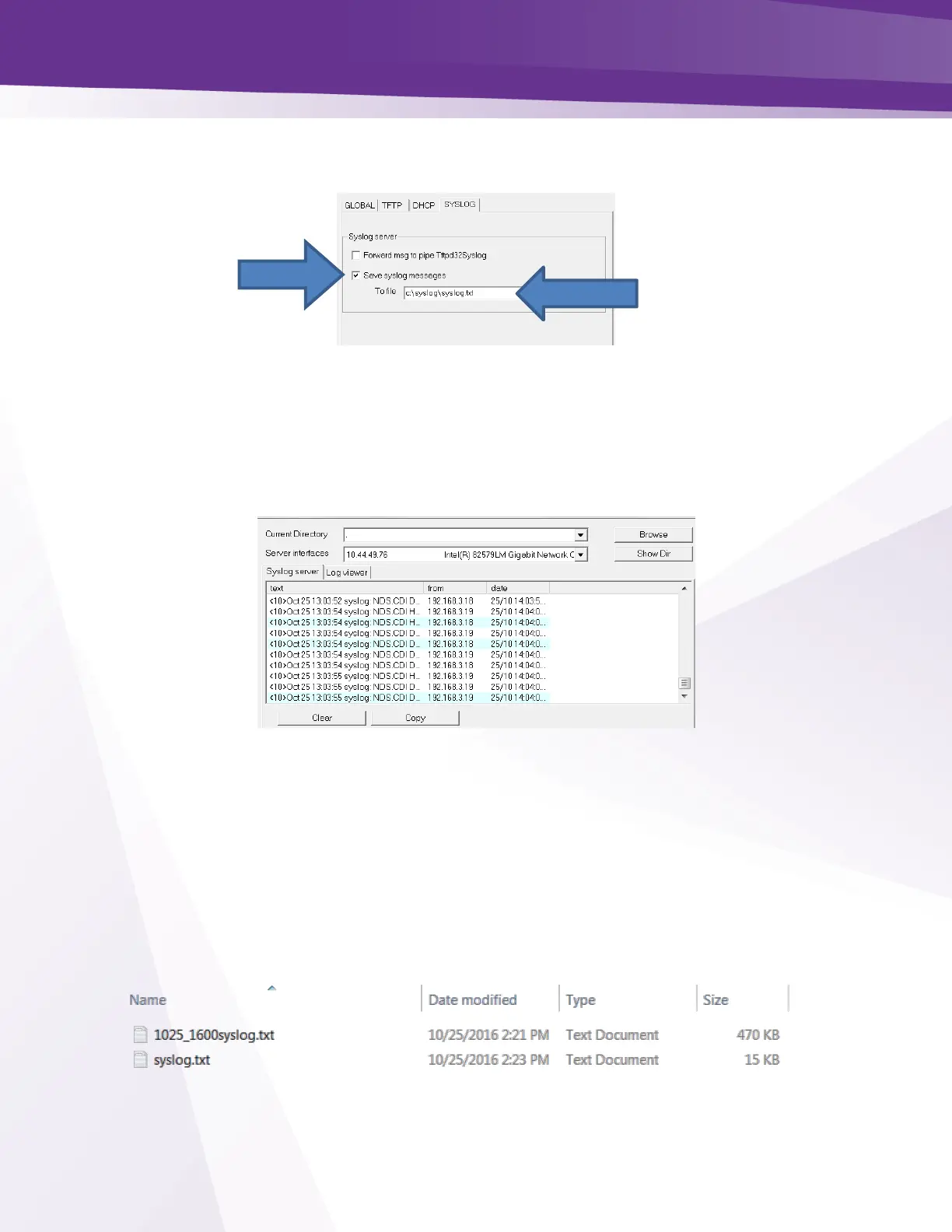
In the TFTP settings menu go to SYSLOG check the “Save syslog messages” box and enter the
file location in the “To file” field: Click OK
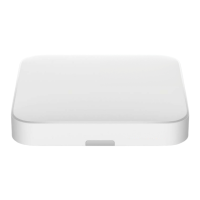
From the TFTP main screen select the “Syslog Server” tab. You will see the syslog information
displayed in the text box, designated by the IP address of the card in the “from” column.
Open the syslog.txt file you created and verify the log information is populating the file.
The syslog files will grow large pretty quickly especially if you are logging several COM51
cards simultaneously. You may want to archive the files every couple of hours.
To archive the files:
Stop the Tftpd program
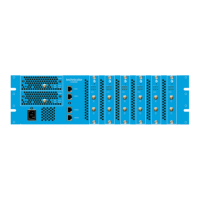
Change the name of the syslog.txt file to something you can refer to later such as
1025_1600syslog.txt. In this case I used the date and time.
Restart the Tftpd server and verify the new syslog file is populating.


 To Next Page