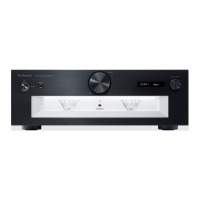
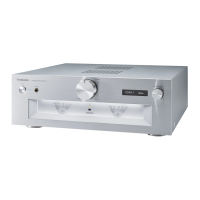
7.9. Can not control Input Selection
Can not control Input selection.
YES
Is the correct voltage
presented at P8301 on Selector PCB?
Between
Pin 1 and 6: +3.1 to 3.4V
YES
Replace FFC.
NO
NO
NO
NO
Is FFC between
P4551 on Main PCB and
P6502 on AMP PCB
damaged?
Replace Main PCB.
YES
Replace AMP PCB.
Replace SMPS PCB.
Still not remedy.
Still not remedy.
Is the voltage
changed at P8301 on
Selector PCB during Input Selector rotation?
Between Pin 4 and 3, Pin 5 and 3:
Normal: +3.1 to 3.4V
Is the correct voltage
presented at P8004 on OLED PCB?
Between
Pin 1 and 6: +3.1 to 3.4V
Is the correct voltage
presented at P7005 on Main PCB?
Between
Pin 11 and 24: +3.1 to 3.4V
Replace OLED PCB.
Is FFC between
Main PCB and OLED PCB
damaged?
YES
Replace FFC.
NO
Is FFC between
OLED PCB and Selector PCB
damaged?
YES
Replace FFC.
NO
Replace Selector PCB.
NO
Replace Selector PCB.
YES
Is the voltage
changed at P8001 on
OLED PCB during Input Selector rotation?
Between Pin 21 and 16, Pin 22 and 16
Normal: +3.1 to 3.4V
YES
Replace OLED PCB.
Is FFC between
Main PCB and OLED PCB
damaged?
YES
Replace FFC.
NO
NO
Is the voltage
changed at P7005 on
Main PCB during Input Selector rotation?
At Pin 9 at Pin 10:
when rotation: +0.1V or lower
without rotation: +3.1 to 3.4V
NO
Replace Selector PCB.
YES
Replace Main PCB.
YES


 To Next Page