6.3 CONFIGURATION AND SETTINGS FOR CLASSES: SKILLMILL
APP
The Skillmill and UNITY SELF apps permit the end customers to have available on demand, with
complete autonomy, the videos of 6 virtual classes and 10 fundamental Skillmill exercises.
In a non-supervised environment, the user follows the trainer and the instructions provided in the
video to work out with Skillmill.
The Skillmill and UNITY SELF apps provide the trainers with support for managing Skillmill
classes by creating personalised programs.
In combination with the PRESCRIBE app, the trainer creates Skillmill routines that can be project-
ed on a large screen during Skillmill classes.
The trainer can manage the class by projecting a timer set directly on Unity Self or can project the
individual performances of the class participants in real time by selecting the parameters to be
displayed (power, speed, HR etc…). In this way, it is possible to instantaneously change the pa-
rameters to beer guide the work out session.
It is possible to congure the Skillmill app as the main UNITY SELF app: in the 2406 menu of Unity
Self, area GENERAL SETTINGS, set “Set Skillmill app as main app”.
•
•
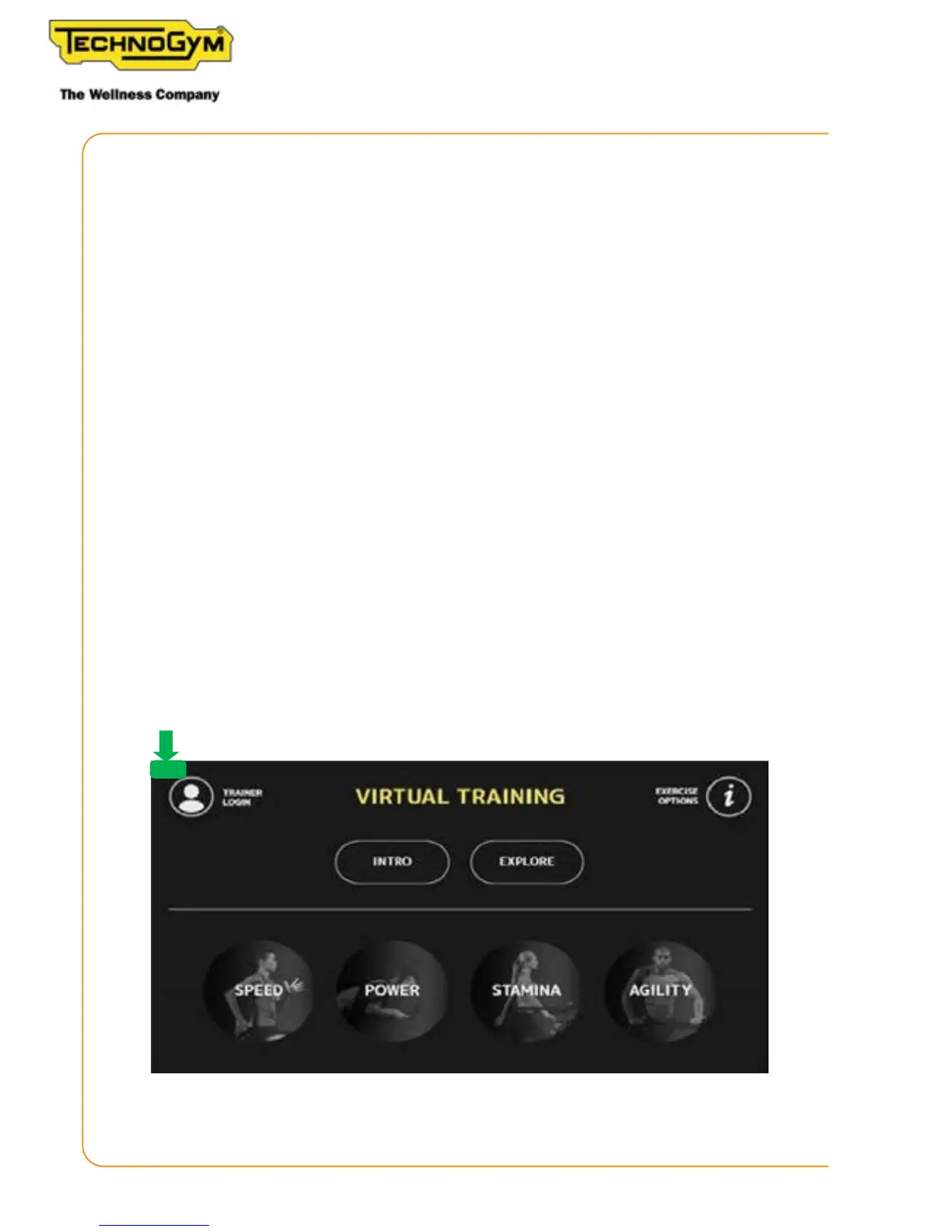
To exit the Skillmill app, if set as the main app, press down on the screen in the top left area of the
display, as shown in the following gure:
Figure 11
Skillmill
Technical Service Guide - Rev. 2.2
Page 46












 To Next Page