24
Tempest900 2-Channel Operating Manual
Powering ON the BaseStation
Plug in the BaseStation.
Turn the front panel ON/OFF switch to the ON position.
The BaseStation undergoes an initialization cycle. During this power-up cycle, the LEDs ash and the LCD screen updates.
Approximately 4 seconds after turning ON the power switch, you will see a splash screen showing the installed rmware version. The splash
screen lasts approximately 6 seconds before advancing to the normal Operation screen. If connected to a Local Area Network, the DHCP settings
(IP address, MAC address, etc) will then display until MENU is pressed to escape or until the normal time out is completed. The system will then
display the main Operation screen and will be ready for use.
Note: When connecting/disconnecting a Remote Transceiver to the BaseStation, be sure to power cycle the BaseStation
after re-connecting the Remote Transceiver. (When power cycling, turn off the power to the BaseStation and wait 10
seconds before turning it back on.) Failure to power cycle may result in erratic operation.
Antenna Location
Proper antenna location is essential for optimum system performance and maximum range. Antenna
positioning is important with all RF systems and in all applications.
Locate the Tempest BaseStation antenna as high as possible for your application to maximize line-
of-sight RF operation. Positioning the antenna higher than head level is the minimum acceptable
height for most applications. Maintaining line of sight between the BaseStation antenna and the
BeltStation(s) is ideal.
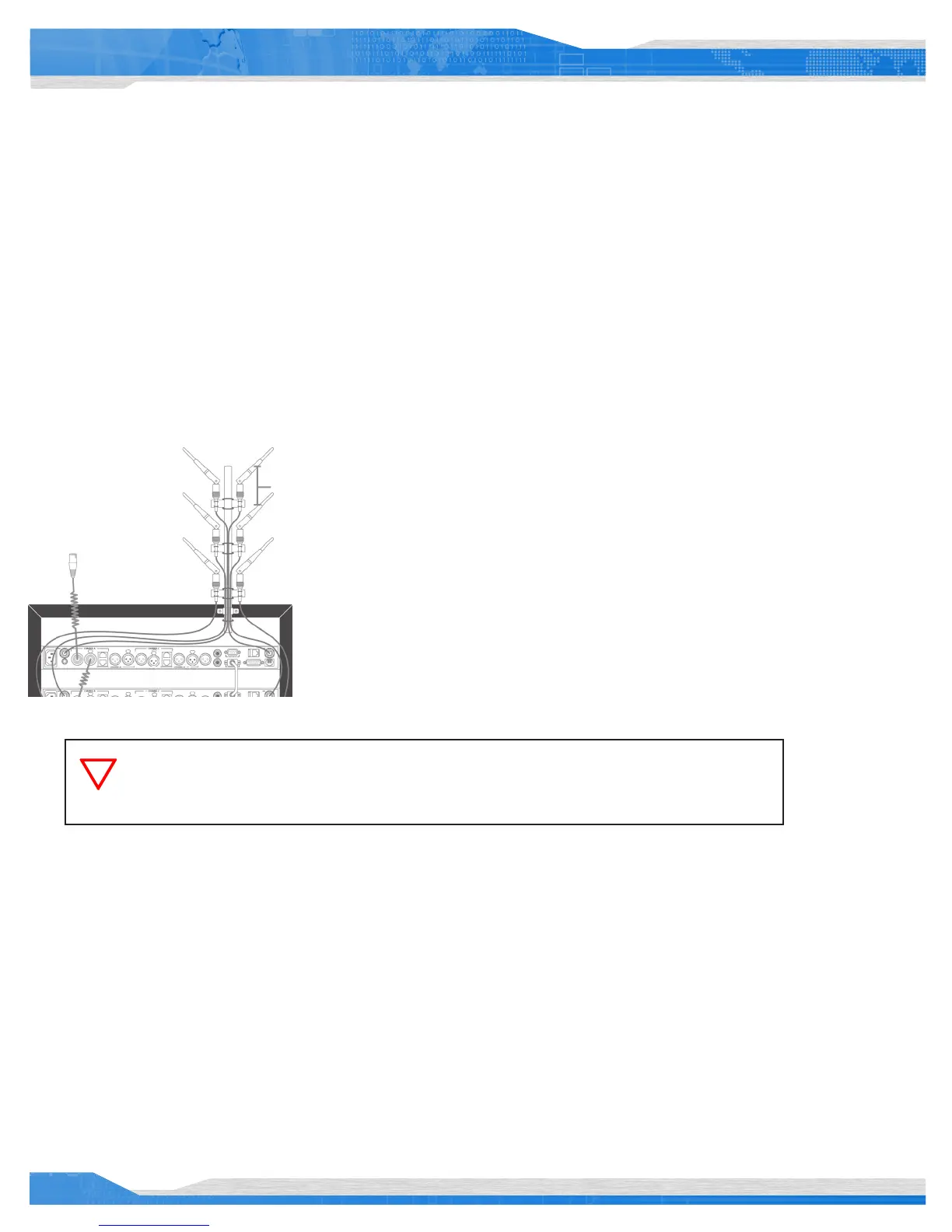
When using multiple BaseStations, keep as much space between the antennas as possible, but a
minimum of 24 inches is recommended. Increasing the distance between antennas to may help to
improve performance.
If possible, locate the antenna(s) away from any metal obstructions and away from walls or other signicant structures, by at least 24 inches.
When using omnidirectional (Whip) antennas, always locate the antennas as close to the center of the coverage area as possible.
Omnidirectional antennas have a circular pattern and radiate RF energy equally in all directions at approximately a 90° angle to the element of
the antenna.
Other antenna options are available including directional and higher gain antennas. Please contact your dealer or distributor for more
information on optional antennas. Only use approved antennas. Unauthorized antennas may be illegal.
Using more than one BaseStation permits an increase in the number of wireless BeltStations within an area, or by utilizing Tempest’s iSelect
roaming feature, allows increasing the area covered and even allows for the creation of separate, but adjacent or overlapping coverage areas.
The number of BaseStations that can be utilized in a system is limited by RF competition between systems and several other RF conditions.
Judicious placement of antennas can help facilitate a large number of wireless BeltStation users on a single system.
24”
When rack mounting the Tempest BaseStation or when it is stacked with other equipment, always
remote mount antennas or use the Tempest Remote Transceiver to ensure maximum operational
range.



 To Next Page