56
Tempest900 2-Channel Operating Manual
Connecting Multiple BaseStations
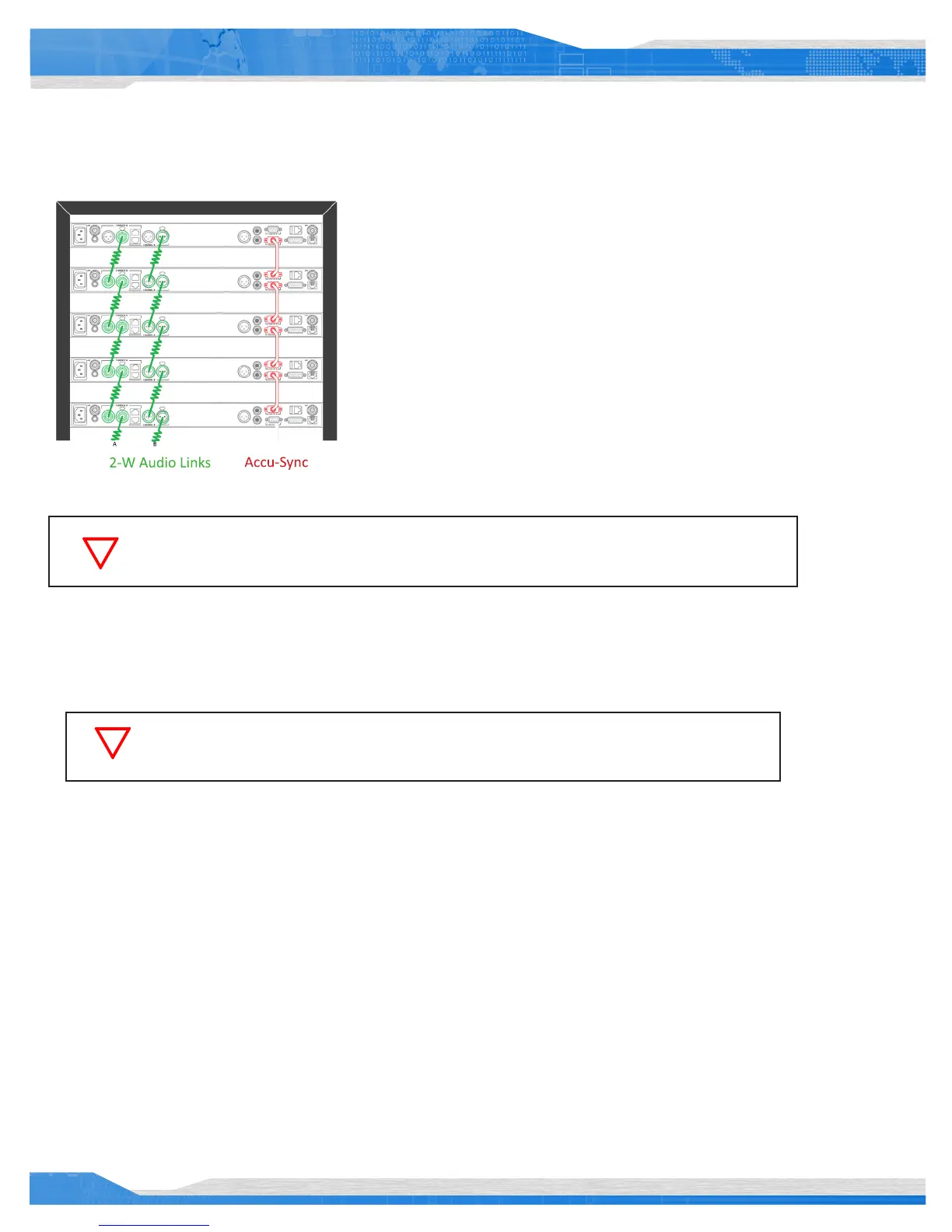
Tempest BaseStations may be used together to form large wireless systems, and may
include external wired intercom systems. Intercom audio for any or all channels can be
linked across multiple BaseStations. Audio from one BaseStation can be passed via a
2-Wire connection to another BaseStation, if they are to share a single channel of audio.
Through this method, many complex combinations of intercom channels can be achieved.
All RF devices have the potential to cause interference. Therefore, Tempest offers a
synchronization option, Accu-Sync™, that is designed to minimize potential interference
when using multiple BaseStations.
Accu-Sync is included with every Tempest BaseStation and uses the Accu-Sync connections
on the back of the BaseStation to synchronize multiple BaseStations together. See the
Accu-Sync section on for more information on using Accu-Sync.
Tempest includes a Master Mode which provides required audio power when only
Tempest BaseStations are linked without external intercom. See the Master Mode section.
A multi-base system will generally utilize Tempest Remote Transceivers to distribute the wireless signal, sometimes extending the number of
users by overlapping the wireless coverage area, and sometimes extending the wireless range with the iSelect Roaming feature. In this
application, always try to separate antennas by at least 10 feet whenever possible.
A 4-Wire matrix intercom system may be congured to connect to multiple Tempest BaseStations so that all share the same channels.
Congure each BaseStation individually as described in 4-Wire (Matrix) Intercom Interface. The following information relates to multiple
BaseStation congurations without a matrix system.
If intercom channels are connected across multiple BaseStations without connection to an active 2-Wire
intercom, one of the BaseStations must be placed into Master Mode.
If multiple BaseStations are linked on a common audio channel, each BaseStation must be nulled
separately. Null one BaseStation at a time.



 To Next Page