28
Tempest900 2-Channel Operating Manual
Congure the BaseStation
BaseStation settings can be congured in two ways: from the BaseStation menu or with the computer interface called “T-Desk” via a LAN connection. While many functions are
available through both methods, certain features may only be available through the BaseStation.
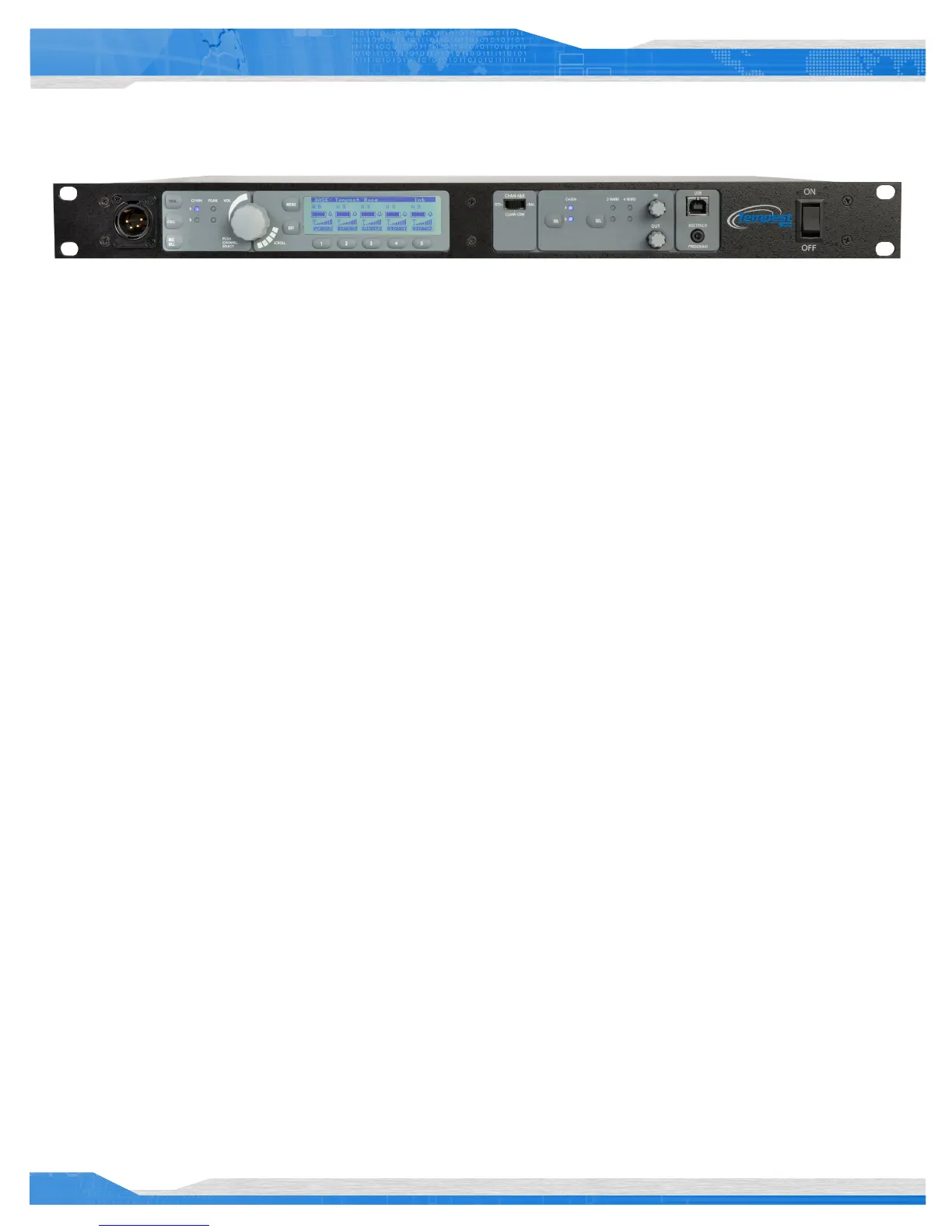
Using the Front Panel Controls
The Tempest BaseStation can be congured depending on user preferences and the tasks to be accomplished. The following instructions will
help you navigate the front panel and LCD user interface.
See the BaseStation Menu Structure section of this manual for more details of the menu.
The LCD screen is the focal point of the BaseStation functionality. While in Operational Mode, the LCD displays the status of all wireless
BeltStations that are currently logged on to the BaseStation. In Menu Mode, the LCD shows the menu items or information.
The function of the Volume control depends upon the current Mode of the BaseStation. In Operational Mode, turning the Volume control adjusts
the volume of the audio for the local headset. Press the Volume control to select the channel of the local headset connector.
In Menu Mode, turn the Volume control to scroll through the menu options of the current menu screen. A pointer “>” on the left of the menu
indicates the current option. Pressing the Volume control selects the current menu option and is the same as pressing the Enter button (ENT). A
menu item is not selected and will not take affect until the Volume control or the ENT button is pressed.
Pressing the MENU button while the BaseStation is in Operational mode will cause the BaseStation to enter Menu Mode. The main menu screen
will be displayed. Once in Menu Mode, pressing the MENU button will act as an escape key and will back out of the current menu screen and
move up one level. Pressing the MENU button while at the main menu screen will exit Menu Mode and return to Operational Mode.
The ENT button on the BaseStation is only used in Menu Mode. Pressing the ENT button selects the current menu option and is the same as
pressing the Volume control. A menu item is not selected and will not take affect until the ENT button or the Volume control is pressed.
The 1 through 5 buttons below the LCD screen have multiple uses depending upon the mode of the BaseStation. In Operational Mode, a
BeltStation that is communicating with the BaseStation will appear in a slot directly above a numbered button. Pressing one of the numbered
buttons will advance directly to the “BeltStation Settings” menu for that BeltStation.
In Menu Mode, pressing one of the ve numbered buttons selects the menu item with the corresponding number from the current list of
displayed menu items. This action produces the same result as scrolling with the Volume control to the desired menu item and pressing ENT or
the Volume control. To view and select additional menu items, rotate the scroll knob and press ENT to select.



 To Next Page