Operation 4
TW85 41
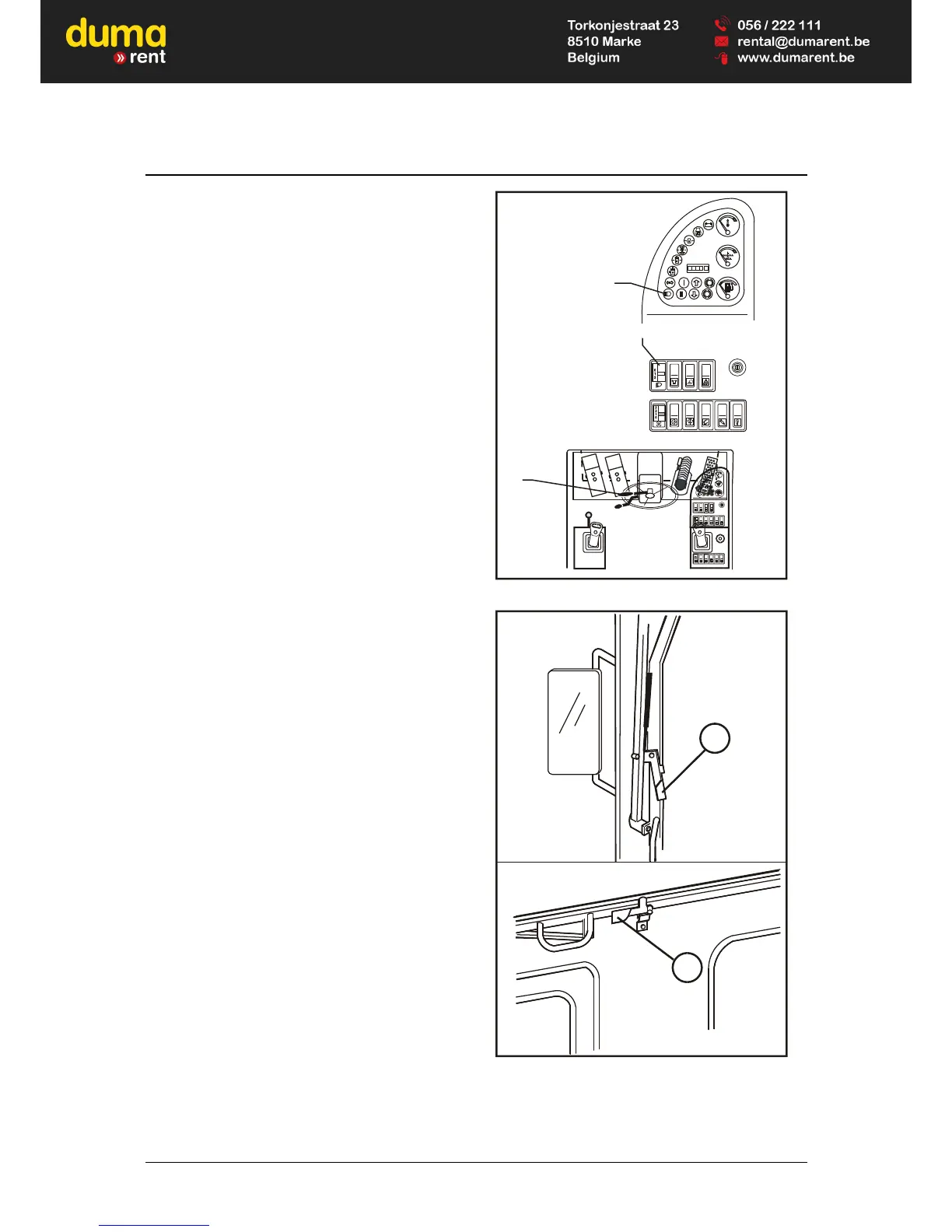
4.5 Light switch
The lighting of the excavator is switched on and off
by the light switch (15/44).
Setting 0 = Light off
Setting 1 = Parking light
Setting 2 = Driving light (low beam / high beam)
Changeover by lifting the blinker
switch (15/8); control lamp
(15/33) lights up.
4.6 Front windshield
• To open the window, release the two levers
(16/1).
• Pull the window back and up at the same time.
• Lock the window in the upper position with the
lever (16/1).
Ventilation position
• Release the two levers (16/1).
• Pull the window back approx. 10 cm.
• Lock the lever in the guide rod.
0
4/4
,
!
P
HM32-015
44
33
8
Fig. 15 Operation of light
HR32-015
1
1
vue vers l’avant
view to the front
Ansicht nach vorn
Ansicht nach oben
view to the top
vue vers le haut
Fig. 16 Front windshield



 To Next Page