58
7.6.6 Print Data
‘Print Data’ offers an additional possibility to enter company or order
data as well as conversion factors to Ev
2
or Ev
1
determined by correla-
tion measurement (refer to page 29, Proposal for Correlation of
Static/Dynamic Load Plate Test) into the test protocol.
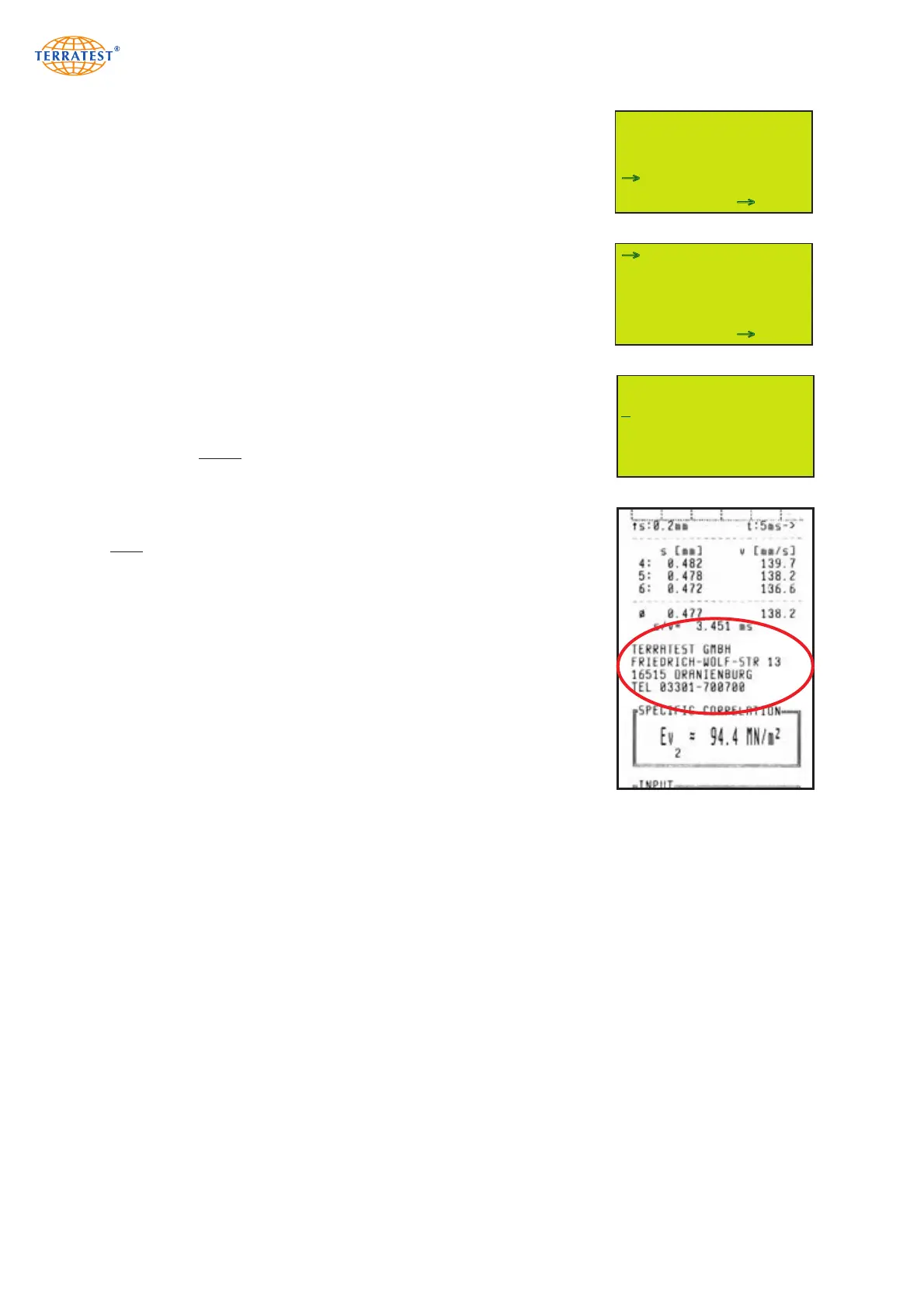
7.6.6.1 Company Data (Header)
Activate the instrument by ‘START’ button, and press ‘SELECT’ to gain
access to the MAIN MENU, and then once more to enter menu point
‘PRINT DATA’. The menu itself is entered by ‘START’ button (SET).
Press ‘SELECT’ to activate menu point ‘HEADER’, and then ‘START’ but-
ton (SET) to activate text input.
Up to 4 lines can be used for company data on the test protocol. The cur-
rently selected line is shown on the display below the alphabet.
Select the desired digits by <= or =>, and confirm the selection by
‘ENTER’ and briefly pressing START button.
Digits already entered can be chosen by ‘TEXT’ and then overwritten or
erased by blank.
Long pressing the ‘START’ button confirms data input and changes to the
next line. Repeat this procedure for all lines. After confirmation of 4th
line, the menu ‘PRINT DATA’ appears again, and the entry is stored in the
system. All data appear on the test protocol between settlement values
and handwritten complements.
Press ‘RESET/OFF’ button (EXIT) to automatically return to the
‘SERVICE’ menu. Pressing ‘RESET/OFF’ once more opens the MAIN
menu, and pressing a third time returns to ‘STATUS REQUEST’. Press
‘START’ to initiate measurement.
MENU SERVICE
INPUTTEST
VERSION
LFG / MFG MODE
DISPLAY CONTRAST
SOUND SERVICE
PRINT DATA
PC-REMOTE
EXIT SET
→
→
MENU PRINT DATA
HEADER
EV2 FACTOR
EV1 FACTOR
EXIT SET
→
→
_
A
BCDEFGHIJKLMNOPQR
STUVWXYZ1234567890 .,-/#
PRINTER ZEILE 1
TEXT <= => ENTER


 To Next Page