64
A forgotten password does not represent any problem. Simply click on ‘Password reset’ in the Log-In
screen, and enter the E-Mail address specified beforehand in the ‘Password reset’ page. After clicking on
‘Send E-Mail’, a pop-up window informs the user about the action performed. Open the corresponding
mail, and enter the new password in the page opening then. From now on, access is allowed after input
of specified E-Mail and the new password.
If however ‘TEOLO’ detects that the specified E-Mail is unknown, a corresponding message appears and
new registration of the user is required, as explained in section 8.1, page 62. After starting the registration
procedure, the user must check his E-Mail account for arrival of the corresponding mail (‘TERRATEST’ acti-
vation), and then complete the procedure.
8.2 Operation
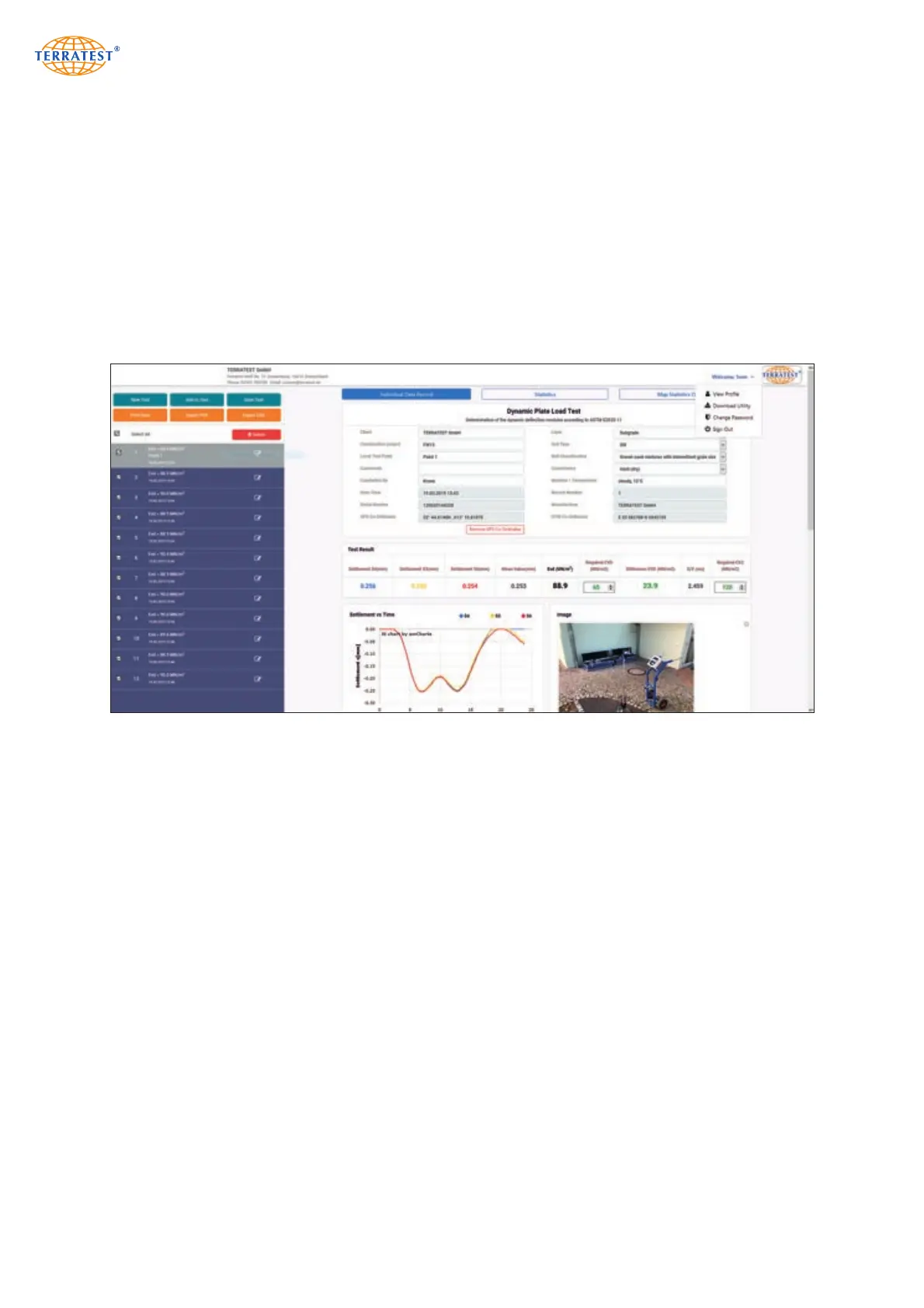
The main screen is subdivided into 3 zones:
Header contains company data specified by the user (explained on page 65) and a menu for basic func-
tions of the web portal.
The left upper field features buttons to load, add and store measurements and for printout, PDF and CSV
export. Measurements after reading are displayed in an overview below the buttons, together with data
set number, Evd value, time and date.
Buttons for single protocols, statistical analysis and statistical overview map are located in the right upper field.
All of them refer to the elements appearing in the right side of the page. According to the selection of the
corresponding button, the following functions appear: Preview for test protocol with settlement curves,
statistical analysis according to German Standard TP BF-StB, section B8.3 or the Google
®
maps overview
for all selected measurements.


 To Next Page