68
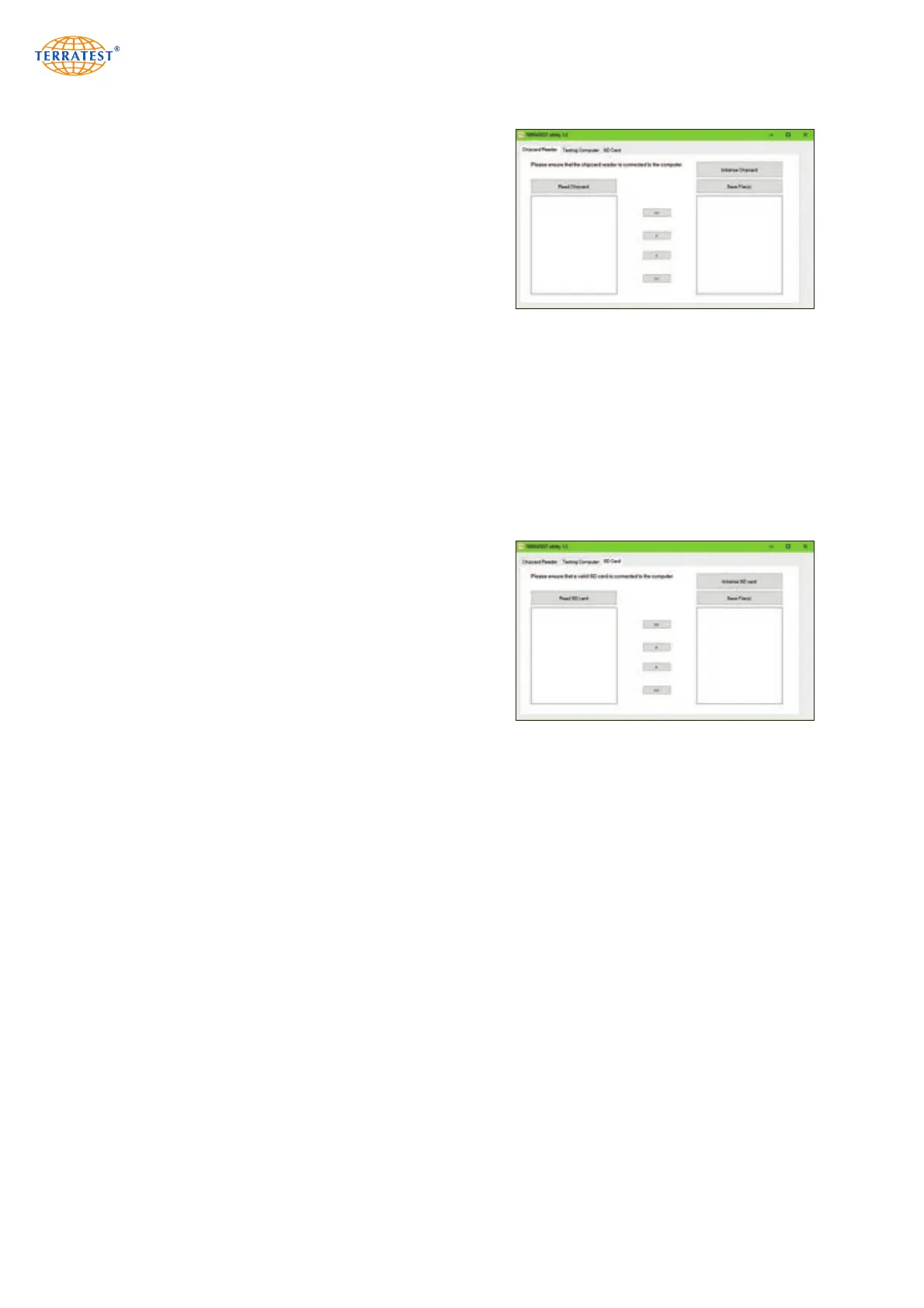
8.2.3.1 Read Chip Card (only TERRATEST 3000 GPS)
In order to be able to read measuring data from chip card
(credit card format) connect an external chip card reader
to the USB interface of the PC. Insert the chip card into
the slot with the chip facing downward.
Measuring data available on the chip card are transferred
after a click on button ‘Read Chip Card’ under tab ‘Chip
Card reader’, and presented in form of a list in the left
window. Selecting elements in that window and clicking
on Arrow Right shifts them into the right window. This can
be repeated several times. A click on button ‘Save file(s)’
converts the measurements in the right window and stores them to a desired position on PC, directly
accessible by software ‘TEOLO’ for analysis.
Message ‘No Chip Card Reader’ signifies that the chip card reader is not correctly connected, does not
dispose of a driver or that the card is not correctly inserted. The required driver can be found in TERRA-
TEST.Utility download folder ‘Driver Chip Card reader’ (refer to section 8.2.3, page 67). A double click on
this file initiates installation of the driver.
Button ‘Initialize Chip Card’ enables the complete chip card to be erased and initialized.
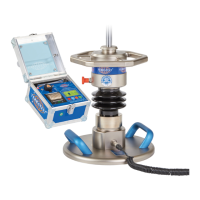
8.2.3.2 Read SD Card (only TERRATEST 5000 BLU-SD)
In order to be able to read measuring data from SD card,
insert this card into a slot of the PC or into an external
card reader connected to the PC.
Measuring data available on the card are transferred after
a click on button ‘Read SD Card’ under tab ‘SD Card’,
and presented in form of a list in the left window.
Selecting elements in that window and clicking on Arrow
Right shifts them into the right window. This can be repe-
ated several times. A click on button ‘Save file(s)’ converts
the measurements in the right window and stores them to
a desired position on PC, directly accessible by software ‘TEOLO’ for analysis.
Button ‘Initialize SD Card’ enables the complete SD card to be erased and initialized.


 To Next Page