67
8.2.3 Converting Measuring Data by ‘TERRATEST.Utility’
Service program ‘TERRATEST.Utility’ is offered as download, in order to allow
access to measuring data from chip card (only TERRATEST 3000GPS), SD card
(only TERRATEST 5000 BLU-SD) or directly from measuring electronics (all
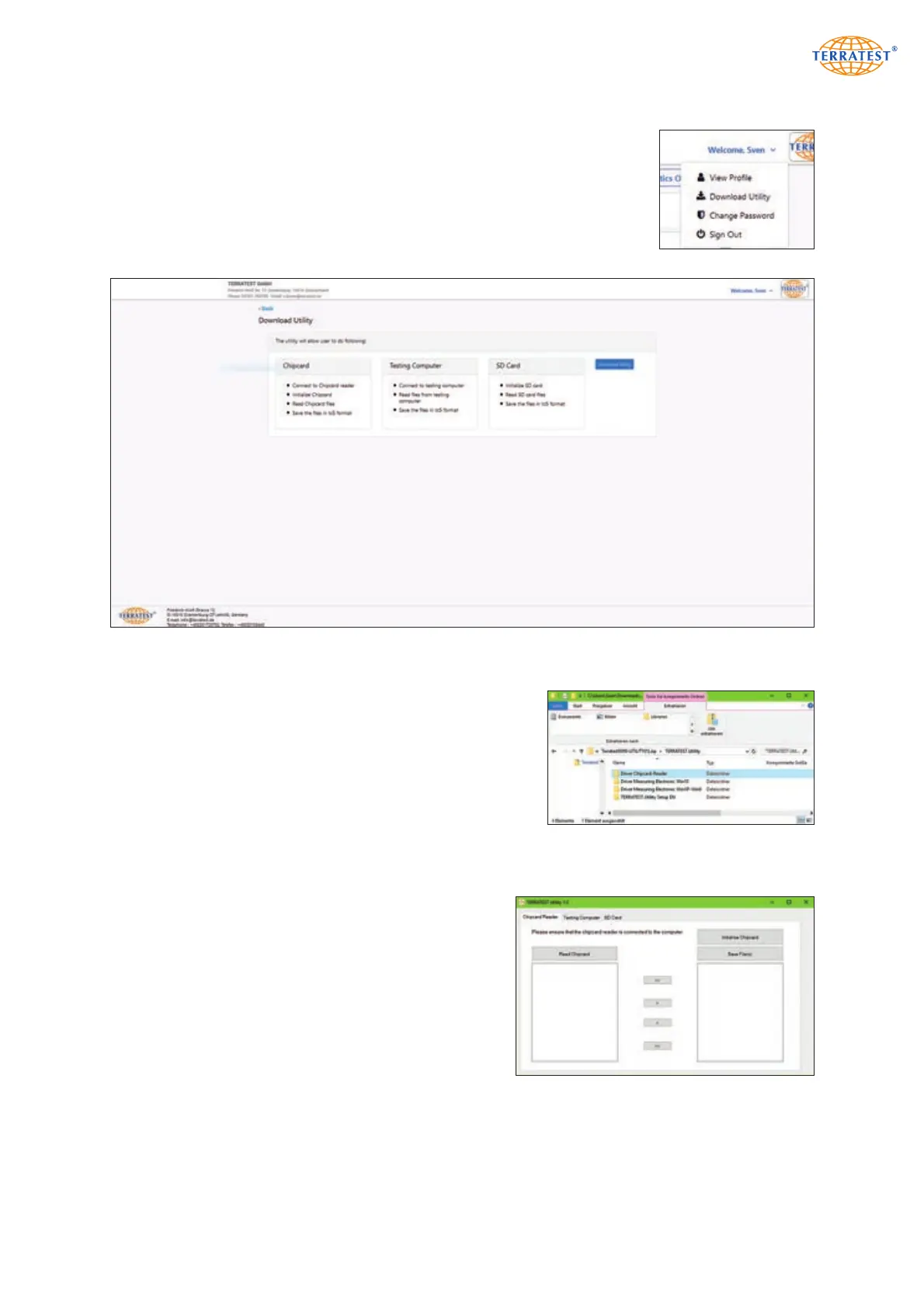
models). The menu with user functions opens after a click on the ‘Welcome’
line at the upper right corner.
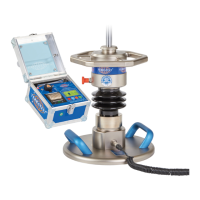
The Utility page opens after selection of ‘Download Utility’.
A click on ‘Download Utility’ starts ‘TERRATEST.Utility’.
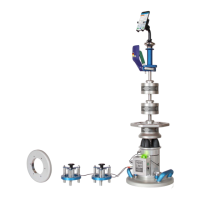
Unpack the downloaded ZIP file by right click. Then select
‘Extract all…’, or copy folder ‘TERRATEST.Utility’ from the ZIP
file by double click to a convenient location. The folder con-
tains the following sub-folders:
1. ‘TERRATEST.Utility Setup’ for installation of the software
2. ‘Driver Chipcard reader’ for installation of this driver
3. Driver for TERRATEST
®
measuring electronics Windows XP
to Windows 9 ‘Driver Measuring Electronic WinXP-Win9’,
and a separate driver for Windows 10 ‘Driver Measuring
Electronic Win10’
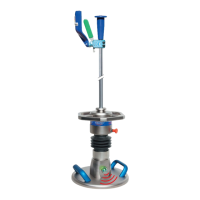
The file ‘TERRATEST.Utility-Setup.msi’ for installation of
the service program is located in subfolder ‘TERRA-
TEST.Utility Setup’. Double click on this file activates the
procedure. After completion, this program can be started
by left click on the Windows symbol (in the left lower
corner of the screen) and subsequent left click on
‘TERRATEST.Utility 1.0’.


 To Next Page