89
9.2.3.4 Transmission of Measuring Data
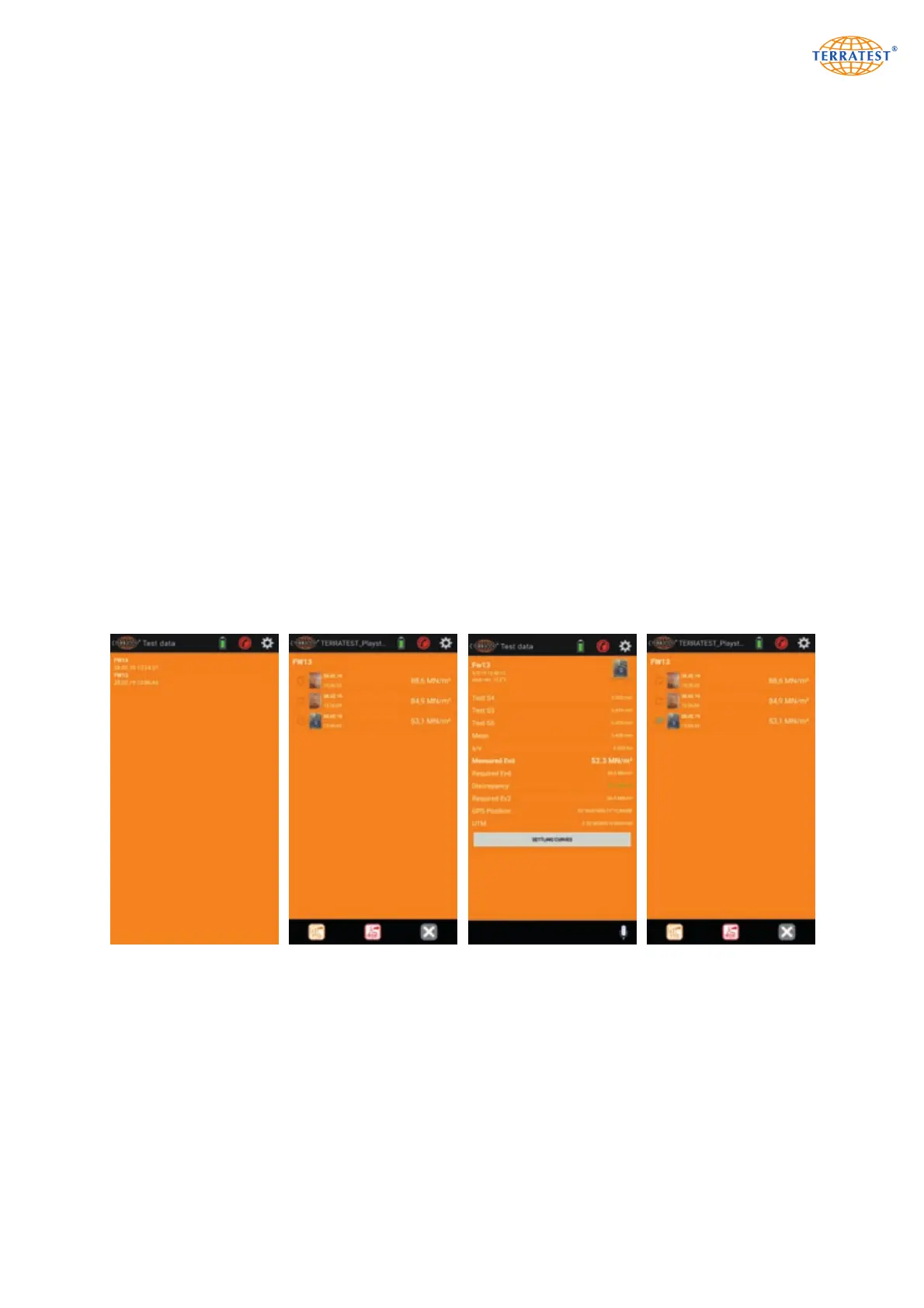
From initial screen of ‘TERRATEST’ App, press button ‘Measuring Data’. This opens the window for the site
overview.
Press the construction site containing the data intended to be sent, to gain access to the window contai-
ning the overview of measuring data.
Select a particular measurement to display corresponding data. Return to the general overview of measu-
ring data takes place by the navigation button above at the left side.
Press the selector buttons in front of the measuring data, and select all data to be sent.
Pressing button ‘TTD’ afterwards generates files for each selected measurement which are appended as
attachment to an automatically created and pre-formulated E-Mail which can be sent. These files can also
be opened and further processed by ‘TEOLO’ software. Each measurement is composed of 2 files with
identical name, but different extension. The file with extension ‘ttd’ contains only measuring data like date
and time, settlement of each drop, average of settlements, Evd value, device number and GPS coordina-
tes of test point. Site description, weather information and (if recorded) photograph of the test point are
included in a separate file with extension ‘json’. Both files must be located in the same PC folder, other-
wise they cannot be read by ‘TERRATEST 2.0’.
Pressing ‘PDF’ instead of ‘TTD’ button generates a test protocol in pdf format with measuring data, photo-
graph (if available) company data and logo stored in the settings. This file can be used as attachment to
an automatically created and pre-formulated E-Mail which can be sent.
Profile Overview Overview of
Measuring Data
Presentation of
Measurement
Selection for
Transmission


 To Next Page