76
8.2.6 Edit/Store Protocol
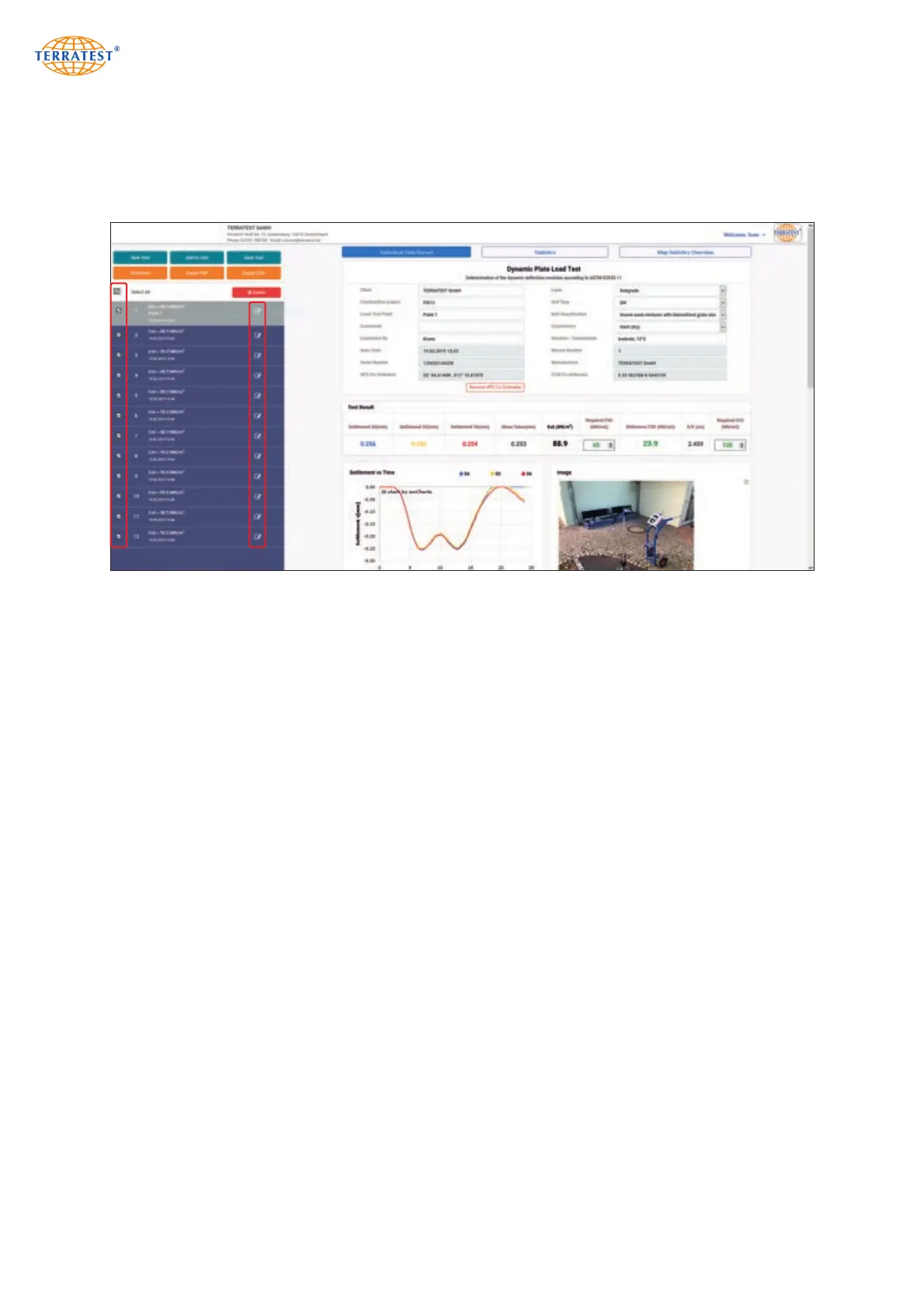
To edit test protocols of single measurements, select the desired element from the measuring data list in
the left field by a click on the preceding selection box. If all data sets are intended to be edited, click on
button ‘Select All’ shown above. All selected data sets are marked by a pencil symbol.
Any data set marked by pencil symbol can be selected by click; afterwards site specific data can be enter-
ed into the white fields of the single protocol, including required Evd Value. All entered information is
automatically copied to all data sets previously marked by pencil symbol.
‘Test point position’ and ‘Remarks’ are not included here, but these points can be edited for each single
measurement individually. If at the beginning of the measurement data input function of the measuring
computer has been used, these input data appear of the field ‘Remarks’. This field can be edited.
Entries in field ‘Test point position’ are transferred into statistical analysis when selecting the correspon-
ding data set.
In order to describe the soil conditions of the test point in a single protocol, besides manual entry drop-
down buttons (featuring a selection of standard descriptions) may be used.
For each single measurement, the difference between measured and required Evd value is displayed (if the
latter one has been specified beforehand). If the measured exceeds the required Evd value, the difference
is shown in green, otherwise in red (with a preceding minus sign).
A click on button ‘Remove GPS coordinates’ removes GPS, UTM coordinates as well as the Google
®
maps
®
presentation from the measurement.
Click in the selection box of the measurement intended to be edited. Released measurements are marked
by a pencil symbol.


 To Next Page