75
8.2.5 Load Measurements
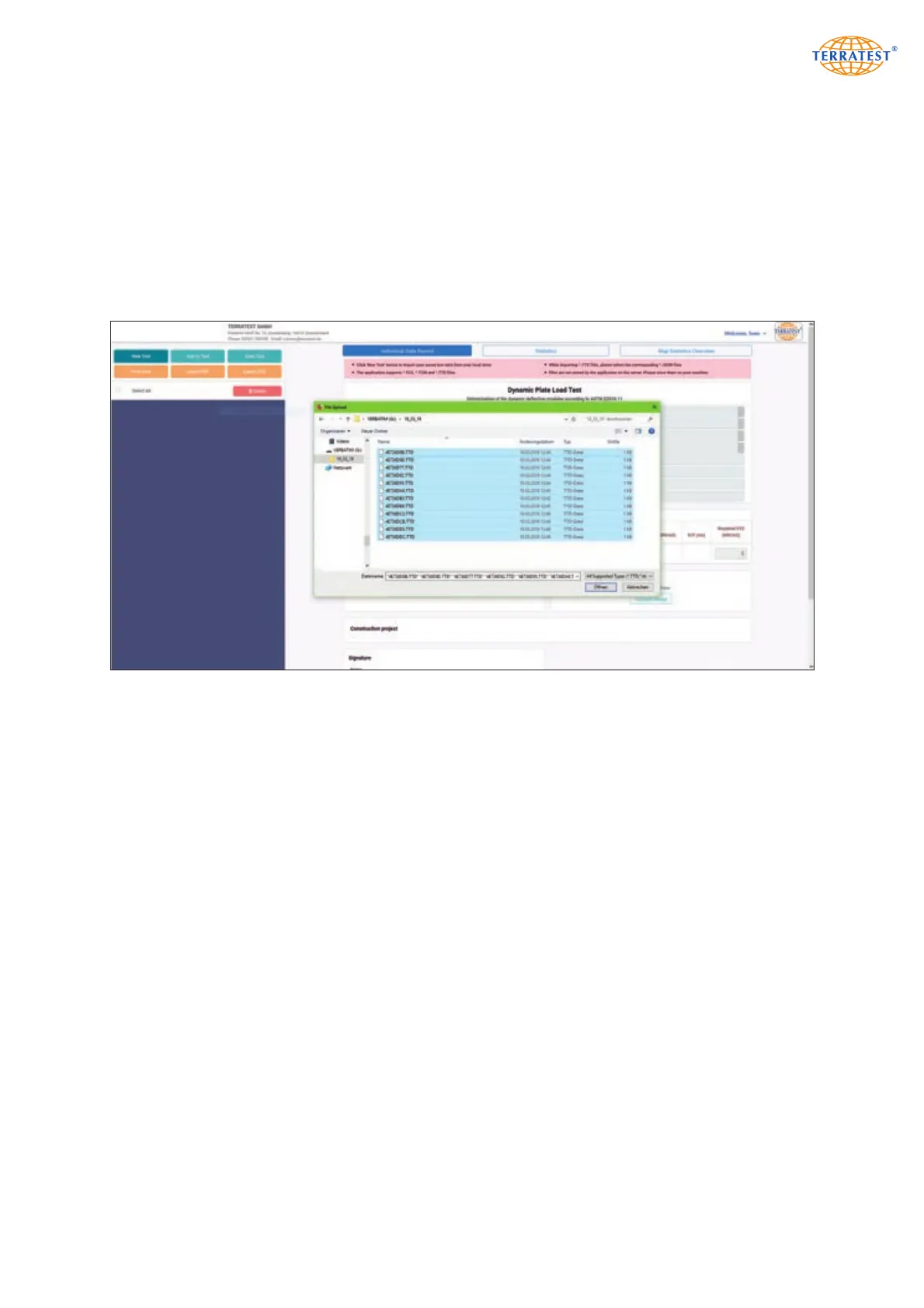
In order to read a measurement stored beforehand from any storage medium (PC, USB stick etc.), click on
button ‘New Analysis’. The file explorer is opened. Select the desired data, and confirm by ‘OK’. If data
have been recorded by smartphone APP ‘TERRATEST’, specify also their *.JSON files. The system reads the
stored data and presents them in the left window as an overview together with data set no., Evd value,
time and date, ready for further evaluation.
Note that the content of only one folder or data carrier can be loaded in the measuring data list. If seve-
ral measuring sequences are intended to be evaluated, click on button ‘Add to analysis’ every time, and
proceed as described above.
In order to read data stored beforehand, click on ‘New Analysis’ and select their storing location. Data are
loaded upon confirmation by ‘OK’. If several sequences are required, click on button ‘Add to analysis’.


 To Next Page