E.4.2 Calling up the function
Functions which cannot be selected because the required sensor/probe is not con-
nected are shown in grey type.
1
Select function: , .
- The selected function is shown with a grey background.
2
Confirm selection: .
- The selected function is opened.
E.4.3 Entering values
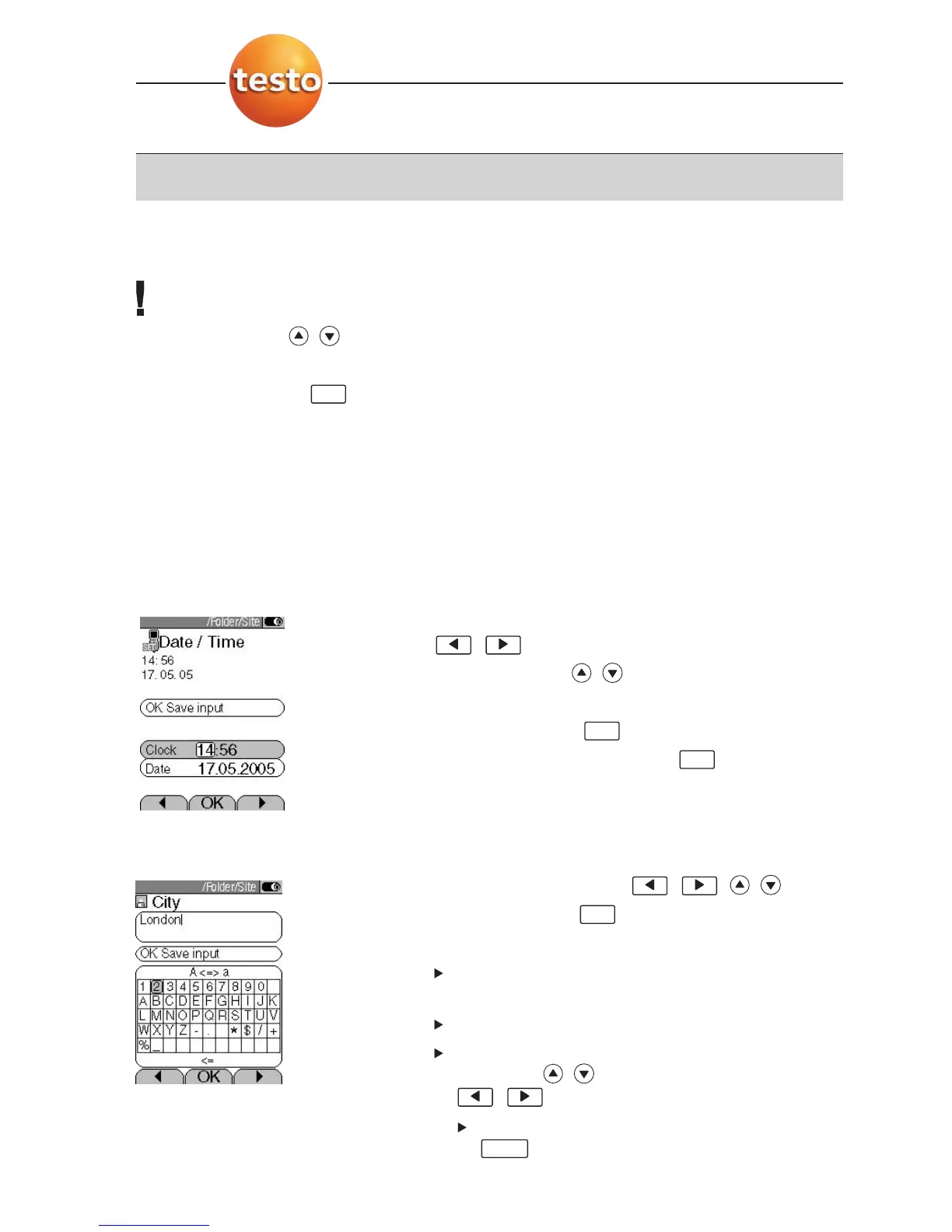
Some functions require values (numbers, units, characters) to be entered. Depending
on the function that is selected, the values are entered via either a list field or an input
editor.
List field
1
Select the value to be changed (number, unit):
, .
2
Adjust the value: , .
3
Repeat steps
1
and
2
as required.
4
Confirm the input: .
5
Save the input:
OK Save input .
Input editor
1
Select value (character): , , , .
2
Accept the value: .
Options:
Switch between uppercase/lowercase letters:
A <=> a (not always available).
Delete character:
<=.
To position the cursor in the text: Select the text
input field: , and position the cursor:
,.
To delete character in front of the cursor:
.
Del
OK
OK
OK
OK
E. Operation
20



 To Next Page