Chapter 4: ConversionsàConstants
73
7304ENG.DOC TI-73, Chap 4, English Julie Hewlett Revised: 05/16/98 12:08 PM Printed: 05/19/99 8:59 AM
Page 73 of 10
4. Define
C
3
as ¦
1
/
2
.
##
M
1
=
2
5. Exit the Set Constant editor.
-l
Single Mode Constant Calculations
After a constant is defined and selected, return to the screen
where you want to use it in a calculation. Pressing @
pastes it to the cursor location. In
Single
mode, only one
defined constant is available for use in calculations, and an
expression using a constant is automatically solved after
pressing @ (without pressing b).
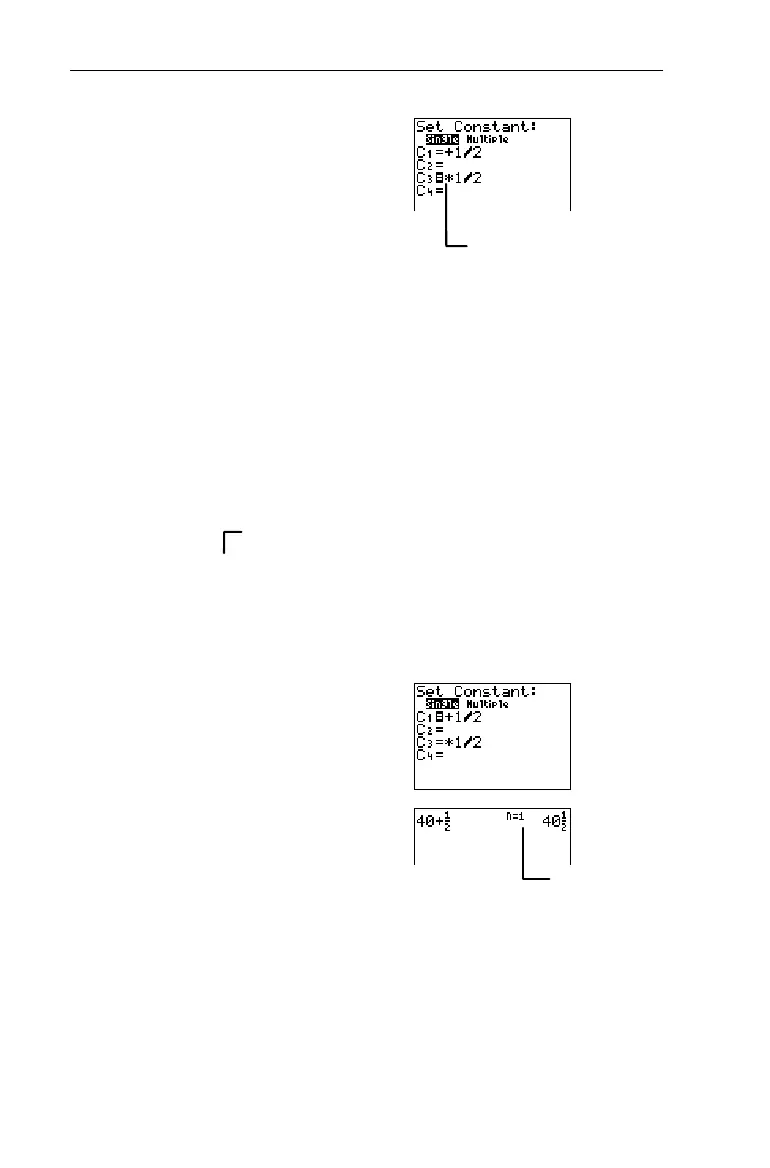
Calculate 40+
1
/
2
.
1. Select
Single
mode, if
necessary.
-†$b
2. Select
C
1
(which deselects
C
3
), and exit the Set
Constant editor.
#!b-l
3. Clear the Home screen, if
desired. Solve the problem
using
C
1
.
:
40
@
Recalling a Constant in a Series of Calculations
When pressing @ more than once in a series of
calculations, the calculator automatically keeps count for you
(shown in the following example) unless the defined constant
includes a list. The counter starts over any time a new entry
precedes @, including
Ans
.
³
Count=1.
You recognize that
C
1
=+
1
/
2
.
The most recently entered
constant (
C
3
) remains
selected.


 To Next Page
 Loading...














