74
Chapter 4: ConversionsàConstants
7304ENG.DOC TI-73, Chap 4, English Julie Hewlett Revised: 05/16/98 12:08 PM Printed: 05/19/99 8:59 AM
Page 74 of 10
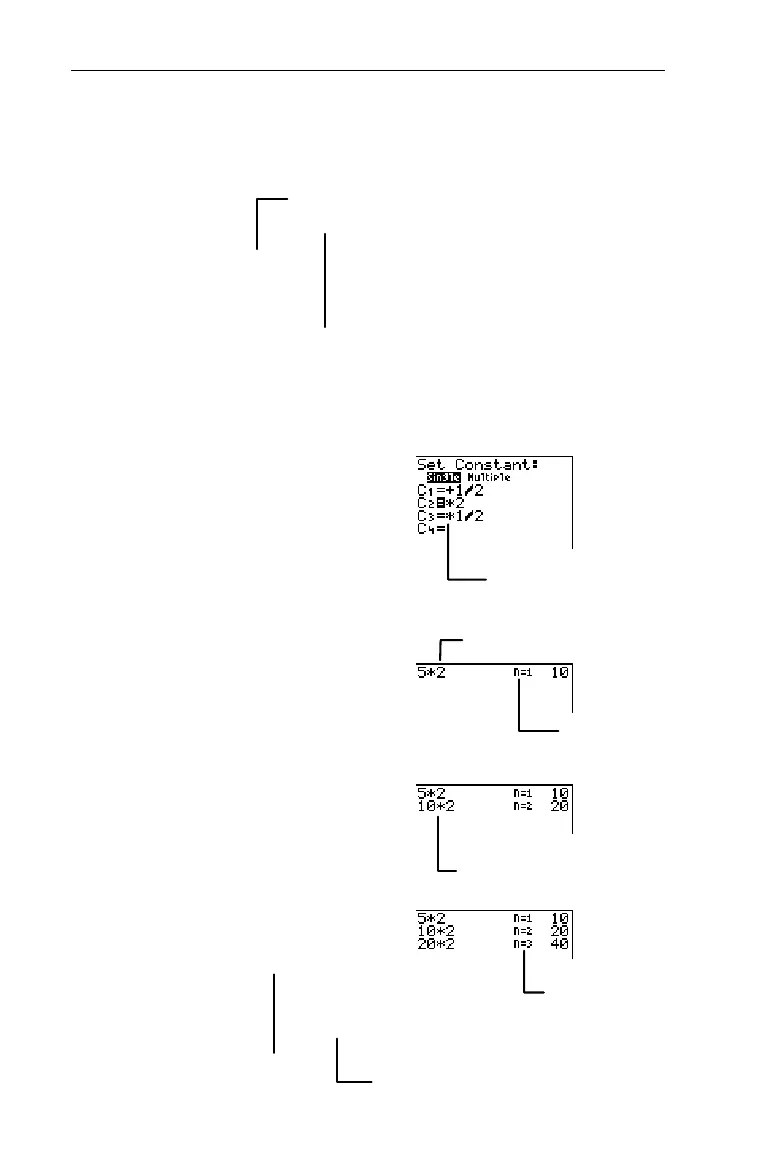
Find the multiple of 2 so that 5 ¦ 2
n
=40.
1. Select
Single
mode, if
necessary.
-†$b
2. Enter
C
2
=
¦
2
.
##M
2
3. Return to the Home screen
and clear, if desired.
-l:
4. Count the number of times
you have to multiply 5 by 2
to get 40 (so that 5 Q 2
n
=40).
5
@
@
@
³
Other defined constants are
deselected automatically.
Count=1
Pressing
@
a second time
acts like
-
¢
@
.
n=3 because you
multiplied by 2 three
times in a row.
5
Q
2 is calculated automatically.
5¦2
n
=40
Constant mode = Single
Set
C
n
=
¦
2
The calculator’s constant counter
automatically computes
n
.
5¦2¦2¦2=40, or
5¦2
3
=40
Solution
n=3


 To Next Page
 Loading...














