Luna SA HSM
Configuring an HA Cluster with a Luna SA HSM
DSM Installation and Configuration Guide
Copyright 2009 - 2020 Thales Group. All rights reserved.
103
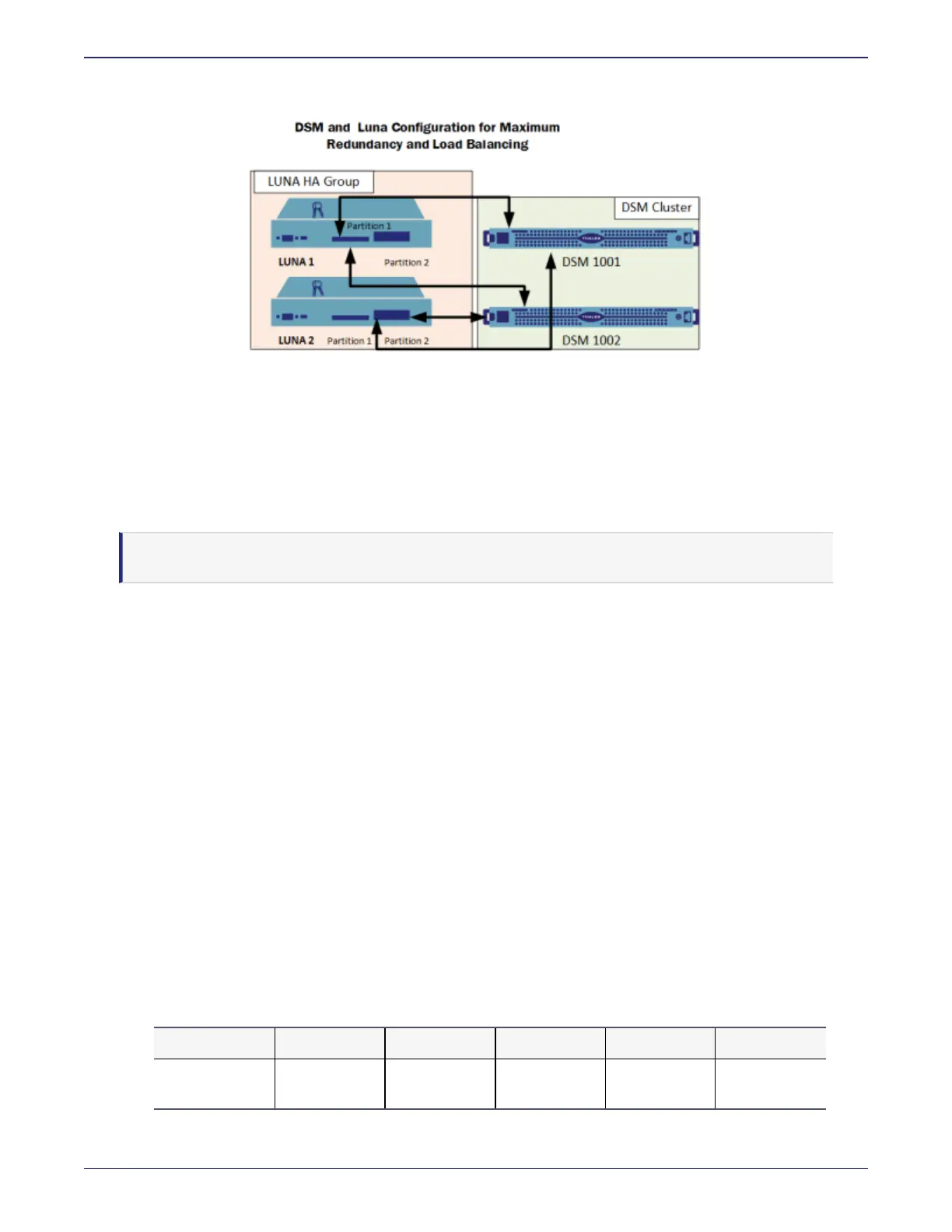
Figure 5-1: Recommended Configuration
If you are using multiple Lunas with your DSM cluster, the proper order of operations is:
1. DSM Node 1 (Initial node): Add Luna #1
2. DSM Node 1: Add Luna #2
3. DSM Node 2: Join DSM Cluster
Note
Specify one of the partitions to which Node 1 is registered.
4. DSM Node 2: Add Luna #2
If you are using multiple DSM clusters, you will make additional partitions on the Lunas and repeat the above steps
with the second cluster.
Creating a Partition on the Password-authenticated Luna
In the Password-authenticated Luna, a DSM can only register to an empty, unconfigured partition. It registers to the
partition, creates a random password for the partition, and stores it on the DSM. Only that one DSM(or DSMcluster)
can access that partition.
To create a partition on a Password-authenticated Luna:
1. SSH to the Password-authenticated Luna. Type:
[root@dsm15096 ~]#ssh admin@<LunaHost>
2. Example
[root@dsm15096 ~]#ssh admin@192.168.59.214
3. Enter the Password-authenticated Luna admin password.
4. To view the existing partition list, at the Password-authenticated Luna prompt, type:
lunash:> partition list
Partition Name Objects Total Used Free
1394399181013 Luna1_
Par100
0 409782 0 409782



 To Next Page