Appendix D: Ports
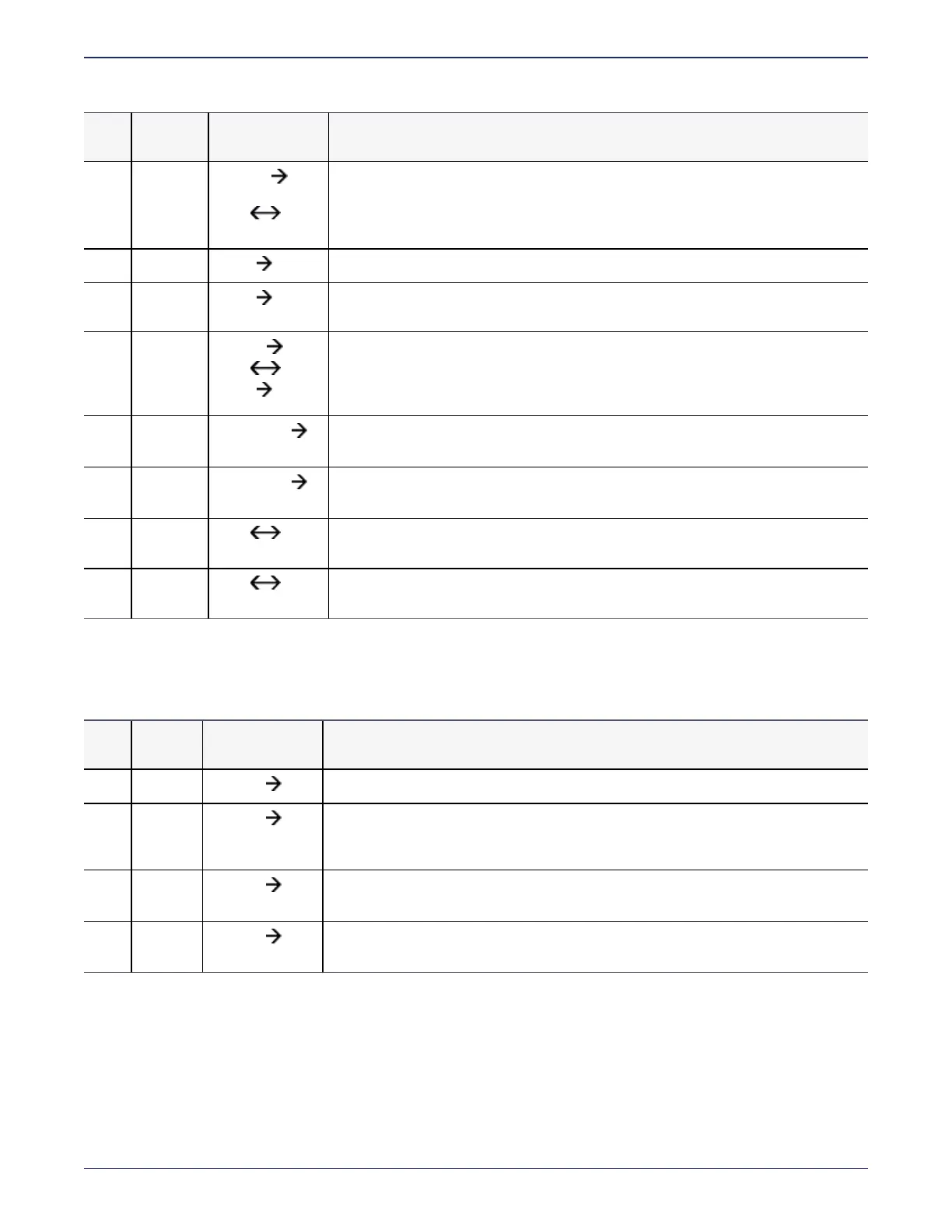
IPMI Ports
DSM Installation and Configuration Guide
Copyright 2009 - 2020 Thales Group. All rights reserved.
172
Port Protocol
Communication
Direction
Purpose
8445 TCP
Browser
DSM
DSM DSM
(fall back)
Management Console, VMSSC, and fall back for HA communication in case port
8448 is dropped.
8446 TCP
Agent DSM
Configuration Exchange using Elliptic Curve Cryptography (Suite B)
8447 TCP
Agent DSM
Agent uploads log messages to DSM using Elliptic Curve Cryptography (ECC) and
RSA
8448 TCP
Browse DSM
DSM DSM
Agent DSM
GUI Management during enhanced security using Elliptic Curve Cryptography
(Suite B). Also for secure communication between DSMs in an HA cluster. Also
used for communication between host with LDT host and DSM during Agent
registration.
8449 TCP
Smart Card
DSM
Smart card used with RSA mode
8450 TCP
Smart Card
DSM
Smart card used with ECC/compatible mode
9004 TCP
DSM
network HSM
DSM communication with nShield Connect and its associated RFS
9005 TCP
DSM
remote admin
Used by Remote Administration Service process to accept connections from the
Remote Administration Client.
Table D-1: Ports to Configure (continued)
IPMI Ports
The following table lists all of the IPMI ports that you can configure.
Port Protocol
Communication
Direction
Purpose
80 TCP
Browser IPMI
This port is disabled by default, for security reasons, and should not be used.
443 TCP
Browser IPMI
This port is enabled by default. It is used for the IPMI GUI. If you change the port
through which you access IPMI through your browser ("Change the port through
which you access IPMI" on page157).
5900 TCP
Browser
DSM
This port is disabled by default. It is used for remote KVM (Keyboard Video Mouse)
management. It should be disabled when not in use for security reasons.
623 UDP
Browser
DSM
This port is disabled by default. Enable only if you want to attach virtual media. It
should be disabled when not in use for security reasons.



 To Next Page