DSM Installation and Configuration Guide
Copyright 2009 - 2020 Thales Group. All rights reserved.
146
Appendix C: IPMI
IPMI Overview 146
Configuring and Accessing IPMI on the DSM 146
Configuring IPMI Network Settings 148
Remote Control 151
Using Active Directory with IPMI GUI 152
Maintenance Firmware Update 154
Server Health 155
Best Practices after IPMI is Configured 156
DSM IPMI CLI Commands 161
The Intelligent Platform Management Interface (IPMI) provides browser-based remote access to the V6000 and V6100
hardware appliances. It allows administrators to remotely monitor appliance health (temperature, power consumption,
physical drive status, chassis intrusion, and others), perform cold boots (power-off and power-on), an d access the
DSM CLI.
Note
IPMI is not supported by the DSM virtual appliance or hardware appliances earlier than V6000/V6100.
IPMI Overview
IPMI offers useful features, but it also introduces some security issues. Following these recommended best practices
will reduce the probability of these security issues occurring.
l
IPMI requires a browser with Java 7 or higher. Enable Java Network Launch Protocol (JNLP) and Java content in
the browser to use the keyboard-video-mouse (KVM) for the remote console. In Windows, you also must install
Java JRE.
l
Disable IPMI services if not needed. Disconnect the IPMI port at the back of the DSM hardware appliance from
the network, or execute the DSM CLI command ipmi disable.
l
Deploy IPMI in a secure private network behind a firewall, restricting inbound and outbound traffic to/from IPMI.
l
Do not share the IPMI port with the other two DSM Ethernet ports. The Vormetric factory default sets the IPMI
LAN interface to Dedicated (you can check the status in the IPMI GUI under Network Link Status).
Configuring and Accessing IPMI on the DSM
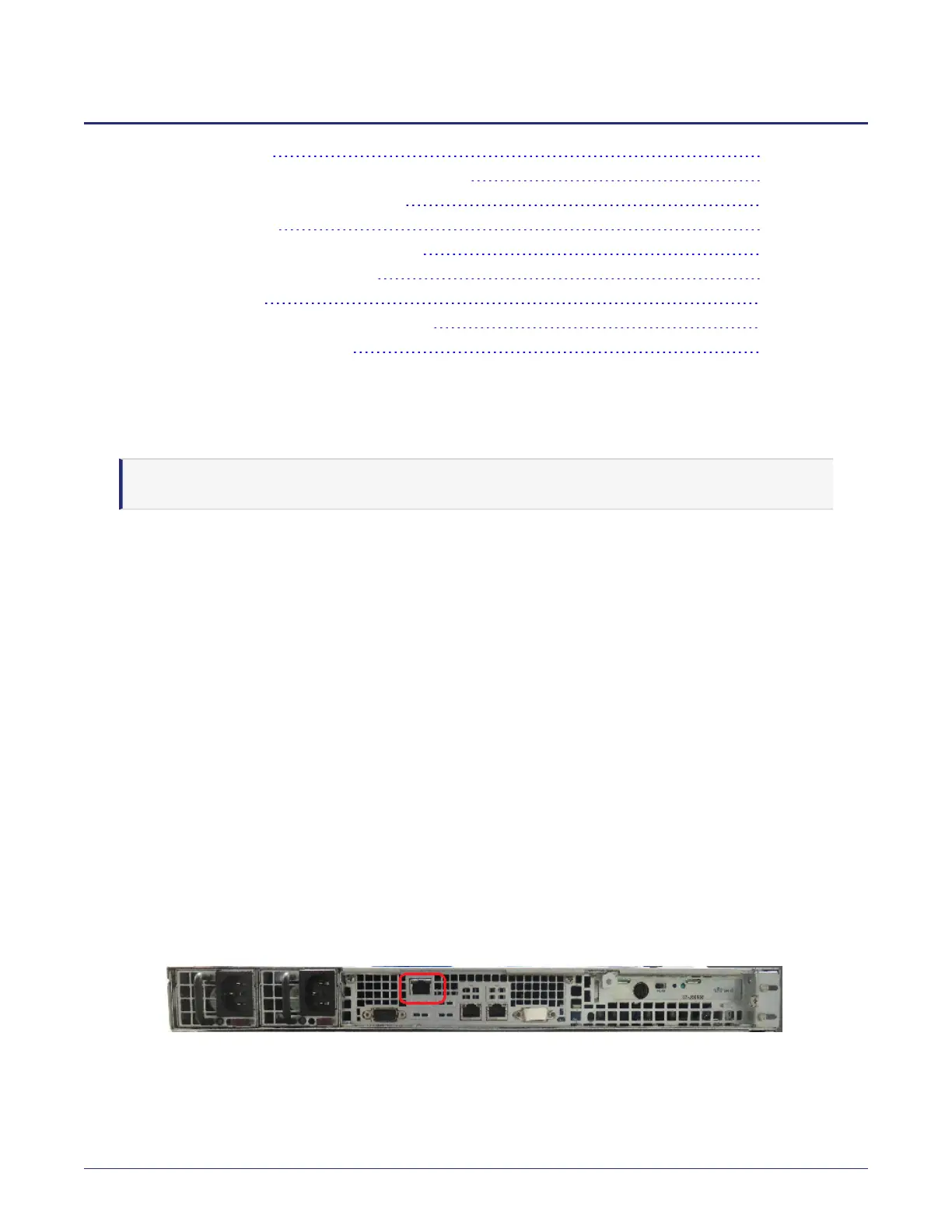
The DSM appliance has a dedicated IPMI Ethernet port that is pre-configured with the IP address, 192.168.10.10. The
DSM IPMI Ethernet port is separate from the other two DSM Ethernet ports, see the following figure.
Figure C-1: IPMI Ethernet port
The following section describes how to configure IPMI and access the IPMI management console.



 To Next Page