45
Art. No.: A002-629_Rev 06
Last update: CW19/2018
THERA-Trainer tigo / THERA-Trainer veho - User manual
STOP buttonPress button: THERA-Trainer interrupts current training session (break).
Press button twice: THERA-Trainer stops current training session.
Control and display unit shows report of the training session.
EMERGENCY
STOP button
(only for 7"
control and
display unit)
Press button: the THERA-Trainer stops training immediately.
In dangerous situations, the number of revolutions and the exercising
resistance immediately slow down to 0 when you press the EMERGENCY
STOP button.
The control and display unit displays STOP.
To leave the EMERGENCY STOP:
Press START button.
- OR -
Pull power plug.
Wait 5 seconds.
Connect power plug.
If the THERA-Trainer immediately starts with the training after you have pressed
the START button:
Press EMERGENCY STOP button.
Contact trained supplier and notify them about the defect.
Do not use the THERA-Trainer for further training.
The THERA-Trainer is in START mode.
Press the START button again to begin the new training session.
Button
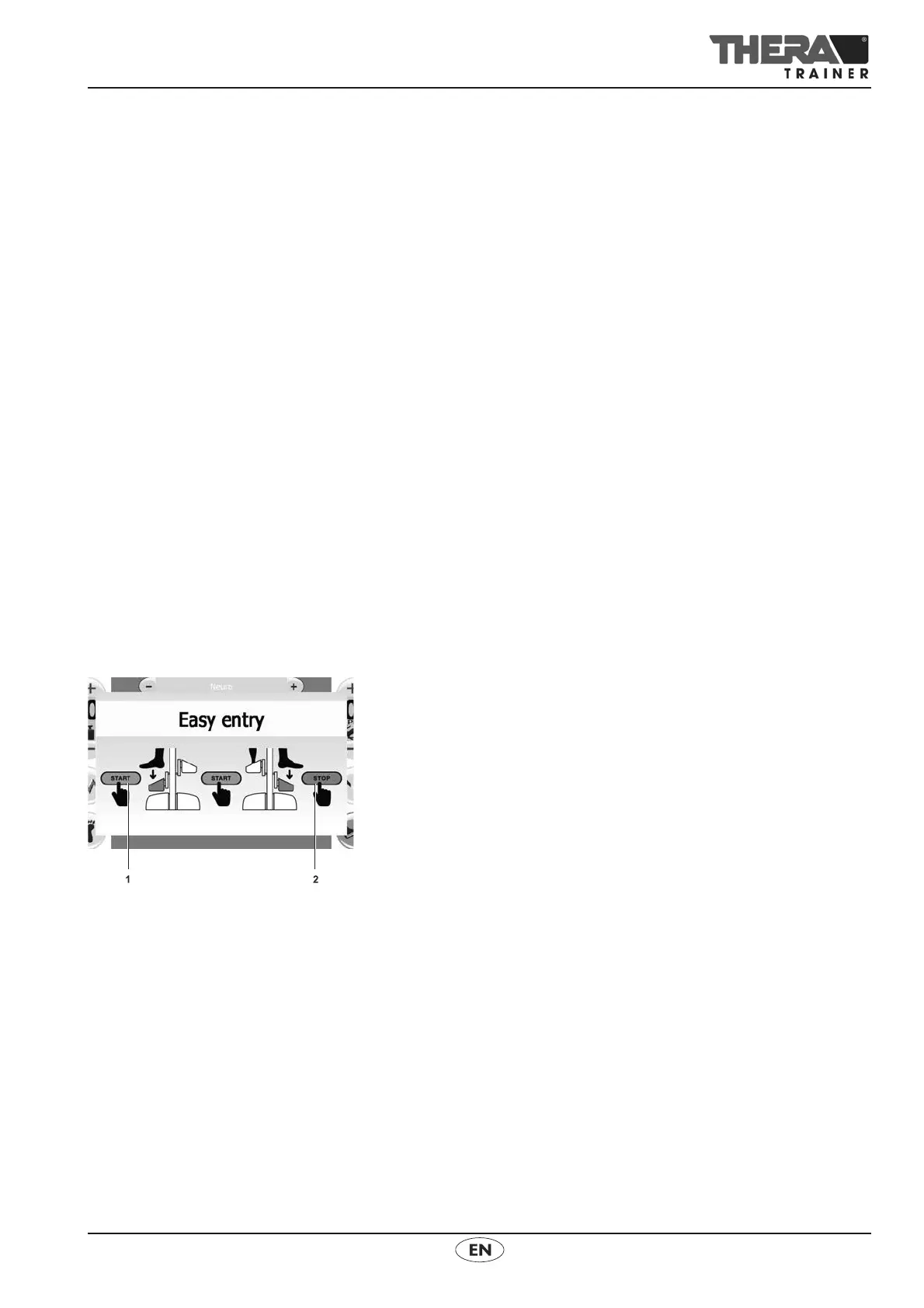
Easy entry
Press button: Instructions for using easy entry appear.
Press START button 1: Crank moves into first entry position.
First foot rest is down.
Put first foot into foot rest.
Press the START button 1 again: Crank moves into second entry position.
Second foot rest is down.
Put second foot into foot rest.
Secure first foot with velcro strap or foot fixing/leg support.
Press the START button 1 again: Crank moves into first entry position.
Secure second foot with velcro strap or foot fixing/leg support.
Press STOP button 2. Easy entry function ends.
Button
Direction of
rotation
Press button: THERA-Trainer reverses the direction of rotation.
THERA-Trainer slows down to 0 rpm and resumes in the opposite direction
with a pre-set number of rotations.
Black arrow shows current direction of rotation.



 To Next Page