51
Art. No.: A002-629_Rev 06
Last update: CW19/2018
THERA-Trainer tigo / THERA-Trainer veho - User manual
NoteThe larger the crank radius, e.g. the lower the motor power, the more sensitive
the reactions of the anti-spasm-control system, and vice versa.
Activate or deactivate key sound using button Easy entry.
Press START button to confirm all changed settings.
Press button STOP to discard all settings made.
13.2 Display operating hours
Do the following to display the operating hours:
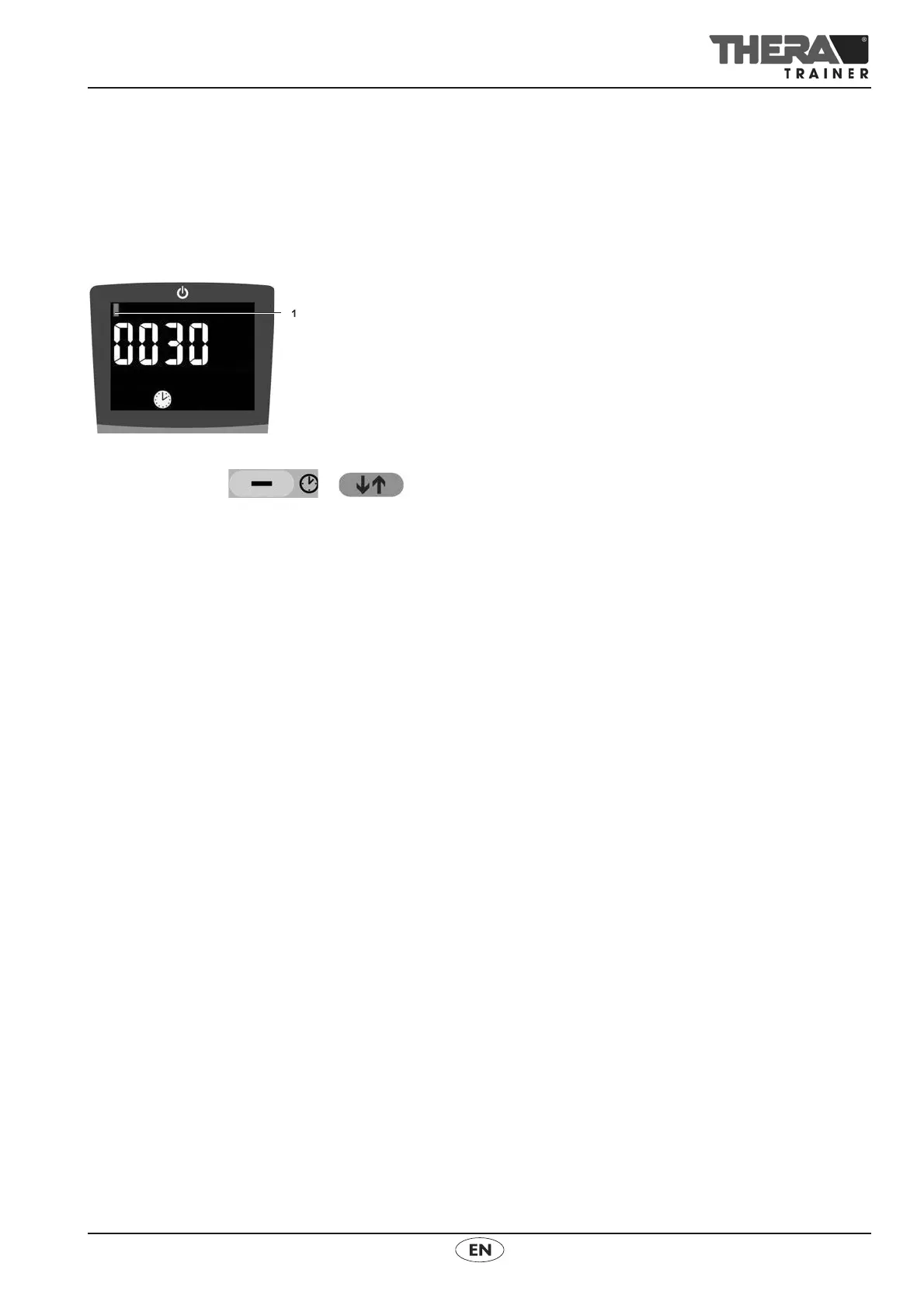
Press buttons + at the same time until the control
and display unit shows operating hours.
The screen displays a bar 1 for every 10,000 operating hours.
The graphic indicates 10,030 operating hours.
Display in hrs with the clock symbol.
Do the following to leave the operating hours display:
Press any button.
The display automatically disappears after approx. 30 seconds
13.3 Power limits
NoteThe control and display units displays error message E045 if power limits
are not adhered to. The THERA-Trainer stops the training session.
Power exceeded
If the upper limit for power (80 Watt) is exceeded, the control and display unit
displays High + Watt.
Make sure that the user does not exceed the upper power limit.
Number of rotations exceeded
If the upper limit for the number of rotations (95 rpm) is exceeded, the control
and display unit displays “High + rpm”.
Make sure that the user does not exceed the upper limit for number
of rotations.
Power and number of rotations exceeded
If the upper limit for power (80 Watt) and the number of rotations (95 rpm)
is exceeded, the control and display unit displays “High + Watt + rpm”.
Make sure that the user does not exceed the upper limit for power and
number of rotations.


 To Next Page