THERA-Trainer tigo / THERA-Trainer veho - User manual
42
Art. No.: A002-629_Rev 06
Last update: CW19/2018
Button Switch
leg/upper body
exerciser
Press STOP button: THERA-Trainer stops current training session.
Press switch button: THERA-Trainer switches from leg to upper body exerciser
or vice versa.
– Foot symbol lights up: Leg exerciser is active.
– Hand symbol lights up: Upper body exerciser is active.
The switch button is inactive during training sessions or if no upper body
exerciser is installed.
Leg and upper body exercises is not possible at the same time.
Easy entry
button
Press button: Crank moves into first entry position.
– First foot rest is down.
Put first foot into foot rest.
Press button again: Crank moves into second entry position.
– Second foot rest is down.
Put second foot into foot rest.
Press START button: Easy entry function ends.
Anti-spasm-
control button
Press button: THERA-Trainer deactivates anti-spasm-control.
– Symbol Lightning is inactive (hidden).
Press button again: THERA-Trainer activates anti-spasm-control.
– Lightning symbol is active (red lightning).
Saving training settings
You can save individual training settings before starting:
Direction of rotation
Training time
Resistance
Every subsequent training session will start with these settings. An interruption
of the energy supply will reset the settings to the factory settings.
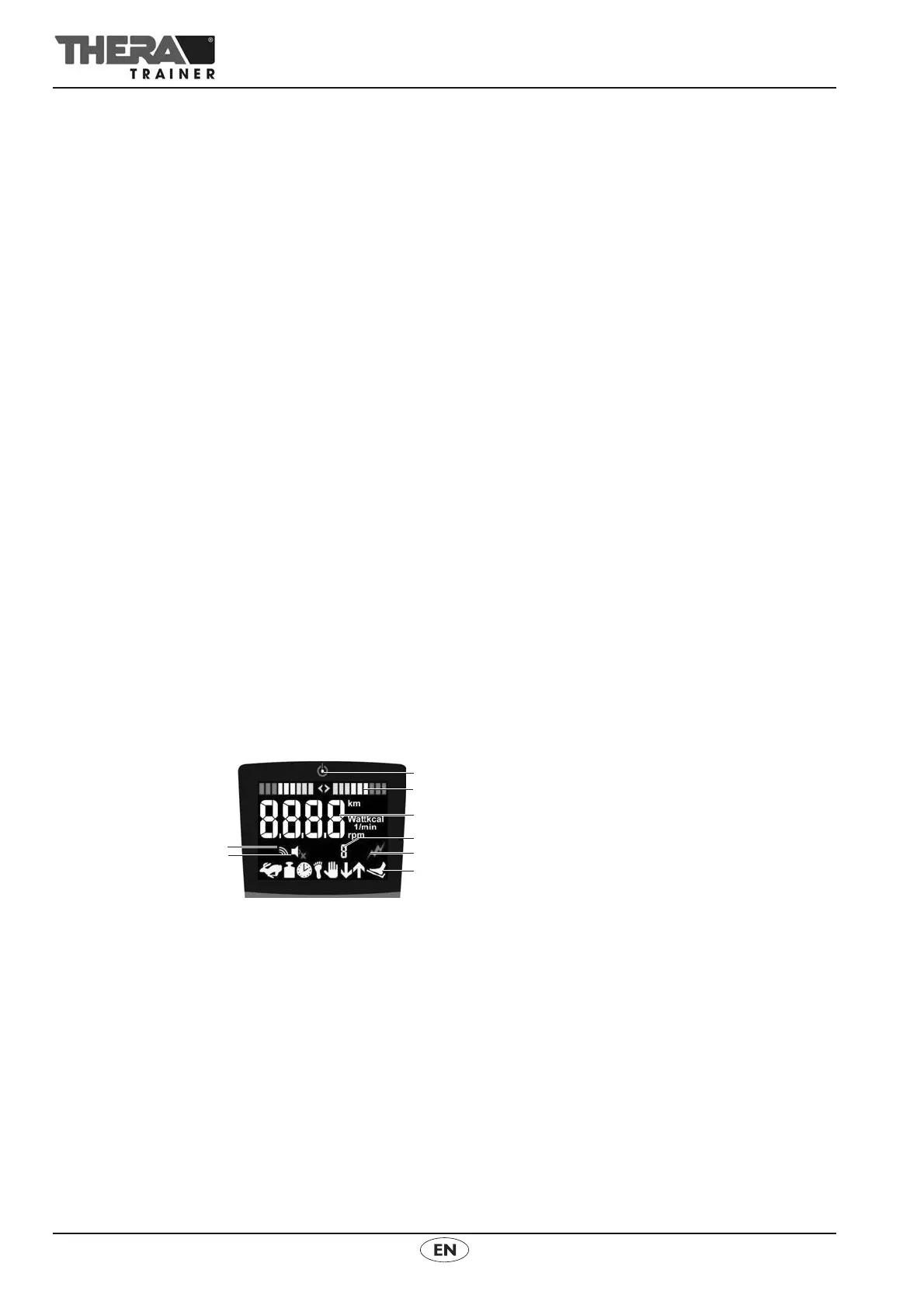
12.2 Display unit 2.7"
(1) Display stand-by mode
(2) Symmetry display
(3) Training parameters display
(4) Display Spasm detection
(5) Display Spasticity ON/OFF
(6) Display Status bar
(7) Display Key sound ON/OFF
(8) Display of wireless symbol



 To Next Page