THERA-Trainer tigo / THERA-Trainer veho - User manual
44
Art. No.: A002-629_Rev 06
Last update: CW19/2018
Display Wireless
connection
Wireless connection active: Connection to the PC is active (symbol is visible).
Wireless connection inactive: Connection to the PC is inactive (symbol is not
visible).
Beep when disconnecting or establishing the connection.
Note Wireless connection is used to connect to a PC. If a wireless connection has been
set up, you can train with THERA-soft software. Further information can be found
in the relevant user manual.
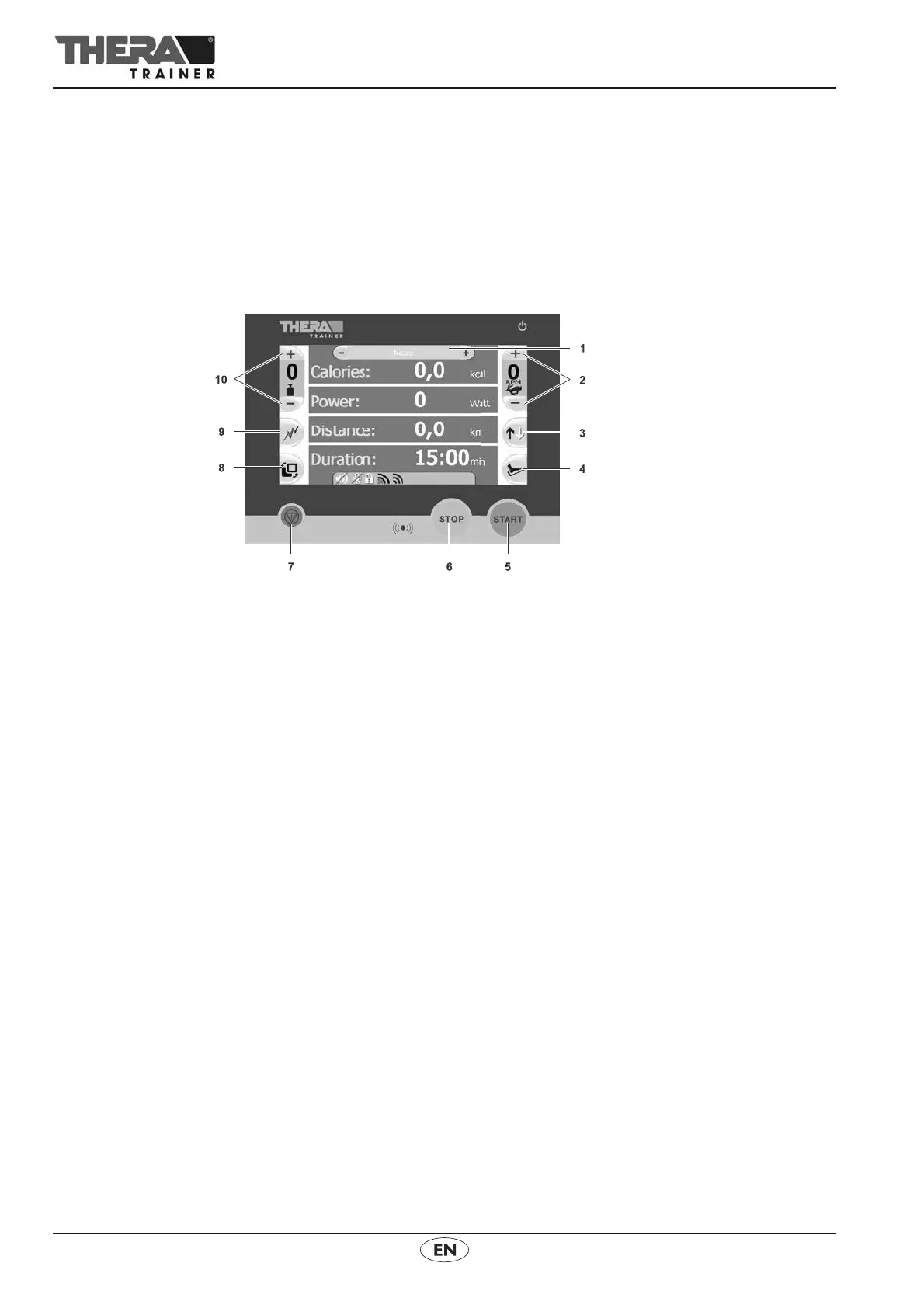
12.3 Control and Display units 5.7" / 7" / 10.4"
(1) Button Switch training programme (only for 7" / 10.4" control and
display unit)
(2) Buttons Number of revolutions
(3) Button Direction of rotation
(4) Button Easy entry (only activate for leg training)
(5) START button
(6) STOP button
(7) Emergency-Stop button (only for 7" control and display unit)
(8) Button Switch training programme
(9) Button Anti-spasm-control
(10) Buttons Exercising resistance
Note The control and display unit with 10.4" or 7" colour screen is operated using
touchscreen fields; the control and display unit with 5.7'' colour screen using
buttons.
The 7" control and display unit is shown as an example. The shape and size
of the other control and display units may differ. Operation is identical.
Functions of the control and display unit
START button Press button.
Select leg or upper body workout (only with a combination trainer for legs
and upper body).
– Countdown is displayed.
– The THERA-Trainer starts at 10 rpm.
Press button after interruption (pause): Training session resumes.



 To Next Page