10
© Third Dimension Confidential Document D13-1604-GGUSER-EN-3.4
V7.6
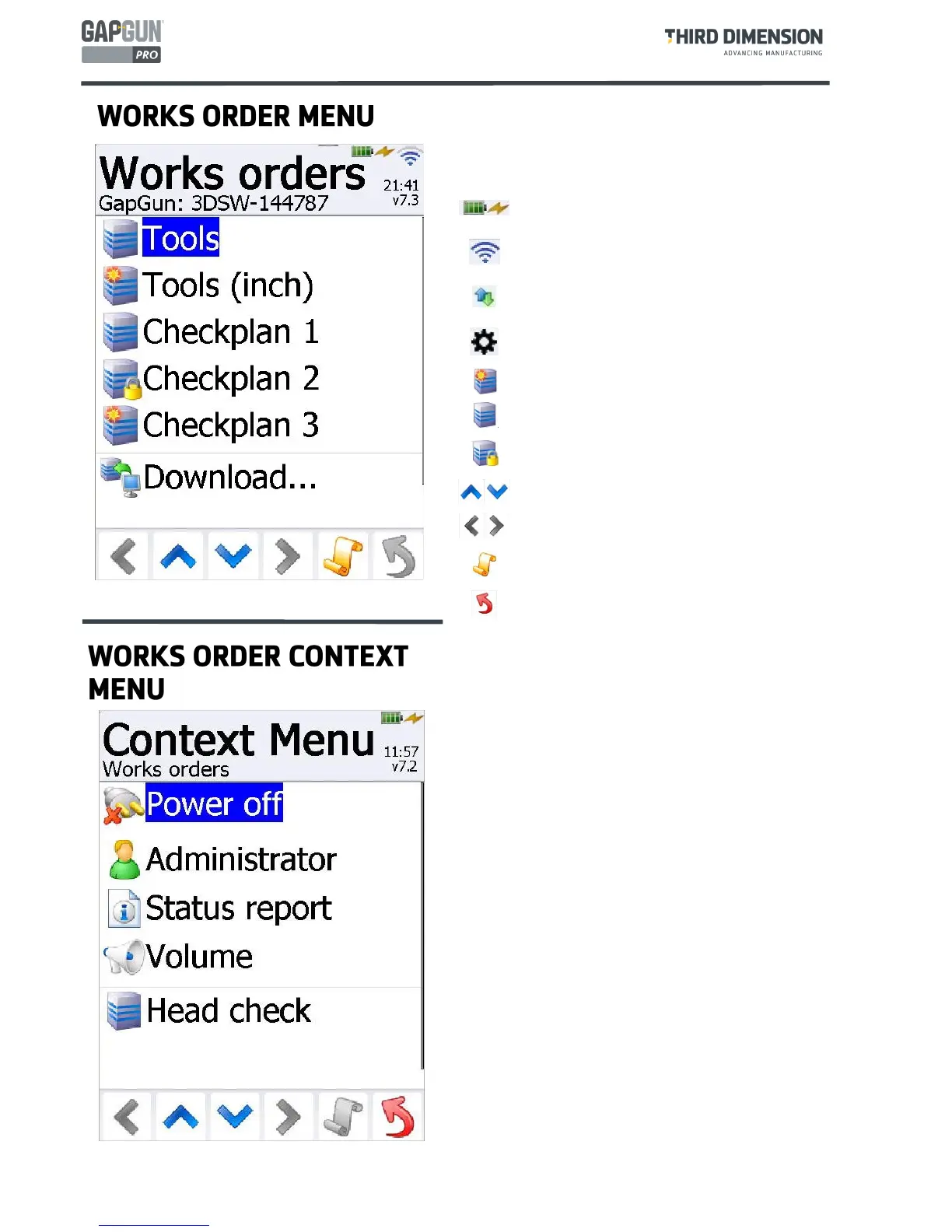
Context Menu
Pressing the context menu button brings up a set of
additional items related to the current menu allowing
access to other functions or to system wide functions.
The example is the Works Order Context menu.
Power off
This allows the GapGun to be turned off.
Administrator
Provides access to the Administrator Menu, which is
password protected, it allows various features of the
GapGun to be configured such as GapGun Name,
Comms, Language, Font Size, Date/Time, Touch Screen
Calibration. In Administrator mode a green figure
appears in the top right hand corner.
Operator
Returns the user level to Operator restricting access to
configuration options.
Status report
The Status report provides information about the
current state of the GapGun. The report has three
sections; Handle, Head and Network.
Volume
Volume allows the operator to adjust the loudness of
the GapGun informational and warning sounds.
GapGun
Name
Set to the serial number of the GapGun
changed from the Admin Menu
Tools
Checkplan
Tools checkplan to make instant measure-
ments. In Metric and Inches.
Battery shows remaining charge, the flash indi-
cates that the battery is charging.
Wi-Fi connected, dark bars indicate signal
strength.
Download shows the GapGun is talking to a
host PC.
Co-processor Shown when the GapGun is
connected to a co-processor.
New Works Order.
Open Works Order not yet completed.
Locked Works Order ready to be uploaded.
Scroll up or down between menu items.
Scroll left or right between different views.
Context Menu Access to extra functions de-
pendent on which screen is in use.
Return to the previous menu



 To Next Page