© Third Dimension Confidential Document D13-1604-GGUSER-EN-3.4
V7.6
19
The GapGun can operate in two modes; Roaming mode where GapGun does all its own processing and
Coprocessor mode where a PC running SPC3D does the calculations so that the GapGun can process the data
more quickly.
When using the GapGun MX+ and for some measurement Features such as the BSE family or complex multi-
curve fits when using the GapGun Pro, Coprocessor mode should be used to achieve acceptable speeds of
measurement.
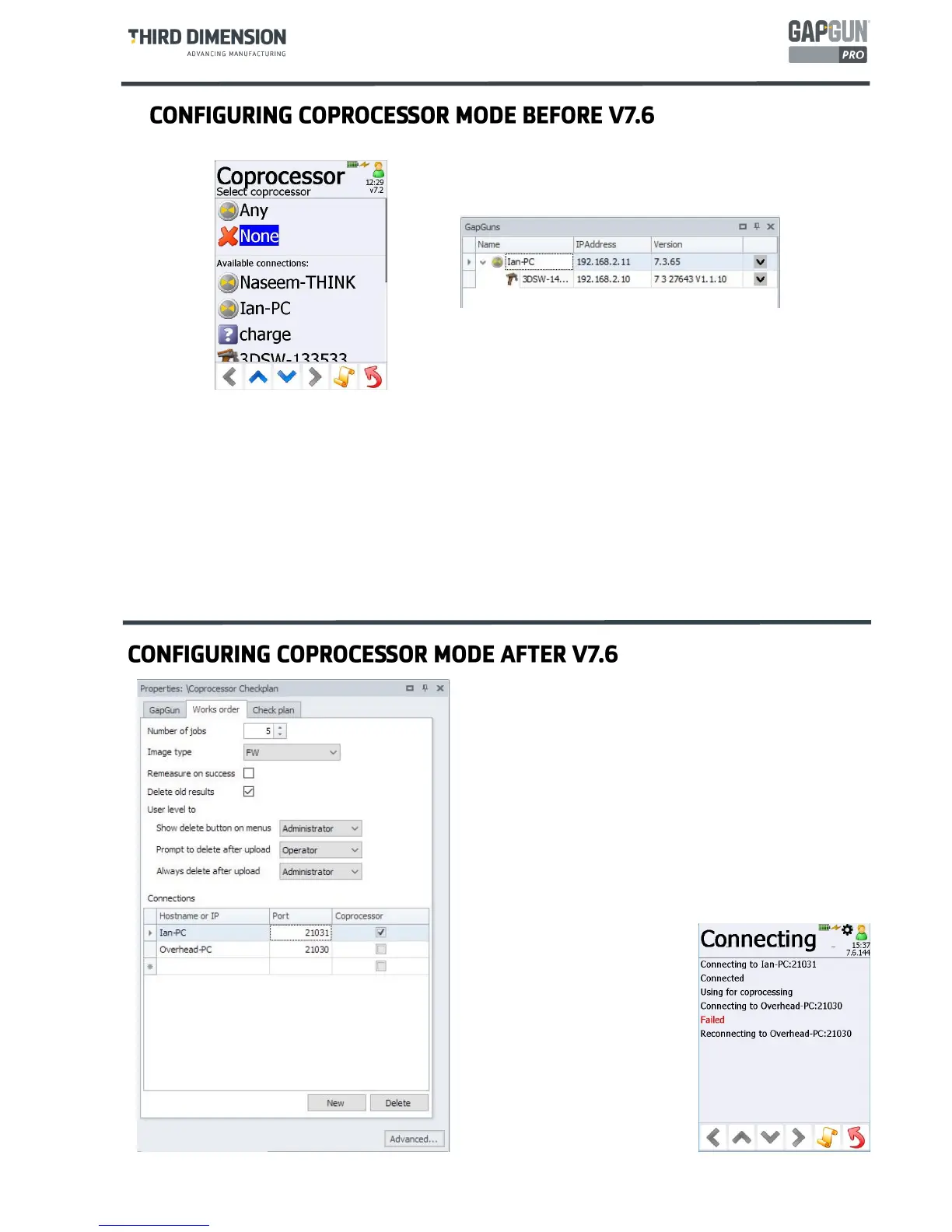
To configure this mode:
Select a particular SPC3D server from the list or
Select Any so that any SPC3D server on the network may be used as coprocessor or
Select None to disable coprocessor mode.
The selection of co-processor configuration has been moved
from the GapGun to each individual Checkplan. This means
that which ever GapGun the Checkplan is run, it will try to use
the same co-processor.
However, this means that Checkplans produced by SPC3D V7.5
or earlier are not compatible with GapGuns running V7.6 or
later.
The co-processor is configured in SPC3D on the Works order
Tab of the Checkplan Properties.
The IP address or hostname of the PC running the co-processor
is specified, the port on which the co-processor will
communicate is set, this is normally
port 21030. Ticking the Coprocessor
box will make the GapGun contact
the co-procerssor on the specified
port when it runs the Works order.
This dialog is also used to define
where add-ins such as Inline View
are being run.
Note: V7.6 and later versions of
Inline View can also operate as co-
processors removing the need to run
a separate copy of SPC3D.



 To Next Page