30
© Third Dimension Confidential Document D13-1604-GGUSER-EN-3.4
V7.6
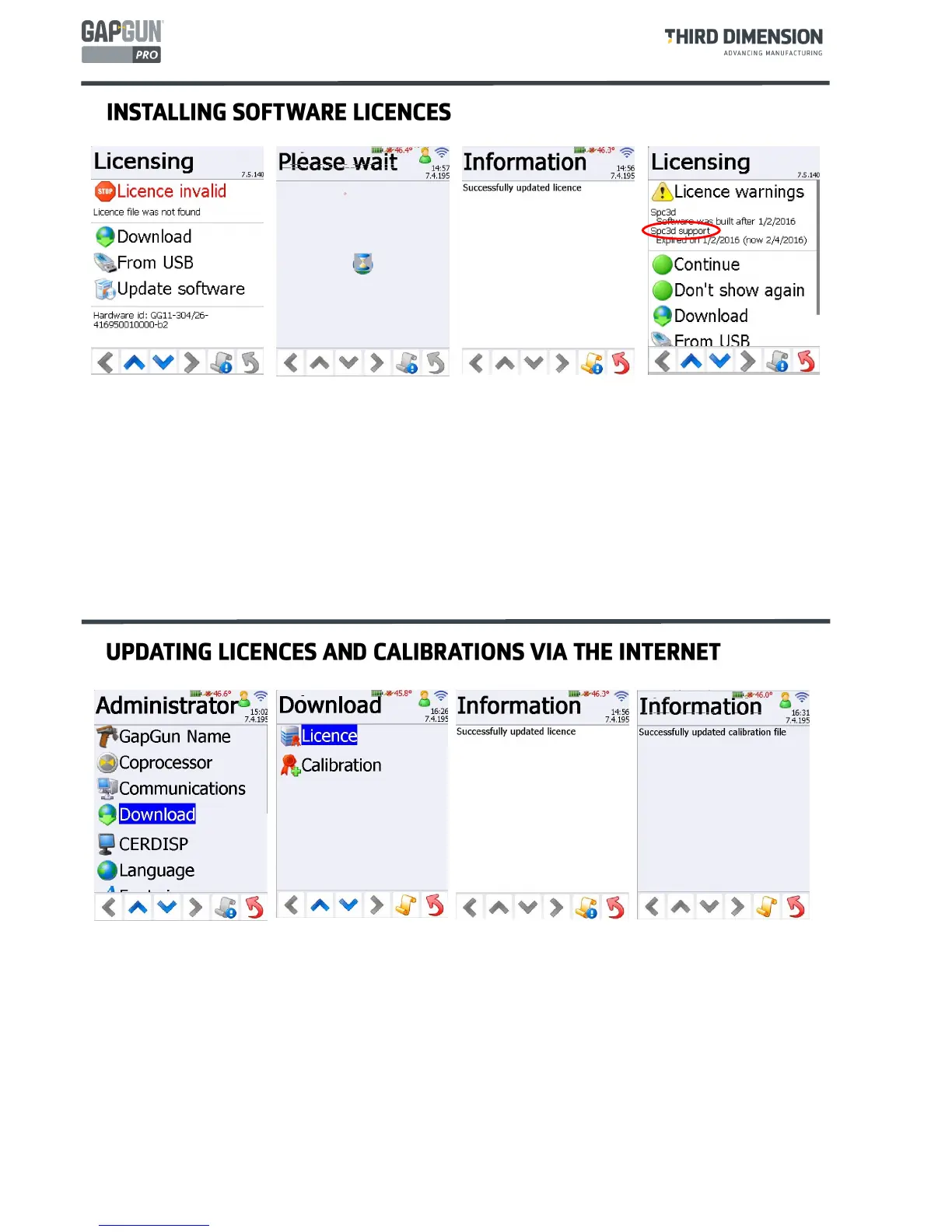
It may be necessary to obtain a new licence for the handle or a new calibration file for the currently mounted
sensor. This might be because you have licensed extra features or the sensor has just returned from recalibration.
If the GapGun is configured for access to the Internet then these updates can be obtained directly from Third
Dimension.
Tapping
Download
on the Administrator menu shows the two options:
Licence
and
Calibration
.
Assuming that a suitable licence has been configured, it will be downloaded directly to the GapGun. Or, when
downloading a calibration file the most recent calibration file will be loaded on the GapGun.
Beginning with V7.4 GapGun handles must be licensed. These licences permit features of the GapGun to work.
Features which may have been available in previous versions may no longer be available unless a suitable licence has
been purchased.
When a GapGun is started without a valid licence will show the message “Licence Invalid”. Tapping the
Download
button will download the licence from Third Dimension if the handle is configured for access to the Internet. Tapping
the
From USB
button will load the licence from a USB stick where the licence file should be placed in the root folder
of the USB stick. In either case, a “Successfully updated licence” message will be displayed if the licence is valid.
The Licensing screen will also show warnings about licences that are about to expire. These messages can be ignored
once by tapping
Continue
. Tapping
Don’t show again
will suppressed warnings until another licence event occurs.
In this example, the “Spc3d support” entry refers to your Support Contract status and not to the functionality of the
GapGun. The GapGun will operate normally but you will not be able to install new software releases until a new
support contract is purchased.



 To Next Page