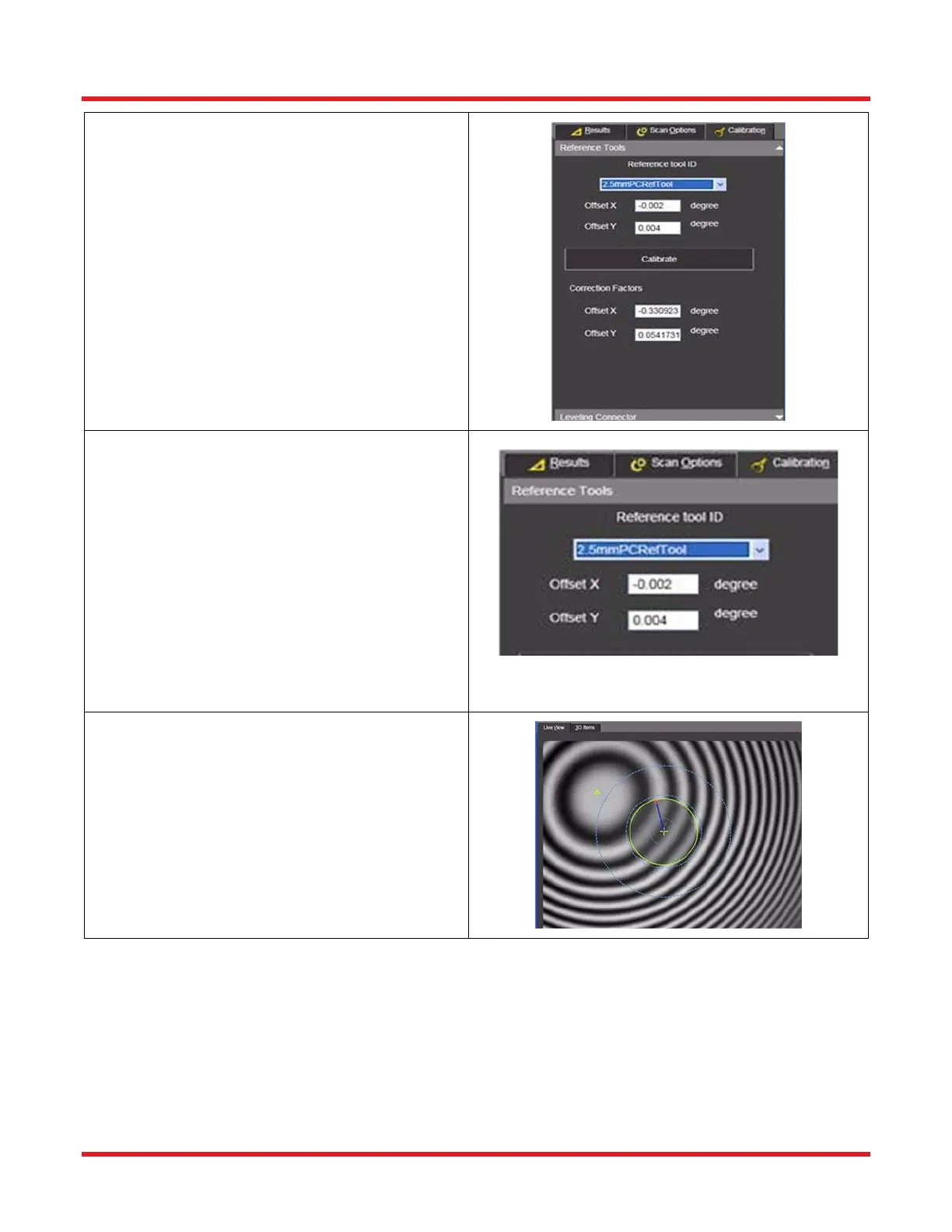
STEP 5
• Select a previously saved Reference Tool ID
from the drop down menu. When a reference
tool choice is selected, its corresponding
Offset X and Y values will appear beneath
the selection box. if there are no X and Y
factors matching those printed on the
Reference Tool, a new Reference Tool ID
must be created for it by the production
supervisor via the Reference Tool Add/Edit
function in the program’s Tools menu.
STEP 6
• Adjust the focus knob to maximize the fringe
pattern (i.e. greatest contrast between black
and white fringes).
• Press the Calibrate button.
• Make sure not to cause any vibration during
the scanning process.



 To Next Page