Portable Connector Chapter 7: Toolbar Functions
Page 37 TTN169162-D02
Print: To print the entire set of chosen reports to a printer, click the Print button in the Generate Report dialog. A
progress indicator is shown while printing is taking place.
Export: To save the entire set of chosen reports to a file, click the Export button in the Generate Report dialog.
Users can save the reports in PDF format. After clicking the Export button a File Save dialog appears. Choose the
location where to be saved, enter a name for the file, and click OK to save. A progress indicator shows while
preparing to output to file takes place.
7.1.5. Measure Tool
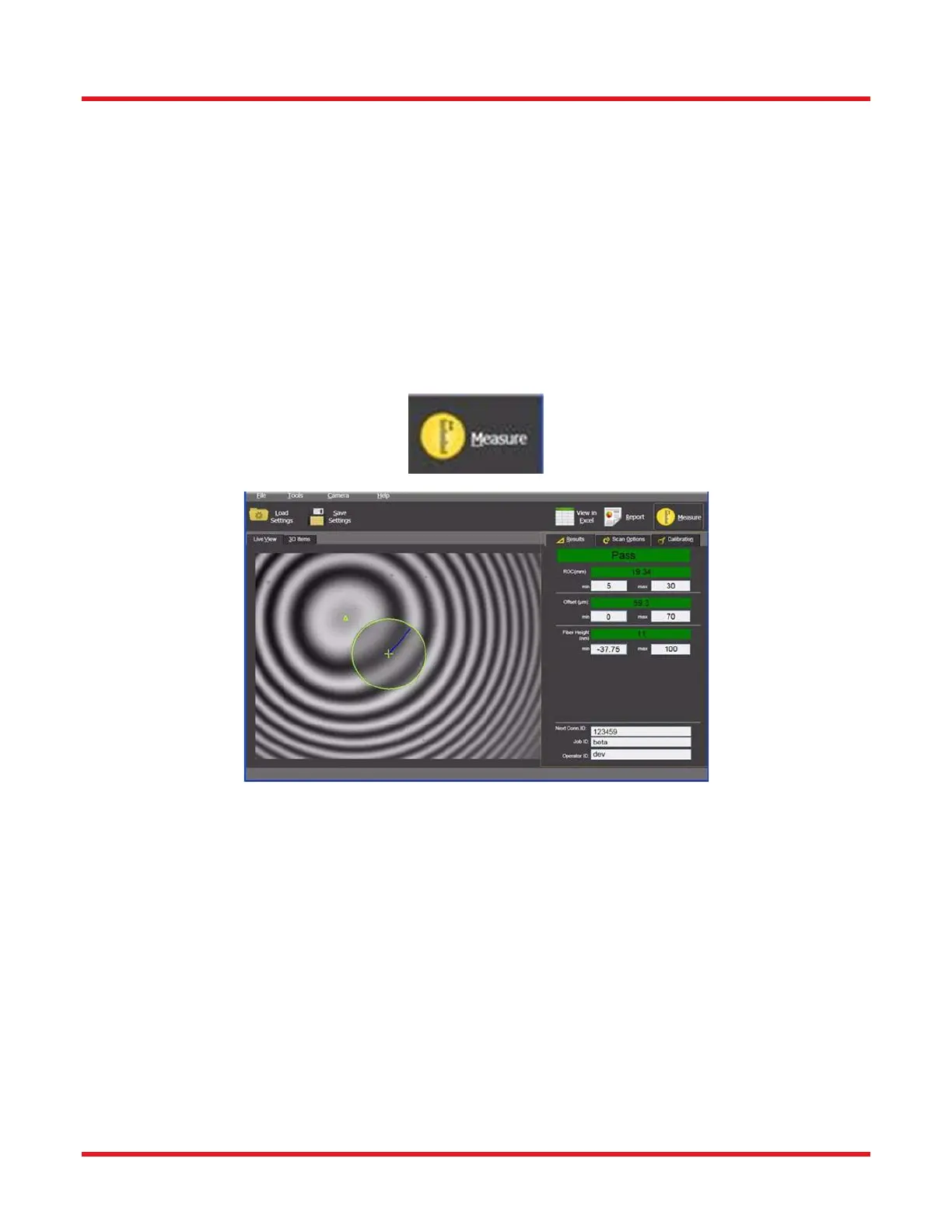
The Measure tool allows the user to activate a connector scan. If, at the time of activation, the Connector ID, Job
ID, or Operator ID fields are blank, there will be a prompt to fill them in before the measurement can proceed.
Upon successful completion of the scan, the program will switch the right-hand-side display to the Results tab (if
not already selected) to show all results, as well as updating the Live View overlays (see example pictured
below).



 To Next Page