Portable Connector End Face Geometry Interferometer Chapter 6: Menu Bar Functions
Rev B, April 16, 2019 Page 26
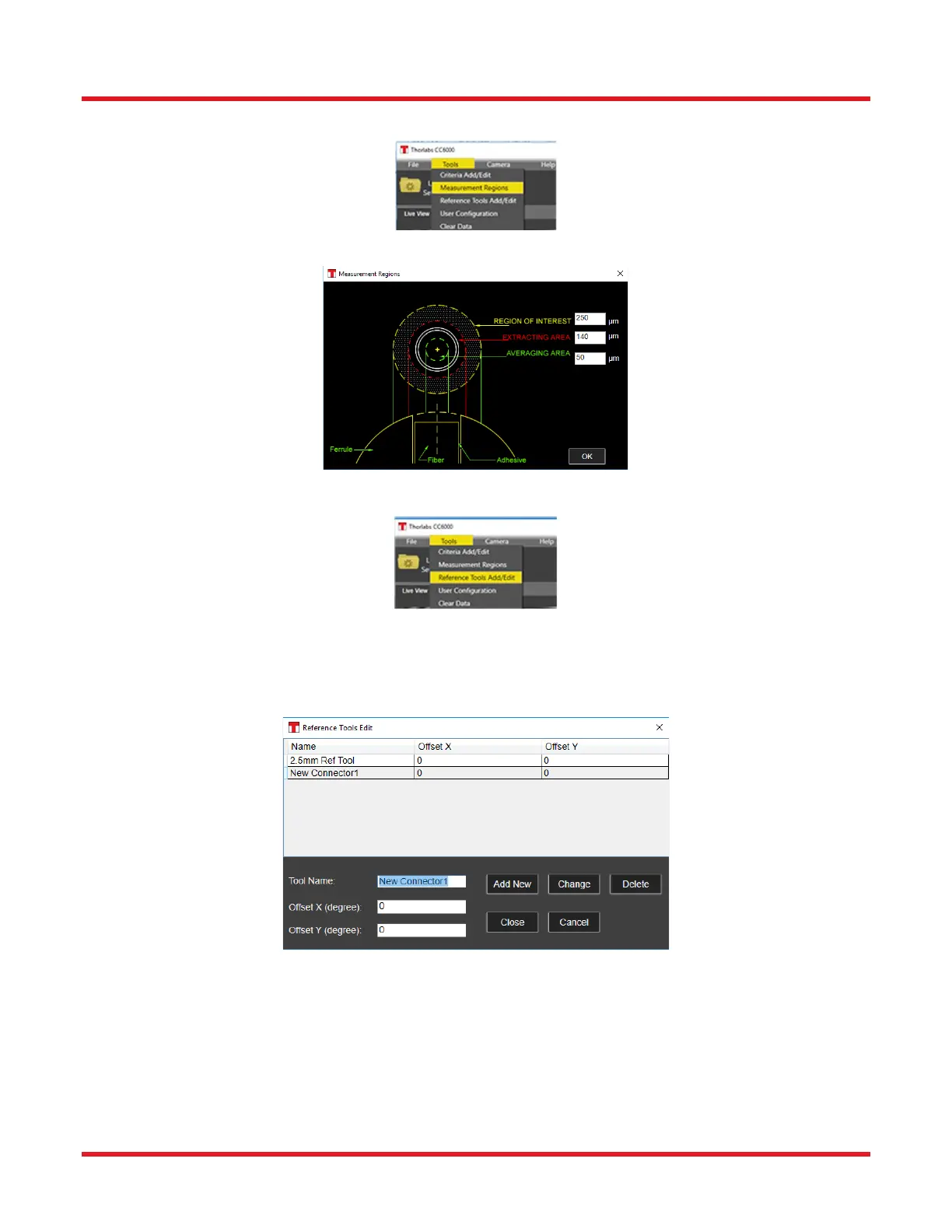
6.2.2. Measurement Regions (Tools\Measurement Regions):
When selected, the three regions, centered on the fiber, that determine the source of data for all measurements on
a connector endface can be defined for the CC6000 Software program.
6.2.3. Reference Tools Add & Edit (Tools\Reference Tools Add_Edit):
When selected, the following configuration dialog will open. This dialog allows the User to view, add new, or change
existing Reference Tool definitions. These definitions can be chosen later for use in a Reference Tool calibration
(via the Calibration/Reference Tool tab). The Offset X and Offset Y values in the dialog are taken from those marked
on each Reference Tool associated with a CC6000 system.



 To Next Page