Portable Connector Chapter 12: Appendix
Page 67 TTN169162-D02
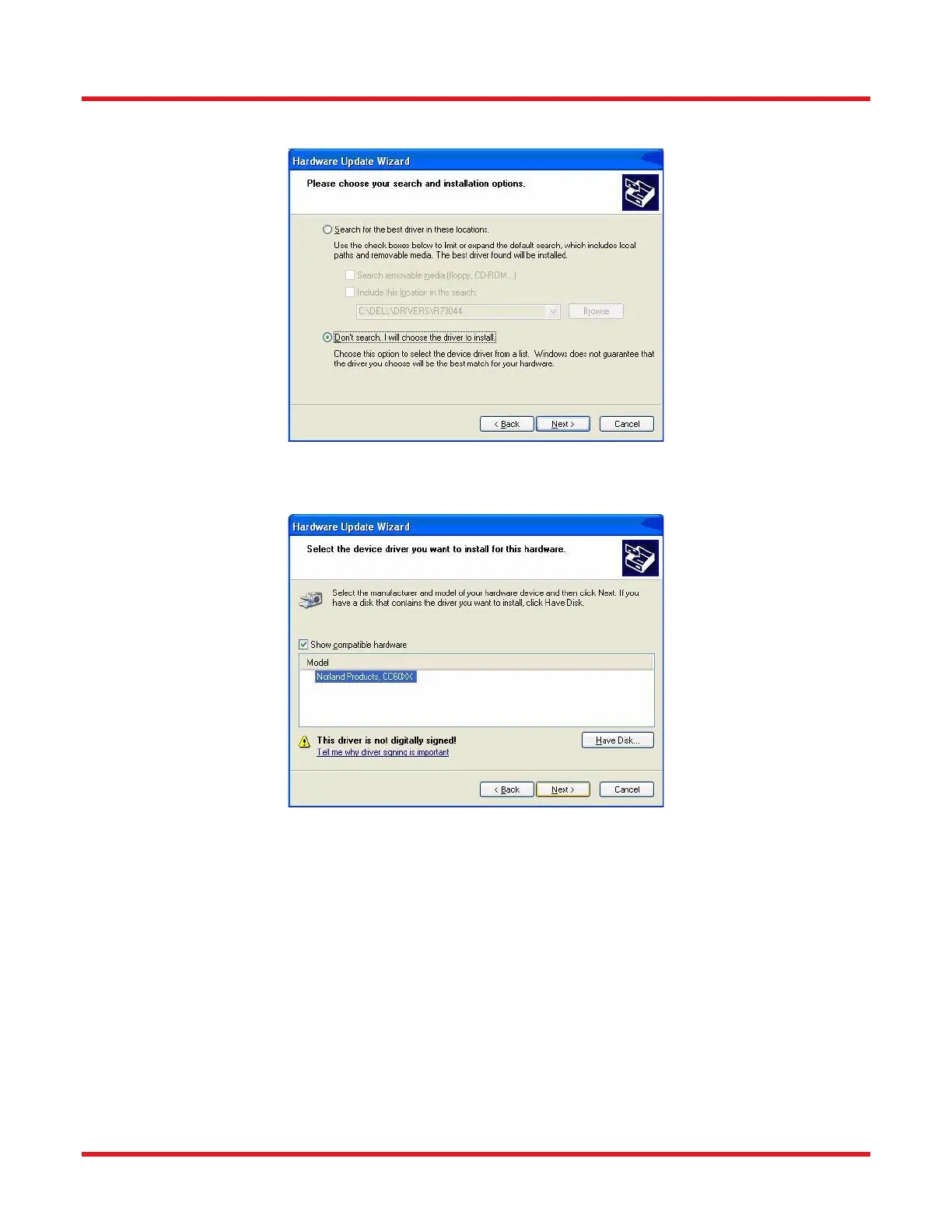
iv. In the next form, select “Don’t search…” and click NEXT.
v. You should now be presented with the correct video device as an option for installation.
Click on that device name and click NEXT.
vi. Click “Finish”
c. After these steps, you should be able to perform the operations successfully,



 To Next Page