Setting up TiVo Stream on your mobile device
TiVo Stream Operator’s Guide v1.1 • TiVo
®
Proprietary and Confidential 13
Now finish setup on your mobile device. Before you proceed, ensure that your mobile
device is connected via WiFi and to the same local network as your TiVo Stream and
DVRs.
3. On your iPad or other mobile device, launch the TiVo App and follow the on-screen
instructions to connect to your DVR.
Once connected to your DVR, the TiVo App automatically detects the TiVo Stream and
initiates the TiVo Stream Setup process.
Note: For information on how to respond to problems during TiVo Stream Setup, refer
to Chapter 4, Troubleshooting TiVo Stream.
The TiVo Stream Setup process completes the following tasks:
Step 1. Checks for any TiVo Stream firmware updates and applies the updates as
necessary.
Step 2. Checks to make sure that TiVo Stream has been activated.
Step 3. Checks to make sure that TiVo Stream and the DVR are in the same share
group.
Step 4. The TiVo App runs a test video stream to ensure that your network has the
bandwidth to support streaming.
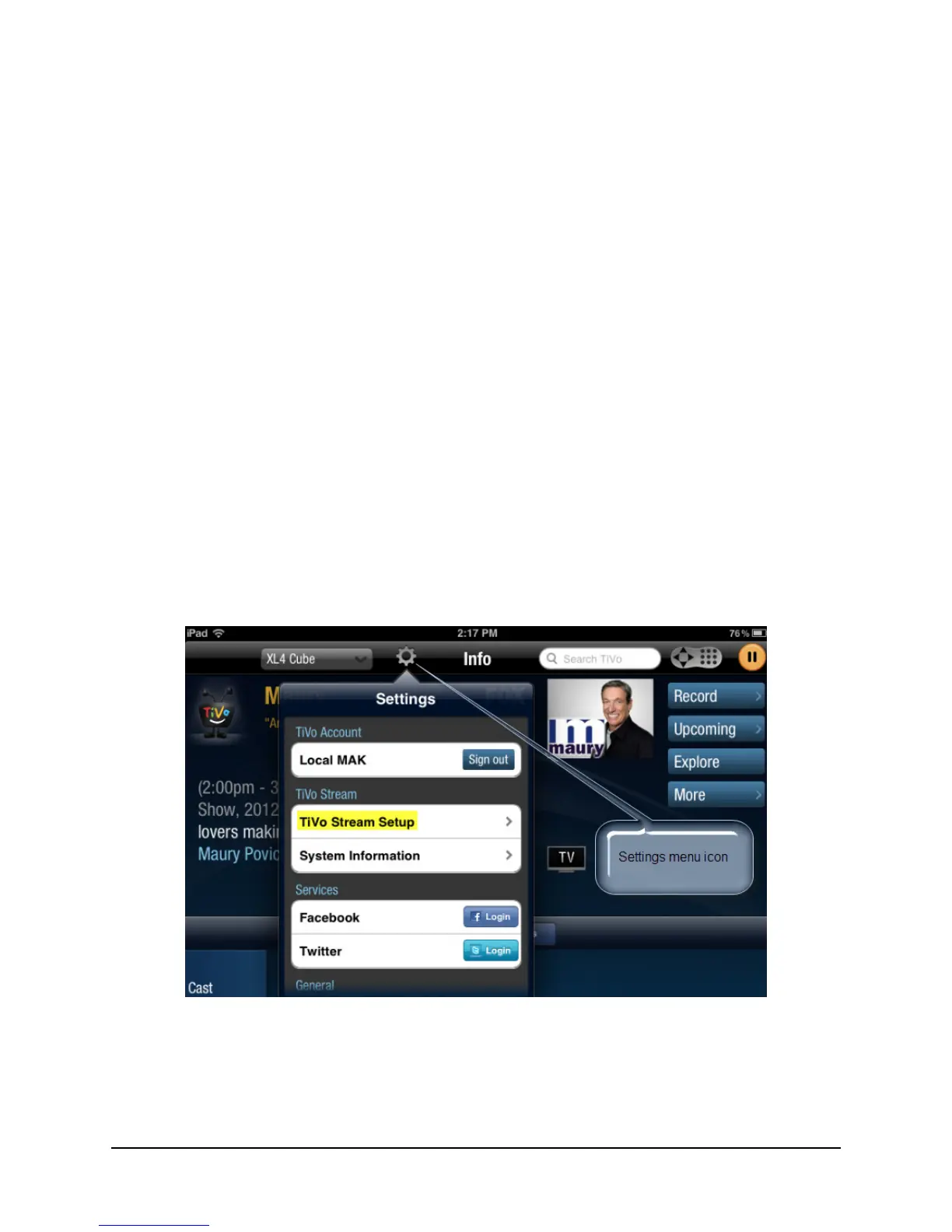
a. If the on-screen instructions do not appear automatically, tap the TiVo App’s Settings
icon.
The Settings menu appears (see Figure 2–2).
Figure 2–2: Bringing up the Settings menu
b. Tap TiVo Stream Setup.
The TiVo Stream Setup dialog appears, which displays the message, “Checking for
TiVo Stream.”



 To Next Page