Downloading programs to your mobile device
TiVo Stream Operator’s Guide v1.1 • TiVo
®
Proprietary and Confidential 31
Pausing and resuming downloads
When you’re downloading multiple programs, you can specify which program you want to download
first.
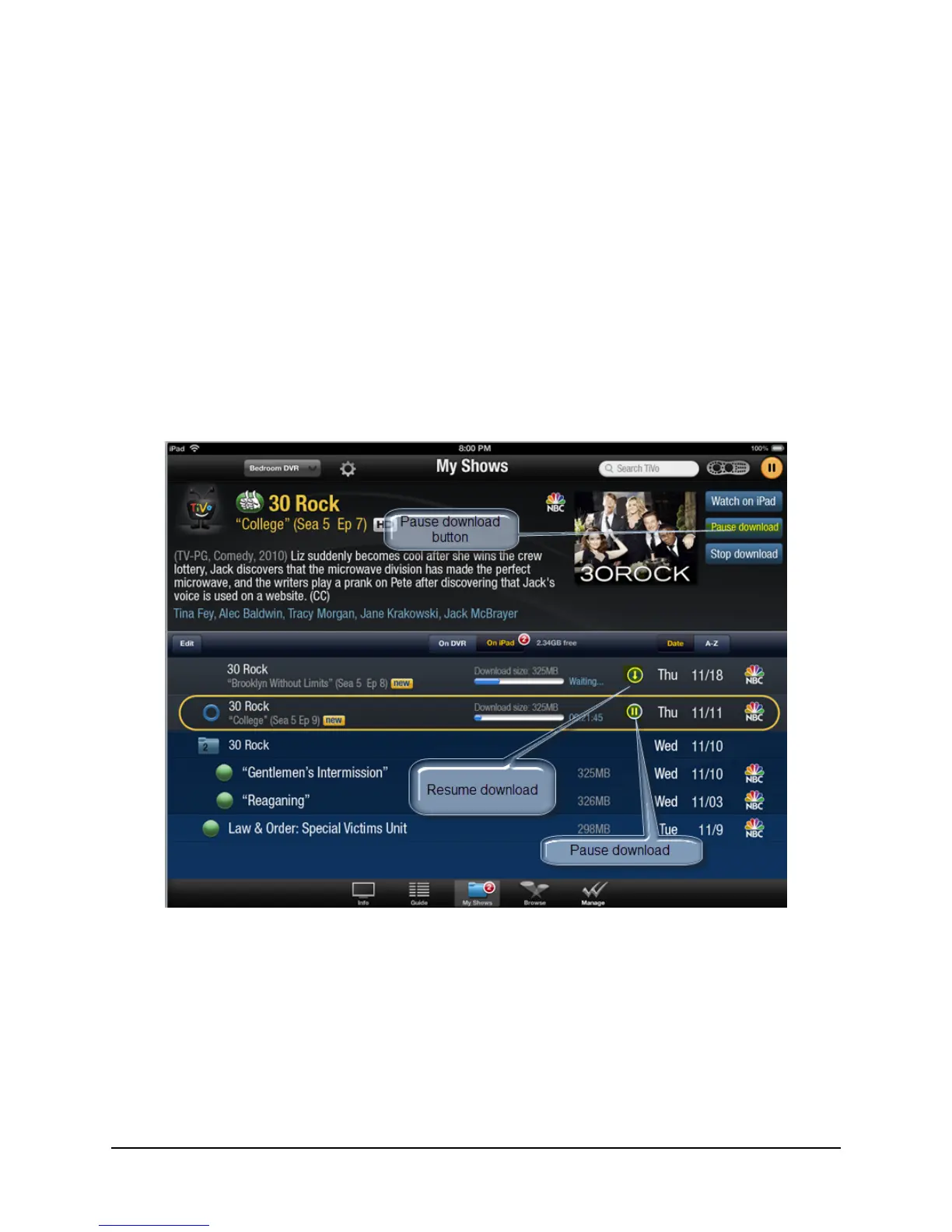
To specify which program you want to pause or resume:
1. Tap the My Shows tab (at the bottom of the iPad screen).
2. Tap the On iPad tab.
The download queue appears.
3. In the download queue, tap the Pause download button or the Resume download button
as desired (see Figure 3–17).
To pause the program currently downloading, you can also tap the Pause download
button in the Preview Pane.
Figure 3–17: Pause or resume downloads
The program download you chose starts to download while the second program download
pauses until the first download is completed.



 To Next Page